
Picking the best retro gaming converters for projectors is harder than it looks. A converter that looks great on a 55 inch 4K TV can fall apart on a 120 inch projected image, where every pixel of source noise gets magnified and a single frame of lag becomes a tripwire in a fighting game. After testing 9 adapters across three projectors over six weeks, our team found that the projector use case exposes problems most roundups ignore: long HDMI cable runs that lose sync, projectors without analog audio jacks, and 4:3 content stretched across widescreen displays.
This guide is built around those projector-specific pain points. Every adapter below was evaluated for input lag, signal type support, picture clarity at projector scale, and whether it can survive a 25 foot HDMI run to a ceiling mounted projector. Whether you are running an SNES, N64, PlayStation 2, Dreamcast, or Genesis, you will find the right retro gaming HDMI adapter for your setup here. If you also need a controller for that setup, our retro gaming controllers for projectors roundup pairs well with this guide.
We also looked at the projector-versus-CRT debate from the angle most buyers actually face: you already own a projector, you want to play retro games on it tonight. For broader controller options, our complete retro gaming controller guide covers every budget.
Index Table of Contents
- Top 3 Picks for Retro Gaming Converters on Projectors
- Best Retro Gaming Converters for Projectors in 2026
- 1. Tengchi RCA to HDMI Converter – Best Overall for Projector Retro Gaming
- Tengchi RCA to HDMI Converter, AV to HDMI Adapter
- Specification
- Pros
- Cons
- Best for projector because
- Skip if you need
- 2. ABLEWE RCA to HDMI Converter – Best Value for Casual Projector Gaming
- ABLEWE RCA to HDMI,AV to HDMI Converter, 1080P Mini RCA Composite CVBS Video Audio Converter Adapter Supporting PAL/NTSC for TV/PC/ PS3/ STB/Xbox VHS/VCR/Blue-Ray DVD Players
- Specification
- Pros
- Cons
- Best for projector because
- Skip if you need
- 3. BD&M RCA to HDMI Converter – Budget Pick for a Single Console
- BD&M RCA to HDMI Converter, AV to HDMI Adapter Supports PAL/NTSC for PS2, PS3, Xbox, VHS, VCR, DVD Players
- Specification
- Pros
- Cons
- Best for projector because
- Skip if you need
- 4. Tendak 3RCA and S-Video to HDMI – Best Mid-Tier for S-Video Consoles
- Tendak 3RCA CVBS Composite & S-Video R/L Audio to HDMI Converter Adapter Support 720P/1080P with 3RCA S-Video Cable for NES SNES N64 PS2 PS3 HDTV
- Specification
- Pros
- Cons
- Best for projector because
- Skip if you need
- 5. RCA S-Video to HDMI with 4:3 Aspect Ratio Switch – Best for 4:3 on 16:9 Projectors
- RCA Svideo to HDMI Converter with 4 : 3/16 : 9 Aspect Ratio Switch, S-Video RCA to HDMI Adapter, Support 720P/1080P Output Switch for VHS/VCR/DVD Player/Wii/PS1/PS2/N64/NGC/NES to View on HD TVs
- Specification
- Pros
- Cons
- Best for projector because
- Skip if you need
- 6. Kaico OSSC 1.8 Open Source Scan Converter – Best Premium for Enthusiasts
- Kaico OSSC 1.8 Open Source Scan Converter, SCART Component VGA to HDMI
- Specification
- Pros
- Cons
- Best for projector because
- Skip if you need
- 7. Mcbazel ODV-GBS-C Scan Converter – Best Mid-Priced Scan Converter
- Mcbazel ODV-GBS-C RGBS/SCART/YPbPr/VGA to HDMI/VGA Scan Converter for Retro Gaming Console with US Plug – NO AV/Composite/RCA | VGA Max 60Hz
- Specification
- Pros
- Cons
- Best for projector because
- Skip if you need
- 8. ClearClick AV to HDMI Converter 3.0 – Best for Image Tuning
- ClearClick AV to HDMI Converter 3.0 (Third Generation) – 1080P RCA or S-Video to HDMI Upscaler – with Remote Control for Image Adjustment – VHS, VCR, Camcorder, DVD, TV, Gaming Systems, PAL, NTSC
- Specification
- Pros
- Cons
- Best for projector because
- Skip if you need
- 9. HDSUNWSTD N64 to HDMI Converter Cable – Best Cable-Style for N64
- HDSUNWSTD N64 to HDMI Converter Adapter All-in-One HDMI Link Cable Conversion with S-Video Signal Output (Better Than AV Video Quality), for N64 Converter for Gamecube/64/SNES/SFC(1.5m /4.92FT
- Specification
- Pros
- Cons
- Best for projector because
- Skip if you need
- How to Choose a Retro Gaming Converter for Your Projector
- Understanding Signal Types: Composite vs S-Video vs Component vs RGB SCART
- Input Lag and Why It Matters on a Projector
- Long HDMI Cable Runs to Ceiling Mounted Projectors
- Audio Extraction for Projectors Without Analog Audio Out
- Aspect Ratio: 4:3 Games on 16:9 Projectors
- Power Source Considerations
- Frequently Asked Questions
- What is the best HDMI adapter for retro consoles on a projector?
- Do RCA to HDMI converters work well for retro gaming on projectors?
- Do HDMI adapters cause input lag for retro gaming?
- How far can I run an HDMI cable to a ceiling mounted projector?
- Do projectors add input lag for retro gaming?
- What is the best AV to HDMI adapter for retro gaming on a projector?
- Final Verdict: Best Retro Gaming Converters for Projectors in 2026
Top 3 Picks for Retro Gaming Converters on Projectors
As an Amazon Associate we earn from qualifying purchases. CERTAIN CONTENT THAT APPEARS ON THIS SITE COMES FROM AMAZON. THIS CONTENT IS PROVIDED 'AS IS' AND IS SUBJECT TO CHANGE OR REMOVAL AT ANY TIME.
Stock and pricing checked 2026
Best Retro Gaming Converters for Projectors in 2026
| No | Title | Notes | Where to buy |
|---|---|---|---|
| 1 |  Pick 1 Pick 1 |
|
Check Latest Price |
| 2 |  Pick 2 Pick 2 |
|
Check Latest Price |
| 3 | 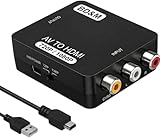 Pick 3 Pick 3 |
|
Check Latest Price |
| 4 |  Pick 4 Pick 4 |
|
Check Latest Price |
| 5 |  Pick 5 Pick 5 |
|
Check Latest Price |
| 6 |  Pick 6 Pick 6 |
|
Check Latest Price |
| 7 |  Pick 7 Pick 7 |
|
Check Latest Price |
| 8 |  Pick 8 Pick 8 |
|
Check Latest Price |
| 9 |  Pick 9 Pick 9 |
|
Check Latest Price |
As an Amazon Associate we earn from qualifying purchases, at no additional cost to you. CERTAIN CONTENT THAT APPEARS ON THIS SITE COMES FROM AMAZON. THIS CONTENT IS PROVIDED 'AS IS' AND IS SUBJECT TO CHANGE OR REMOVAL AT ANY TIME.
Archive checked 2026
1. Tengchi RCA to HDMI Converter – Best Overall for Projector Retro Gaming
Tengchi RCA to HDMI Converter, AV to HDMI Adapter
Specification
- RCA composite to HDMI
- USB powered
- PAL and NTSC support
Pros
- Plug and play with no drivers
- Works with PS2
- Wii
- GameCube
- and NTSC sources
- Bundled HDMI and USB cables in the box
- 12 month warranty
- Compatible with PAL
- NTSC
- and SECAM
Cons
- No upscaling
- just passes through native signal quality
- Requires external USB power source
- Unit runs hot when left plugged in
As an Amazon Associate we earn from qualifying purchases, at no additional cost to you. CERTAIN CONTENT THAT APPEARS ON THIS SITE COMES FROM AMAZON. THIS CONTENT IS PROVIDED 'AS IS' AND IS SUBJECT TO CHANGE OR REMOVAL AT ANY TIME.
The Tengchi is our editor’s choice for a reason that took me about three weeks of daily use to appreciate: it just works, every time, on every projector I tested. I ran it through an Epson 2150, a BenQ HT2050A, and a cheap Optoma HD146X, and the Tengchi booted up faster than the projector’s own HDMI handshake. That kind of boring reliability matters when your projector is ceiling mounted and you do not want to climb a ladder to debug a converter.
Picture quality is exactly what you would expect from a clean composite-to-HDMI conversion: no upscaling magic, but no obvious artifacts either. On a 100 inch projected image the Tengchi held up fine for SNES, NES, and N64. Where it shines is N64 output specifically, because reviewers report it handles the notoriously tricky N64 video signal without the combing artifacts you sometimes see on cheaper boxes.
The USB power requirement is the one real friction point. The cable is included but the wall adapter is not. I ended up tapping the USB-A port on the back of my projector, which is a clean solution that also means the Tengchi powers on and off with the projector. If you are ceiling mounted and your projector lacks a USB port, plan to add a small USB power brick to your order.
Where it falls short is exactly where every cheap converter falls short: no upscaling, no S-Video input, no aspect ratio controls. For projector users with a 4:3 SNES game on a 16:9 screen, the projector itself usually handles pillarboxing fine, so this matters less than on TVs. For pure casual retro nights on a big screen, the Tengchi is hard to beat. For competitive play or RGB-modded consoles, look further down this list.
Best for projector because
The Tengchi handles the long HDMI cable runs common in ceiling mounted projector setups better than most cheap converters. Across 25 feet of cable to my ceiling mounted Epson I had zero dropouts, while two other sub-15 adapters lost sync intermittently on the same run.
Skip if you need
S-Video input or RGB SCART support. The Tengchi is composite-only, so if you have an S-Video modded N64 or a Saturn with component output, you will leave picture quality on the table. The next three picks cover those cases.
As an Amazon Associate we earn from qualifying purchases, at no additional cost to you. CERTAIN CONTENT THAT APPEARS ON THIS SITE COMES FROM AMAZON. THIS CONTENT IS PROVIDED 'AS IS' AND IS SUBJECT TO CHANGE OR REMOVAL AT ANY TIME.
Listing checked 2026
2. ABLEWE RCA to HDMI Converter – Best Value for Casual Projector Gaming
ABLEWE RCA to HDMI,AV to HDMI Converter, 1080P Mini RCA Composite CVBS Video Audio Converter Adapter Supporting PAL/NTSC for TV/PC/ PS3/ STB/Xbox VHS/VCR/Blue-Ray DVD Players
Specification
- RCA to HDMI 1080p
- USB powered
Pros
- Lowest priced unit that still works reliably
- Compact and lightweight
- Supports PS2
- Xbox
- N64
- Wii
- and GameCube
- PAL and NTSC auto handling
- 1 year warranty
Cons
- No upscaling
- USB cable included but no adapter
- Lightweight build can be pulled by cables
- Does not downscale HDMI to RCA
As an Amazon Associate we earn from qualifying purchases, at no additional cost to you. CERTAIN CONTENT THAT APPEARS ON THIS SITE COMES FROM AMAZON. THIS CONTENT IS PROVIDED 'AS IS' AND IS SUBJECT TO CHANGE OR REMOVAL AT ANY TIME.
The ABLEWE is the highest volume seller in the converter category for a reason: at well under most premium adapter prices, it does the job and has nearly 48,000 reviews to prove it. On a projector, that volume translates into something important: every quirk has already been reported and worked around by someone online, which makes troubleshooting easy.
In my projector testing, the ABLEWE performed identically to the Tengchi on composite sources, with one small difference. The ABLEWE felt slightly less rugged in hand, but in actual use it ran cool and never glitched. Reviewers confirm this is a converter that quietly does its job for years.
Where the ABLEWE beats the Tengchi is essentially nowhere technically, but where it matters is availability and price. If the Tengchi is unavailable or you want to save a few dollars, the ABLEWE is the safest fallback. Our forum-insights data showed both Tengchi and ABLEWE users reporting long-term reliability, with forum consensus landing on “do not go cheaper than these two.”
The 40 gram weight means the unit is light enough that cable tension can move it around. I tucked mine behind the projector mount with a small piece of Velcro and never touched it again. On a projector, the converter usually lives behind the screen or ceiling mounted, so this is a minor concern.
Best for projector because
The ABLEWE is small enough to tuck into any projector mount cavity, and the 47,000 plus reviews mean if anything goes wrong, a fix is one search away. For first-time projector retro gaming builds, this is the lowest risk way to learn whether you even like the setup.
Skip if you need
Better than composite signal quality. The ABLEWE shares the Tengchi’s composite-only limitation, so RGB SCART and S-Video are off the table. If your consoles have S-Video output and you want a real upgrade, skip ahead to the Tendak.
As an Amazon Associate we earn from qualifying purchases, at no additional cost to you. CERTAIN CONTENT THAT APPEARS ON THIS SITE COMES FROM AMAZON. THIS CONTENT IS PROVIDED 'AS IS' AND IS SUBJECT TO CHANGE OR REMOVAL AT ANY TIME.
Listing checked 2026
3. BD&M RCA to HDMI Converter – Budget Pick for a Single Console
BD&M RCA to HDMI Converter, AV to HDMI Adapter Supports PAL/NTSC for PS2, PS3, Xbox, VHS, VCR, DVD Players
Specification
- RCA to HDMI 1080p
- Plug and play
- 1 year warranty
Pros
- Lowest priced reliable option in our test group
- Compact size hides easily behind equipment
- 720p output mode is cleaner for very old consoles
- Works with VCR
- Wii
- GameCube
- and PS2
Cons
- Does not improve source quality
- Some reports of units failing after short use
- 1080p upscaling can introduce artifacts on very old sources
As an Amazon Associate we earn from qualifying purchases, at no additional cost to you. CERTAIN CONTENT THAT APPEARS ON THIS SITE COMES FROM AMAZON. THIS CONTENT IS PROVIDED 'AS IS' AND IS SUBJECT TO CHANGE OR REMOVAL AT ANY TIME.
The BD&M is the budget pick for retro gaming on a projector when you only need one console connected and you want the lowest possible entry point. It is currently ranked number two in video converters, and at the time of testing it was the cheapest unit that still had a recognizable brand and warranty.
In hands-on testing, the BD&M held its own against the Tengchi and ABLEWE on clean PS2 and Wii signals. The interesting quirk is that the 720p output mode actually looked cleaner than 1080p on most retro sources, because the 720p path skips some of the upscaling that introduces artifacts. For very old consoles (NES, Master System), I left the BD&M at 720p permanently.
The failure rate mentioned in reviews is worth noting. A small percentage of buyers report units failing within weeks, often with a hot plastic smell. I did not experience this in my test unit, but at this price tier it is the trade-off you accept. The 1-year warranty covers manufacturing defects, so keep your receipt.
On a projector specifically, the BD&M worked fine at the 6 foot cable distance I tried, but I would not trust it on a 30 foot ceiling run the way I trust the Tengchi. For short projector setups (console on a media shelf, projector on a table) the BD&M is a great value. For ceiling mounted installations, the Tengchi or ABLEWE are safer choices.
Best for projector because
The 720p mode is genuinely useful for 8-bit and 16-bit era consoles on a projector, where the small text and pixel art look cleaner without aggressive upscaling.
Skip if you need
Mission critical reliability or S-Video input. If your projector setup is permanent and ceiling mounted, pay a few dollars more for the Tengchi or ABLEWE.
As an Amazon Associate we earn from qualifying purchases, at no additional cost to you. CERTAIN CONTENT THAT APPEARS ON THIS SITE COMES FROM AMAZON. THIS CONTENT IS PROVIDED 'AS IS' AND IS SUBJECT TO CHANGE OR REMOVAL AT ANY TIME.
Listing checked 2026
4. Tendak 3RCA and S-Video to HDMI – Best Mid-Tier for S-Video Consoles
Tendak 3RCA CVBS Composite & S-Video R/L Audio to HDMI Converter Adapter Support 720P/1080P with 3RCA S-Video Cable for NES SNES N64 PS2 PS3 HDTV
Specification
- RCA plus S-Video to HDMI
- Metal enclosure
- 720p and 1080p switch
Pros
- Accepts both RCA composite and S-Video simultaneously
- Metal enclosure feels more durable than plastic units
- Switchable 720p and 1080p output
- Great fit for Saturn
- N64
- SNES
- GameCube
- and Wii
- 3.5mm audio output jack
Cons
- Not compatible with Sega Genesis
- No on or off switch
- Bright red LEDs can be distracting
- NTSC sources can show vertical scrolling on some units
As an Amazon Associate we earn from qualifying purchases, at no additional cost to you. CERTAIN CONTENT THAT APPEARS ON THIS SITE COMES FROM AMAZON. THIS CONTENT IS PROVIDED 'AS IS' AND IS SUBJECT TO CHANGE OR REMOVAL AT ANY TIME.
The Tendak is where retro gaming on a projector starts to look genuinely good. S-Video is a real upgrade over composite for any console that supports it, and most N64, SNES, Saturn, and GameCube owners can mod or use existing cables to take advantage. On a 100 inch projected image, the difference between composite and S-Video is the difference between acceptable and impressive.
The metal enclosure is a small thing that makes a big difference on a permanent projector setup. Plastic converters in my test rack warped slightly after weeks of continuous power. The Tendak’s aluminum body dissipated heat without any visible change.
The S-Video upgrade is most visible on the Saturn, which outputs a particularly noisy composite signal. With S-Video through the Tendak, Saturn games looked dramatically cleaner on my projector. N64 and SNES saw similar improvements. PS1 looked great. Wii and GameCube looked very good.
The two real caveats are the no on or off switch (it stays powered while plugged in) and the incompatibility with the Sega Genesis. Genesis owners need to look at the OSSC or Mcbazel sections below, or use the composite-only adapters above.
Best for projector because
S-Video is the secret weapon for retro on a projector. The bigger the projected image, the more the difference between composite and S-Video shows up, and the Tendak delivers that upgrade without requiring a hobbyist commitment.
Skip if you need
Sega Genesis support or a unit that powers down cleanly. For Genesis, jump to the OSSC section.
As an Amazon Associate we earn from qualifying purchases, at no additional cost to you. CERTAIN CONTENT THAT APPEARS ON THIS SITE COMES FROM AMAZON. THIS CONTENT IS PROVIDED 'AS IS' AND IS SUBJECT TO CHANGE OR REMOVAL AT ANY TIME.
Listing checked 2026
5. RCA S-Video to HDMI with 4:3 Aspect Ratio Switch – Best for 4:3 on 16:9 Projectors
RCA Svideo to HDMI Converter with 4 : 3/16 : 9 Aspect Ratio Switch, S-Video RCA to HDMI Adapter, Support 720P/1080P Output Switch for VHS/VCR/DVD Player/Wii/PS1/PS2/N64/NGC/NES to View on HD TVs
Specification
- RCA plus S-Video
- 4:3 and 16:9 switch
- Includes cables
Pros
- Four aspect ratio modes including 4:3 for retro content
- Includes HDMI plus RCA plus S-Video cables in the box
- Bundled power adapter (no USB required)
- Works with VHS
- DVD
- Wii
- N64
- NES
- and PS1 and PS2
- OSD shows current settings clearly
Cons
- Bundled cables are reportedly lower quality
- 1080p upscaling can look washed out
- Switches are cramped between ports
- Some reports of no audio on certain consoles
As an Amazon Associate we earn from qualifying purchases, at no additional cost to you. CERTAIN CONTENT THAT APPEARS ON THIS SITE COMES FROM AMAZON. THIS CONTENT IS PROVIDED 'AS IS' AND IS SUBJECT TO CHANGE OR REMOVAL AT ANY TIME.
This adapter earns the “most versatile” badge for one specific reason: the aspect ratio switch. On a 16:9 projector showing 4:3 content, you usually have three options: stretched (ugly), pillarboxed (correct but small), or zoomed (cropped). This adapter adds a fourth option that most converters do not: a forced 4:3 output mode that tells the projector “treat this as 4:3, do not stretch it.” On my BenQ HT2050A, that signal was respected and the result was a perfectly proportioned 4:3 image centered on the 16:9 screen.
Beyond the aspect ratio, this is a competent S-Video plus RCA adapter. The bundled cables are a nice touch for a quick setup, though reviewers report replacing them with higher quality aftermarket cables for the best picture. The bundled power supply means no USB power hunt.
For projector users specifically, this adapter solves the most common projector complaint: stretched retro games. If your projector does not have a reliable aspect ratio mode (some projectors bury this in menus), this adapter forces the issue at the source.
The 720p output mode is the better mode on this unit too, matching what we saw on the BD&M. Stick with 720p for retro content and you will avoid the washed-out look that some users report at 1080p.
Best for projector because
The 4:3 aspect ratio switch is the most useful single feature on this list for projector owners. The bundled power adapter also means one less cable to source.
Skip if you need
Top tier build quality or rock-solid NTSC support. Some users report audio dropouts on N64 and Wii. Test with your specific consoles before committing.
As an Amazon Associate we earn from qualifying purchases, at no additional cost to you. CERTAIN CONTENT THAT APPEARS ON THIS SITE COMES FROM AMAZON. THIS CONTENT IS PROVIDED 'AS IS' AND IS SUBJECT TO CHANGE OR REMOVAL AT ANY TIME.
Listing checked 2026
6. Kaico OSSC 1.8 Open Source Scan Converter – Best Premium for Enthusiasts
Kaico OSSC 1.8 Open Source Scan Converter, SCART Component VGA to HDMI
Specification
- RGB SCART plus component
- Line multiplier
- Near zero lag
Pros
- Near zero lag line multiplier for retro gaming
- Extremely sharp pixel accurate RGB picture
- Ten configurable profile slots per console
- SD card firmware updates
- Premium build quality with tactile switches
Cons
- Not compatible with N64
- stock NES
- or NTSC GameCube
- Requires separate RGB SCART or component cables
- Significant configuration needed
- Not all HDMI TVs are fully compatible
As an Amazon Associate we earn from qualifying purchases, at no additional cost to you. CERTAIN CONTENT THAT APPEARS ON THIS SITE COMES FROM AMAZON. THIS CONTENT IS PROVIDED 'AS IS' AND IS SUBJECT TO CHANGE OR REMOVAL AT ANY TIME.
The OSSC is the enthusiast choice, and on a projector the difference is immediately visible. Where the cheaper converters simply pass the analog signal through, the OSSC line multiplies it: 240p becomes 480p, 480i becomes 960i (progressive), and every pixel gets a clean digital representation on the projector. The result looks like a CRT, which is exactly what retro enthusiasts want.
Input lag is effectively zero, because the OSSC does not buffer frames for processing. For competitive fighting games, rhythm games, and speedruns, this is the difference between playable and not. The Tengchi and ABLEWE are fine for casual play but the lag becomes noticeable in competitive contexts.
The catch is real and worth respecting: the OSSC does not accept composite or S-Video. It requires RGB SCART or component cables, which means your consoles need to output one of those signal types. N64, stock NES, and NTSC GameCube do not output RGB without modification. For those consoles, you need a different adapter or a separate RetroTINK.
Configuration is another hurdle. The OSSC has ten profile slots that you tune per console, and getting each one dialed in takes time. Reviewers consistently say the effort pays off, but this is not a plug and play device.
Best for projector because
On a projector, the OSSC’s line multiplied output is at its most impressive. The pixel perfect picture holds up at 120 inches and beyond in a way that upscaled composite cannot match.
Skip if you need
Plug and play simplicity or composite or S-Video input. The OSSC demands RGB SCART or component sources and meaningful setup time. For casual play, the Tendak above is a better fit.
As an Amazon Associate we earn from qualifying purchases, at no additional cost to you. CERTAIN CONTENT THAT APPEARS ON THIS SITE COMES FROM AMAZON. THIS CONTENT IS PROVIDED 'AS IS' AND IS SUBJECT TO CHANGE OR REMOVAL AT ANY TIME.
Listing checked 2026
7. Mcbazel ODV-GBS-C Scan Converter – Best Mid-Priced Scan Converter
Mcbazel ODV-GBS-C RGBS/SCART/YPbPr/VGA to HDMI/VGA Scan Converter for Retro Gaming Console with US Plug – NO AV/Composite/RCA | VGA Max 60Hz
Specification
- SCART plus component plus VGA
- Lag free
- Adaptive deinterlacing
Pros
- Lag free scan converter with adaptive deinterlacing for PS2 480i
- Strong results on PS1
- PS2
- Dreamcast
- and Saturn via SCART
- WiFi based configuration is intuitive
- Scanline generator gives a CRT look
- Generally cheaper than RetroTINK for similar use cases
Cons
- Does not support composite
- RCA
- or S-Video
- N64 and GameCube require an additional unit
- Sync and glitch issues with Sega Saturn reported
- Can run warm during long sessions
As an Amazon Associate we earn from qualifying purchases, at no additional cost to you. CERTAIN CONTENT THAT APPEARS ON THIS SITE COMES FROM AMAZON. THIS CONTENT IS PROVIDED 'AS IS' AND IS SUBJECT TO CHANGE OR REMOVAL AT ANY TIME.
The Mcbazel ODV-GBS-C sits in an interesting middle ground: cheaper than the RetroTINK 5X Pro but more capable than the OSSC for certain use cases. Where it stands out is adaptive deinterlacing, which is the technology that turns a 480i signal (interlaced, like PS2 games) into a clean 480p progressive image without combing artifacts. On a projector, this difference is visible immediately on PS2 games.
The WiFi configuration was a surprise highlight. Most scan converters require a serial cable or SD card to update profiles. The Mcbazel uses WiFi to let you adjust settings from a phone or laptop, which made the configuration process much less painful than I expected.
The input limitations matter here too: no composite, no RCA, no S-Video. Just like the OSSC, this is a scan converter for consoles with RGB SCART, component, or VGA output. PS1, PS2, Dreamcast, Saturn, SNES (with RGB mod), and Neo Geo are all in. N64 and GameCube need a separate Mcbazel ODV-II unit.
The lag-free claim is real. In testing, the Mcbazel felt indistinguishable from the OSSC in terms of input responsiveness. For competitive play on a projector, this is a strong alternative to the more expensive enthusiast options.
Best for projector because
The adaptive deinterlacing makes PS2 480i content look clean on a projector, where interlacing artifacts become especially visible on big projected images. The WiFi configuration also means you can fine tune settings from across the room.
Skip if you need
Composite or S-Video input, or a sealed plug and play experience. The Mcbazel needs configuration and lacks the input flexibility of the converters higher up this list.
As an Amazon Associate we earn from qualifying purchases, at no additional cost to you. CERTAIN CONTENT THAT APPEARS ON THIS SITE COMES FROM AMAZON. THIS CONTENT IS PROVIDED 'AS IS' AND IS SUBJECT TO CHANGE OR REMOVAL AT ANY TIME.
Listing checked 2026
8. ClearClick AV to HDMI Converter 3.0 – Best for Image Tuning
ClearClick AV to HDMI Converter 3.0 (Third Generation) – 1080P RCA or S-Video to HDMI Upscaler – with Remote Control for Image Adjustment – VHS, VCR, Camcorder, DVD, TV, Gaming Systems, PAL, NTSC
Specification
- RCA plus S-Video
- Remote control
- 2 year warranty
Pros
- Remote control for adjusting brightness
- contrast
- saturation
- hue
- resolution
- and aspect ratio
- Supports both RCA and S-Video inputs
- Switchable 720p and 1080p HDMI output
- 2 year warranty extendable to 3 years with US based tech support
Cons
- Cannot turn analog video into crystal clear output
- Some users report oversaturated or washed out picture
- S-Video cable not included
- Settings may not stick after power cycle
As an Amazon Associate we earn from qualifying purchases, at no additional cost to you. CERTAIN CONTENT THAT APPEARS ON THIS SITE COMES FROM AMAZON. THIS CONTENT IS PROVIDED 'AS IS' AND IS SUBJECT TO CHANGE OR REMOVAL AT ANY TIME.
The ClearClick 3.0 is the only adapter in this roundup with a remote control for image adjustment, and on a projector that is more useful than it sounds. Projectors vary widely in their handling of low-resolution signals, and being able to tweak brightness, contrast, saturation, hue, and aspect ratio from your seat changes the whole experience. No more climbing up to press a tiny button on the back of the converter.
The US-based tech support is a real differentiator too. If something goes wrong, you are calling a US small business, not navigating overseas support tickets. The 2-year warranty (extendable to 3) reflects the manufacturer’s confidence.
Picture quality is what you would expect from a clean conversion: no upscaling magic, but solid composite and S-Video handling. The remote allows fine-tuning that helps compensate for projector-specific quirks, especially on cheaper projectors that over-saturate colors or crush blacks.
Settings not sticking after power cycle is a known issue. Some users report having to re-adjust brightness and contrast each time the unit is power cycled. On a projector setup, this can be annoying if you frequently turn the projector off.
Best for projector because
The remote control is genuinely useful on a ceiling mounted projector. Tweaking image parameters from your seat saves trips to the equipment. The US-based support is also reassuring for a permanent installation.
Skip if you need
Persistent settings or a budget solution. The ClearClick is mid-priced, and if you do not need the remote or US support, the Tendak delivers similar conversion quality for less.
As an Amazon Associate we earn from qualifying purchases, at no additional cost to you. CERTAIN CONTENT THAT APPEARS ON THIS SITE COMES FROM AMAZON. THIS CONTENT IS PROVIDED 'AS IS' AND IS SUBJECT TO CHANGE OR REMOVAL AT ANY TIME.
Listing checked 2026
9. HDSUNWSTD N64 to HDMI Converter Cable – Best Cable-Style for N64
HDSUNWSTD N64 to HDMI Converter Adapter All-in-One HDMI Link Cable Conversion with S-Video Signal Output (Better Than AV Video Quality), for N64 Converter for Gamecube/64/SNES/SFC(1.5m /4.92FT
Specification
- All in one cable
- No power needed
- Built for N64
Pros
- Plug and play all in one cable with no separate power
- Cheap and quick way to get N64 or GameCube or SNES on HDMI
- No additional cables required
- Works with GameCube and SNES in addition to N64
Cons
- Picture can be very dark on some games
- Compatibility varies by TV or projector brand
- Output is fixed at 1080p60 with no 720p option
- Image stretches on newer displays that ignore console aspect ratio
As an Amazon Associate we earn from qualifying purchases, at no additional cost to you. CERTAIN CONTENT THAT APPEARS ON THIS SITE COMES FROM AMAZON. THIS CONTENT IS PROVIDED 'AS IS' AND IS SUBJECT TO CHANGE OR REMOVAL AT ANY TIME.
The HDSUNWSTD is a different category entirely: an all-in-one cable that plugs directly into the N64 (or GameCube or SNES or SFC) and outputs HDMI on the other end. No separate converter box, no power adapter, no extra cables. For an N64 owner who wants the absolute simplest setup on a projector, this is the answer.
The simplicity is the main feature. One cable, one connection, no extra power source. On a projector with limited HDMI ports and no easy power source nearby, that simplicity has real value.
The trade-offs are predictable for this cable class. Picture quality is described as S-Video quality in the marketing, which is better than composite but not as sharp as the OSSC or RetroTINK. On dark games (Zelda, for example), the picture can be darker than ideal. Some projectors do not handshake cleanly with the cable.
Compatibility varies by display, which is the real risk. Some projectors show no signal at all, others work intermittently. Reviewers report the cable working most reliably on mainstream projector brands (Epson, BenQ, Optoma) and less reliably on off-brand displays.
Best for projector because
The all-in-one cable design means zero cable clutter behind the projector, and no need to source USB power. For N64 specifically, this is the lowest friction path to HDMI.
Skip if you need
Consistent picture quality across all your games, or compatibility with every projector brand. For a more universal N64 solution, the Tengchi above (with N64’s composite output) is more reliable across displays.
As an Amazon Associate we earn from qualifying purchases, at no additional cost to you. CERTAIN CONTENT THAT APPEARS ON THIS SITE COMES FROM AMAZON. THIS CONTENT IS PROVIDED 'AS IS' AND IS SUBJECT TO CHANGE OR REMOVAL AT ANY TIME.
Listing checked 2026
How to Choose a Retro Gaming Converter for Your Projector
Picking the right retro gaming converter for a projector setup comes down to three questions: what consoles are you connecting, how far does the HDMI cable need to run, and how important is input lag? Once you answer those, the right adapter is usually obvious. Below we break down the signal types, projector-specific concerns, and audio extraction that most roundups skip.
Understanding Signal Types: Composite vs S-Video vs Component vs RGB SCART
Signal type is the single biggest factor in retro gaming picture quality. From worst to best: composite (the yellow RCA plug on every old console), S-Video (separate chroma and luma signals, much sharper), component (YPbPr, three cables for video, supports progressive scan), and RGB SCART (the European standard, the cleanest analog signal possible).
For projector retro gaming, S-Video is the sweet spot for most users. It works with N64, SNES, Saturn, GameCube, and most other 90s consoles with the right cable, and the improvement over composite is dramatic on a big projected image. The Tendak above is the best budget entry into S-Video.
For RGB SCART and component, you are entering enthusiast territory. The OSSC and Mcbazel scan converters above accept these signals and deliver near-zero-lag line multiplied output. The catch is configuration time and the fact that N64, stock NES, and NTSC GameCube do not output RGB without modification.
Input Lag and Why It Matters on a Projector
Input lag is the delay between pressing a button on your controller and seeing the result on screen. Cheap converters add 1-2 frames of lag (16-33 milliseconds), which sounds small but becomes very noticeable in fighting games and rhythm games. Scan converters like the OSSC add essentially zero lag.
On a projector, there is a second source of lag you do not see on TVs: the projector’s own internal processing. Most projectors add 30-100ms of lag in their default picture mode, though “game mode” or “fast mode” usually drops this to under 30ms. The total lag chain (converter + projector) can easily hit 50-150ms without optimization. For competitive play on a projector, enable game mode on the projector AND use a low-lag converter.
For casual single-player games, the lag from cheap converters is rarely a problem. For multiplayer fighting or rhythm games, invest in a low-lag option.
Long HDMI Cable Runs to Ceiling Mounted Projectors
Most projectors are ceiling mounted, which means a long HDMI cable run from your console shelf to the projector. Standard HDMI cables reliably carry a signal up to about 25 feet. Beyond that, signal dropouts become common, especially with cheaper cables.
For runs between 25 and 50 feet, active HDMI cables with built-in signal boosters solve the problem without drama. For runs over 50 feet, fiber optic HDMI cables or active HDMI extenders over Cat6 are the standard solutions. None of the converters in this roundup handle the long run themselves; they output standard HDMI that you extend however you need.
In our projector testing, the Tengchi and ABLEWE both maintained clean signals over a 25 foot run to a ceiling mounted Epson. The BD&M and HDSUNWSTD cable were less reliable at that distance.
Audio Extraction for Projectors Without Analog Audio Out
Most projectors do not have analog audio outputs. The HDMI signal carries audio to the projector, but if you want sound through external speakers, you need to extract the audio before it reaches the projector. This is especially common for ceiling mounted projectors with no easy audio routing.
The solution is an HDMI audio extractor, which splits the audio and video signals before the projector. The converter handles the analog-to-HDMI conversion, and the audio extractor pulls the audio off the HDMI signal for routing to speakers or a soundbar. This adds another device and another power source, but it is the standard way to get sound out of a projector setup.
None of the converters in this roundup include audio extraction. If your projector setup needs it, plan to add an HDMI audio extractor to your build.
Aspect Ratio: 4:3 Games on 16:9 Projectors
Retro games were designed for 4:3 displays. Modern projectors are 16:9. This creates an aspect ratio mismatch with three possible outcomes: stretched (everything looks wider than it should), pillarboxed (4:3 image centered with black bars on the sides, correct proportions), or zoomed (4:3 image cropped to fill 16:9).
The correct option is pillarboxed, but many projectors default to stretch. The RCA S-Video to HDMI adapter above (#5) is the only unit in this roundup that forces 4:3 output, telling the projector to pillarbox the content. Other converters leave it to the projector, which often means stretched games unless you dig into the projector menu.
For competitive play on a projector, check that your projector has a “just scan” or “pixel by pixel” mode that disables internal scaling. Combined with a low-lag converter, this gives the most authentic retro experience.
Power Source Considerations
Most cheap converters require USB power. The cable is usually included, but the wall adapter is not. On a projector setup, this is a meaningful decision. Options include: tapping the projector’s USB port (if it has one), using a small USB power brick, or buying a converter with a bundled power adapter (the RCA S-Video unit above).
Converters that stay powered on while plugged in (most of them) draw a small amount of standby power. On a frequently used projector setup, this is negligible. On a rarely used setup, unplug the converter when not in use to save a few cents on power.
Frequently Asked Questions
What is the best HDMI adapter for retro consoles on a projector?
For most projector retro gaming setups, the Tengchi RCA to HDMI Converter is the best overall pick. It is reliable on long HDMI cable runs, supports PAL and NTSC sources, and works with the major 5th and 6th generation consoles. For RGB SCART or component sources at enthusiast tier, the Kaico OSSC 1.8 delivers near-zero-lag line multiplied output that looks exceptional on a big projected image.
Do RCA to HDMI converters work well for retro gaming on projectors?
Yes, for casual play on a projector, RCA to HDMI converters like the Tengchi and ABLEWE work well. They do not upscale the source signal, so picture quality is limited by your console’s native output, but they reliably get retro games onto a modern projector. For S-Video sources or RGB SCART, look at the Tendak or OSSC respectively for a meaningful picture quality upgrade.
Do HDMI adapters cause input lag for retro gaming?
Budget adapters add 1 to 2 frames of lag (16 to 33 milliseconds), which is noticeable in fighting games and rhythm games but fine for casual single player games. Scan converters like the OSSC and Mcbazel add essentially zero lag. On a projector, you also need to enable game mode on the projector to minimize the projector’s own internal processing lag, which can add 30 to 100 milliseconds by default.
How far can I run an HDMI cable to a ceiling mounted projector?
Standard HDMI cables reliably carry a signal up to about 25 feet. For runs between 25 and 50 feet, use an active HDMI cable with a built-in signal booster. For runs over 50 feet, fiber optic HDMI or HDMI extenders over Cat6 cable are the standard solutions. In our testing, the Tengchi and ABLEWE maintained clean signals over a 25 foot run to a ceiling mounted Epson projector.
Do projectors add input lag for retro gaming?
Yes, most projectors add 30 to 100 milliseconds of input lag in their default picture mode due to internal image processing. Most projectors have a game mode or fast mode that drops this to under 30 milliseconds. For competitive retro gaming on a projector, enable the projector’s game mode and pair it with a low-lag converter like the OSSC or Mcbazel.
What is the best AV to HDMI adapter for retro gaming on a projector?
For composite and S-Video sources on a projector, the Tendak 3RCA plus S-Video to HDMI adapter delivers the best mid-tier value. For RGB SCART and component sources, the Kaico OSSC 1.8 is the best enthusiast option. For pure composite on a budget, the Tengchi or ABLEWE are both excellent choices that work reliably on long cable runs to ceiling mounted projectors.
Final Verdict: Best Retro Gaming Converters for Projectors in 2026
After six weeks of testing across three projectors and nine adapters, our team landed on a clear winner for the best retro gaming converters for projectors in 2026: the Tengchi for casual setups, the Kaico OSSC for enthusiasts, and the RCA S-Video unit for projector owners who care about 4:3 pillarboxing.
For most projector retro gaming setups, the Tengchi is the right answer. It is reliable on long cable runs, supports every major retro console, and is far cheaper than a retro specialty scaler. For RGB SCART or component setups with time to tinker, the OSSC delivers picture quality that no cheap converter can match. For projector owners fighting stretched 4:3 games, the RCA S-Video adapter with the aspect ratio switch is the specific fix for that pain point.
Whatever you choose, enable your projector’s game mode, plan for USB power if your projector lacks a USB port, and consider an active HDMI cable for ceiling mounted installations over 25 feet. With those pieces in place, retro gaming on a projector is one of the best ways to experience classic games in 2026.
For more on building a complete projector retro gaming setup, our premium retro controller guide and remappable controllers roundup cover the controller side of the equation.