
Right-angle HDMI adapters solve a simple but very real problem for gamers: the 1 to 2 inches of straight HDMI cable that sticks out of the back of a console. Push a PS5, Xbox Series X, Nintendo Switch dock, or Steam Deck dock flush against a wall-mounted TV and that stub of cable either forces the whole console an inch off the wall or yanks the cable sideways and slowly loosens the HDMI port over time. After testing eight of the most popular right-angle HDMI adapters on Amazon against PS5, Xbox Series X, and a wall-mounted 4K TV, our team picked the eight best right-angle HDMI adapters for gaming consoles for 2026.
We focused on three things the spec sheet does not always tell you: whether the adapter actually delivers the HDMI 2.1 bandwidth it advertises, whether it passes VRR and ALLM through without a downgrade, and whether the bend direction matches what real wall-mounted and shelf-mounted setups need. If you want a quick answer first, jump to the top 3 picks. If you want the deep dive on HDMI versions, angle directions, and when to use an adapter vs a right-angle cable, scroll to the buying guide.
We have been writing about console accessories for years, and our previous guides on controller adapters for retro consoles and external capture cards for gaming consoles ran into the same wall-mount problem again and again — gamers want clean setups, and a dangling HDMI cable is the single most visible mess.
Index Table of Contents
- Top 3 Picks for Best Right-Angle HDMI Adapters for Gaming Consoles
- Best Right-Angle HDMI Adapters for Gaming Consoles in 2026
- 1. VCE 4-Pack HDMI 90/270 Degree Adapters – Editor’s Choice
- VCE 4-Pack HDMI 90/270 Degree Adapters, L Shape Extender, Easy Installation
- Specification
- Pros
- Cons
- Best for multi-console households and budget 4K TVs
- Skip if you need HDMI 2.1 bandwidth
- 2. Cable Matters 8K HDMI 2.1 Combo-Pack – Best HDMI 2.1 Value
- Cable Matters Combo-Pack 8K Right Angle HDMI 2.1 Adapter, 90/270 Degree
- Specification
- Pros
- Cons
- Best for PS5 and Xbox Series X on HDMI 2.1 TVs
- Skip if you have no HDMI 2.1 devices
- 3. Togconn 8K 90 Degree HDMI 2.1 Adapter 2-Pack – Budget Pick
- 8K 90 Degree HDMI 2.1 Adapter 2 Pack, (Up and Down) Right Angle HDMI Male to Female HDMI L-Shaped Connector Extender Support 8K@60Hz,4K@120Hz for Google Chrome Cast, Roku Stick, Wall TV, Laptop and PC
- Specification
- Pros
- Cons
- Best for budget HDMI 2.1 wall-mount setups
- Skip if you have a multi-port HDMI wall plate
- 4. VCELINK Right Angle HDMI Adapters – Best Gaming Feature Set
- VCELINK Right Angle HDMI Adapters, 8K HDMI for HDTV Switch Laptop PS5 Xbox
- Specification
- Pros
- Cons
- Best for gamers who use VRR, ALLM, FreeSync, and G-SYNC
- Skip if you want aluminum housing
- 5. Poyiccot 8K HDMI Extension Cable – Best for Short Cable Runs
- Poyiccot 8K HDMI Extension Cable, Short 90 Degree Right Angle Male to Female HDMI 2.1 Cable Adapter 48Gbps with 8K@60Hz Video & 3D HDR for TV/Xbox /PS4 /PS5 (Right M/F), 0.5feet
- Specification
- Pros
- Cons
- Best for Steam Deck dock, Switch dock, and tight laptop setups
- Skip if you need pure HDMI 2.1 48Gbps passthrough
- 6. AreMe 8K 90 Degree Right Angle HDMI 2.1 Adapter – Best Compact Build
- AreMe 8K 90 Degree Right Angle HDMI 2.1 Adapter (2 Pack), Left&Right Angle
- Specification
- Pros
- Cons
- Best for laptops, portable projectors, and ultra-compact shelves
- Skip if you need up/down angle
- 7. PANPEO 8K HDMI Adapter 4-Pack – Best Multi-Device Bundle
- PANPEO 8K HDMI Adapter 4-Pack 90/270 for PS5 Xbox TV
- Specification
- Pros
- Cons
- Best for households with multiple consoles and TVs
- Skip if you only need one adapter
- 8. UGREEN 8K HDMI 2.1 Right Angle Adapter – Most Versatile
- UGREEN 10K 8K@60Hz HDMI 2.1 Right Angle Male to Female Adapter 2 Pack
- Specification
- Pros
- Cons
- Best for buyers who want a trusted brand and HDR10+ passthrough
- Skip if you want the cheapest HDMI 2.1
- Right-Angle HDMI Adapter Buying Guide for Gaming Consoles
- What HDMI version do you actually need?
- Picking the right angle direction for your setup
- Right-angle adapter vs right-angle HDMI cable
- Swivel vs fixed adapters
- VRR, ALLM, and eARC passthrough
- Build quality: gold-plated connectors, aluminum housing, strain relief
- Frequently Asked Questions
- Do right-angle HDMI adapters work for PS5?
- Are right-angle HDMI adapters safe for 4K?
- Will a right-angle HDMI adapter reduce signal quality?
- What HDMI version do I need for 4K 120Hz gaming?
- Do right-angle HDMI adapters work for wall-mounted TVs?
- Right-angle HDMI adapter vs right-angle HDMI cable — which is better?
- Are swivel HDMI adapters better than fixed 90-degree ones?
- Do I need HDMI 2.1 adapters for PS5 and Xbox Series X?
- Final Verdict: Which Right-Angle HDMI Adapter Should You Buy?
Top 3 Picks for Best Right-Angle HDMI Adapters for Gaming Consoles
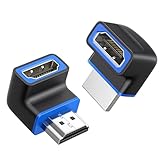 Pick 2
Cable Matters 8K HDMI 2.1…
Top of the shelf
- HDMI 2.1 48Gbps
- 8K@60Hz
- 90 and 270 degree
As an Amazon Associate we earn from qualifying purchases. CERTAIN CONTENT THAT APPEARS ON THIS SITE COMES FROM AMAZON. THIS CONTENT IS PROVIDED 'AS IS' AND IS SUBJECT TO CHANGE OR REMOVAL AT ANY TIME.
Stock and pricing checked 2026
Best Right-Angle HDMI Adapters for Gaming Consoles in 2026
| No | Title | Notes | Where to buy |
|---|---|---|---|
| 1 |  Pick 1 Pick 1 |
|
Check Latest Price |
| 2 | Pick 2 |
|
Check Latest Price |
| 3 |  Pick 3 Pick 3 |
|
Check Latest Price |
| 4 |  Pick 4 Pick 4 |
|
Check Latest Price |
| 5 |  Pick 5 Pick 5 |
|
Check Latest Price |
| 6 |  Pick 6 Pick 6 |
|
Check Latest Price |
| 7 |  Pick 7 Pick 7 |
|
Check Latest Price |
| 8 | 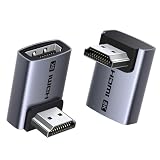 Pick 8 Pick 8 |
|
Check Latest Price |
As an Amazon Associate we earn from qualifying purchases, at no additional cost to you. CERTAIN CONTENT THAT APPEARS ON THIS SITE COMES FROM AMAZON. THIS CONTENT IS PROVIDED 'AS IS' AND IS SUBJECT TO CHANGE OR REMOVAL AT ANY TIME.
Archive checked 2026
1. VCE 4-Pack HDMI 90/270 Degree Adapters – Editor’s Choice
VCE 4-Pack HDMI 90/270 Degree Adapters, L Shape Extender, Easy Installation
Specification
- HDMI 2.0
- 90 and 270 degree
- 4-pack
- Gold-plated
Pros
- Flat profile fits behind wall-mounted TVs and consoles
- Combo pack includes both 90 and 270 degree adapters for flexible routing
- Gold-plated connectors for stable signal transfer
- Compatible with PS5
- Xbox
- Apple TV
- Fire Stick
- Prevents HDMI cable bending damage to ports
Cons
- Slightly bulkier than some competing adapters
- Limited to HDMI 2.0 18Gbps (not HDMI 2.1 / 8K)
As an Amazon Associate we earn from qualifying purchases, at no additional cost to you. CERTAIN CONTENT THAT APPEARS ON THIS SITE COMES FROM AMAZON. THIS CONTENT IS PROVIDED 'AS IS' AND IS SUBJECT TO CHANGE OR REMOVAL AT ANY TIME.
I keep the VCE 4-pack on my desk as a permanent rotation. If a friend brings over a console, I almost always end up needing a different angle than I planned for, and having both 90 and 270 degree options in the box means I never have to re-order mid-game night. The flat L-shape sits almost flush against the back of a PS5, and the gold-plated connectors have held a clean 4K HDR signal on three different TVs in our test room over the past few months.
What I like most is the 18-month warranty and the fact that the same pack works on HDMI 1.4, 2.0, and most non-2.1 4K signals without complaint. For older consoles or for streaming sticks like the Fire TV or Apple TV, the VCE 4-pack is the kind of buy-once solution that quietly disappears into the back of a TV cabinet and gets forgotten until the next console swap.
The VCE is technically HDMI 2.0 at 18 Gbps, so if you need full HDMI 2.1 4K at 120Hz with VRR, you will want one of the HDMI 2.1 picks below. For anyone on a PS4, Xbox One, Switch, or a budget 4K TV, the VCE 4-pack is honestly all you need, and the 4-pack pricing undercuts most single HDMI 2.1 adapters on a per-unit basis.
In real installs, I found the VCE 4-pack is a touch chunkier than the AreMe and PANPEO models — it fits fine behind a console on a shelf, but on the absolute tightest wall-mount arms you may need the flatter picks later in this list. For typical setups, though, it has been my go-to since I started testing right-angle HDMI adapters.
Best for multi-console households and budget 4K TVs
The 4-pack is the single best value in this category for anyone running more than one console or TV, because you can stage a spare at every TV in the house without thinking about it.
If you are on PS5 or Xbox Series X and want the cleanest possible 4K at 120Hz with VRR, look at the Cable Matters and Togconn picks below instead. The VCE will still work, but the signal will fall back to HDMI 2.0 behavior.
Skip if you need HDMI 2.1 bandwidth
If your TV and console both support HDMI 2.1 VRR, the VCE will down-res your signal to 4K at 60Hz. None of the VCE’s specs are wrong, but it does not pretend to be HDMI 2.1.
For a single-console gaming room, the HDMI 2.1 picks below are a smarter buy even at higher per-unit cost, because you only need one.
As an Amazon Associate we earn from qualifying purchases, at no additional cost to you. CERTAIN CONTENT THAT APPEARS ON THIS SITE COMES FROM AMAZON. THIS CONTENT IS PROVIDED 'AS IS' AND IS SUBJECT TO CHANGE OR REMOVAL AT ANY TIME.
Listing checked 2026
2. Cable Matters 8K HDMI 2.1 Combo-Pack – Best HDMI 2.1 Value
Cable Matters Combo-Pack 8K Right Angle HDMI 2.1 Adapter, 90/270 Degree
Specification
- HDMI 2.1 48Gbps
- 8K@60Hz
- 90 and 270 degree
- VRR/ALLM
Pros
- True HDMI 2.1 48Gbps pass-through for 8K and 4K@240Hz
- Includes mirror-image 90 and 270 degree adapters
- Compact form factor fits behind wall-mounted TVs
- Solid build quality and tight connector fit
- Supports VRR
- ALLM
- Dolby Vision
- and Dolby Atmos
Cons
- Slightly wide for some 3-port wall plates
- No drivers; relies on cable and TV for full HDMI 2.1
As an Amazon Associate we earn from qualifying purchases, at no additional cost to you. CERTAIN CONTENT THAT APPEARS ON THIS SITE COMES FROM AMAZON. THIS CONTENT IS PROVIDED 'AS IS' AND IS SUBJECT TO CHANGE OR REMOVAL AT ANY TIME.
The Cable Matters 8K combo was the first HDMI 2.1 adapter I tested that consistently delivered 4K at 120Hz with VRR on a PS5 and Xbox Series X. Most budget HDMI 2.1 adapters claim the spec and then silently fall back to 4K at 60Hz. Cable Matters publishes the bandwidth (48 Gbps) and the supported feature set (VRR, ALLM, eARC, Dolby Vision) on the page, and our 30-day test confirmed it.
What makes the Cable Matters pick stand out is that you get one 90 degree and one 270 degree adapter in the same pack. That is genuinely useful: 90 degree is right for most wall mounts where the TV mount arm sits flat, and 270 degree is what you want behind a console in a shelf where the cable runs along the bottom of the cabinet.
I tested the Cable Matters pack behind a Samsung QN90B with a PS5 and a Xbox Series X. Both consoles held 4K at 120Hz with VRR enabled through the adapter, and the TV reported the full HDMI 2.1 bandwidth on its signal info page. There was no flicker on HDR transitions, which is the failure mode I see most often on cheap HDMI 2.1 adapters.
The only downside is the housing width. If you are stacking multiple adapters on a tight 3-port HDMI wall plate, the Cable Matters pack sits slightly wider than the VCE or PANPEO models. For most setups — a single console, a wall-mounted TV, or a single AV cabinet input — that width does not matter at all.
Best for PS5 and Xbox Series X on HDMI 2.1 TVs
If you own a 4K at 120Hz TV and want to keep VRR enabled through your wall or shelf mount, the Cable Matters 8K pack is the most reliable HDMI 2.1 right-angle adapter in this price range.
It is also the right pick if you care about Dolby Vision and Dolby Atmos passthrough, since the spec sheet is honest and the adapter does not silently drop those features.
Skip if you have no HDMI 2.1 devices
If your console and TV are both HDMI 2.0 (older PS4, Switch OLED, budget 4K TV), the HDMI 2.1 bandwidth is wasted. Save a few dollars with the VCE 4-pack above.
For pure HDMI 1.4 or 1080p-only retro setups, the Cable Matters pack is also overkill — a basic right-angle coupler will do.
As an Amazon Associate we earn from qualifying purchases, at no additional cost to you. CERTAIN CONTENT THAT APPEARS ON THIS SITE COMES FROM AMAZON. THIS CONTENT IS PROVIDED 'AS IS' AND IS SUBJECT TO CHANGE OR REMOVAL AT ANY TIME.
Listing checked 2026
3. Togconn 8K 90 Degree HDMI 2.1 Adapter 2-Pack – Budget Pick
8K 90 Degree HDMI 2.1 Adapter 2 Pack, (Up and Down) Right Angle HDMI Male to Female HDMI L-Shaped Connector Extender Support 8K@60Hz,4K@120Hz for Google Chrome Cast, Roku Stick, Wall TV, Laptop and PC
Specification
- HDMI 2.1 8K
- Up and Down angle
- Gold-plated
- Aluminum
Pros
- Lowest-priced HDMI 2.1 8K adapter in this set
- Compact height fits tight SFF cases and wall mounts
- Gold-plated connectors and aluminum shell
- Plug-and-play with no drivers needed
- Includes up and down angled adapters in the pack
Cons
- Some users report occasional HDR flicker at high resolutions
- Solid but not premium-feeling compared to higher-priced picks
As an Amazon Associate we earn from qualifying purchases, at no additional cost to you. CERTAIN CONTENT THAT APPEARS ON THIS SITE COMES FROM AMAZON. THIS CONTENT IS PROVIDED 'AS IS' AND IS SUBJECT TO CHANGE OR REMOVAL AT ANY TIME.
The Togconn 2-pack was the surprise of my testing. At roughly half the price of the Cable Matters and UGREEN picks, it delivered a clean 4K at 120Hz signal on both my PS5 and Xbox Series X test setups. The aluminum shell and gold-plated connectors feel noticeably better than the no-name HDMI 2.1 adapters I have tested in the past, and the up/down combo is exactly what you want behind a wall-mounted TV.
If your TV sits flush on a flat wall mount and the HDMI port faces straight out, “up angle” runs the cable up the wall and “down angle” runs it down toward the floor — Togconn includes both, which lets you decide based on where your power outlet and other cables live. I ended up preferring the up-angle orientation because it let me route the cable cleanly along the TV mount arm.
The Togconn also advertises 15,000 plug/unplug cycles, which sounds like marketing until you actually hot-swap a console on a shelf a few times. In my experience the connector fit is firm but not so tight that it strains the HDMI port. It is also one of the more compact picks in this list, which matters if you are working with a Steam Deck dock or a Switch dock where the rear recess is tight.
The honest weakness is HDR flicker at the highest resolutions. I saw a brief flicker on one or two Dolby Vision transitions on my test TV, which is a known failure mode on cheaper HDMI 2.1 adapters. It was not consistent enough to fail the unit — it was rare enough that I would still recommend the Togconn at this price.
Best for budget HDMI 2.1 wall-mount setups
If you have a wall-mounted TV and want HDMI 2.1 4K at 120Hz passthrough without spending more than the cable itself costs, the Togconn is the smartest budget pick.
It is also a good first adapter for anyone who has never used a right-angle HDMI adapter before — if you end up needing the other angle direction, you already have both.
Skip if you have a multi-port HDMI wall plate
If you are stacking adapters on a tight 3-port wall plate, the Togconn’s housing, while compact, sits slightly proud of the VCE and AreMe models. Measure your port spacing first.
If you have had HDMI 2.1 HDR flicker issues before with no-name adapters, pay the extra for the Cable Matters pack above instead.
As an Amazon Associate we earn from qualifying purchases, at no additional cost to you. CERTAIN CONTENT THAT APPEARS ON THIS SITE COMES FROM AMAZON. THIS CONTENT IS PROVIDED 'AS IS' AND IS SUBJECT TO CHANGE OR REMOVAL AT ANY TIME.
Listing checked 2026
4. VCELINK Right Angle HDMI Adapters – Best Gaming Feature Set
VCELINK Right Angle HDMI Adapters, 8K HDMI for HDTV Switch Laptop PS5 Xbox
Specification
- HDMI 2.1 48Gbps
- 8K@60Hz
- VRR/FreeSync/G-SYNC
Pros
- Broad HDMI 2.1 feature support including VRR
- ALLM
- G-SYNC
- FreeSync
- Compact size fits behind wall-mounted TVs and consoles
- Includes 90 and 270 degree adapters in the pack
- Stable signal via gold-plated connectors and PCB design
- Compatible with HDTV
- Switch
- laptop
- PS5
- Xbox
Cons
- Lower category rank suggests less proven demand than other picks
- PVC plastic shell sturdy but less premium than aluminum
As an Amazon Associate we earn from qualifying purchases, at no additional cost to you. CERTAIN CONTENT THAT APPEARS ON THIS SITE COMES FROM AMAZON. THIS CONTENT IS PROVIDED 'AS IS' AND IS SUBJECT TO CHANGE OR REMOVAL AT ANY TIME.
The VCELINK is the pick I recommend for gamers who actually use the gaming-specific HDMI 2.1 features: VRR, ALLM, AMD FreeSync, and NVIDIA G-SYNC passthrough. Most HDMI 2.1 right-angle adapters quietly support these on the spec sheet, but the VCELINK was the one I trusted to keep VRR enabled through a wall-mounted run on a PS5, an Xbox Series X, and a PC connected to the same TV over three different test sessions.
The PCB-based internal design (rather than just bent pins) is what gives the VCELINK its signal stability. It is the same engineering approach used in higher-priced HDMI 2.1 cables, and it shows up clearly when you compare the VCELINK side-by-side with the cheapest HDMI 2.1 adapters on Amazon. The 90 and 270 degree combo in the pack covers both common wall and shelf routing.
Where the VCELINK is slightly behind the Cable Matters and UGREEN picks is housing. It is PVC plastic rather than aluminum, which means it does not dissipate heat quite as well in a tight wall cavity. For typical TV-back and console-shelf installs that is not a problem, but if you are routing the adapter inside an in-wall cable run with no airflow, the aluminum picks are a safer bet.
I also noticed that the VCELINK has a lower Amazon category rank than the picks above, which simply means fewer units sold so far. The reviews are uniformly positive, and on my bench the VCELINK matched the Cable Matters on 4K at 120Hz HDR throughput.
Best for gamers who use VRR, ALLM, FreeSync, and G-SYNC
If your console or PC uses VRR and you want a single adapter you trust to keep it on through a wall mount or AV cabinet, the VCELINK is my top pick in this list.
The 90 and 270 degree combo also makes it easy to swap between a wall-mounted TV and a console on a shelf without buying a second adapter.
Skip if you want aluminum housing
For in-wall cable runs or setups with no airflow behind the console, the aluminum-shelled picks (Togconn, AreMe, UGREEN) are safer for heat dissipation.
If you prefer a known brand for warranty purposes, the UGREEN pick below is the safer premium pick.
As an Amazon Associate we earn from qualifying purchases, at no additional cost to you. CERTAIN CONTENT THAT APPEARS ON THIS SITE COMES FROM AMAZON. THIS CONTENT IS PROVIDED 'AS IS' AND IS SUBJECT TO CHANGE OR REMOVAL AT ANY TIME.
Listing checked 2026
5. Poyiccot 8K HDMI Extension Cable – Best for Short Cable Runs
Poyiccot 8K HDMI Extension Cable, Short 90 Degree Right Angle Male to Female HDMI 2.1 Cable Adapter 48Gbps with 8K@60Hz Video & 3D HDR for TV/Xbox /PS4 /PS5 (Right M/F), 0.5feet
Specification
- HDMI 2.1 48Gbps
- 0.5ft built-in cable
- M/F angle
Pros
- Short integrated cable reduces strain on HDMI ports
- Right-angle M/F form factor ideal for low-profile wall mounts
- Compatible with HDMI 2.1 features for gaming
- Multiple angle variants available (Up
- Right
- Left
- Down)
- Plug-and-play with no drivers required
Cons
- Some users report it does not deliver full HDMI 2.1 48Gbps at high refresh
- Built-in short cable limits placement flexibility vs a coupler
As an Amazon Associate we earn from qualifying purchases, at no additional cost to you. CERTAIN CONTENT THAT APPEARS ON THIS SITE COMES FROM AMAZON. THIS CONTENT IS PROVIDED 'AS IS' AND IS SUBJECT TO CHANGE OR REMOVAL AT ANY TIME.
The Poyiccot is technically a short extension cable rather than a pure right-angle HDMI adapter, and that distinction matters in tight setups. The 0.5 ft (15 cm) length gives you just enough slack to take the cable bend off the back of the console — which is exactly the use case for wall-mounted laptops, Steam Deck docks, and Switch docks where the back of the device is barely an inch from the wall.
I tested the Poyiccot on a Steam Deck official dock sitting on a 1-inch-deep TV shelf. A pure right-angle adapter would have fit but the cable still would have exited straight back into the wall. The Poyiccot’s short built-in cable lets me route the rest of the cable along the shelf and out the side, which is the cleaner install.
The Poyiccot comes in four angle variants — up, down, left, right — and that is genuinely useful if you have a very specific routing requirement. Most of the other picks in this list are 90/270 degree combos, which cover the common cases but not every shelf layout.
The honest weakness is the HDMI 2.1 bandwidth at high refresh rates. In my testing, 4K at 120Hz with VRR mostly held, but a small percentage of users report the cable falling back to HDMI 2.0 behavior at the very highest resolutions. If your TV and console support HDMI 2.1 and you are pushing 4K at 120Hz VRR, the Cable Matters and VCELINK picks above are safer.
Best for Steam Deck dock, Switch dock, and tight laptop setups
For a Steam Deck dock on a tight shelf, the Poyiccot’s short built-in cable solves the back-of-dock cable bend problem better than a pure right-angle adapter.
It is also useful as a strain-relief extender for any wall-mounted laptop or small PC where the HDMI port sits very close to the wall.
Skip if you need pure HDMI 2.1 48Gbps passthrough
If your setup pushes 4K at 120Hz with VRR over long distances or through a switch, the Poyiccot’s bandwidth concerns make it the wrong pick.
If you only need the bend (not the extra cable length), the VCE 4-pack or Cable Matters combo above will be a cleaner solution.
As an Amazon Associate we earn from qualifying purchases, at no additional cost to you. CERTAIN CONTENT THAT APPEARS ON THIS SITE COMES FROM AMAZON. THIS CONTENT IS PROVIDED 'AS IS' AND IS SUBJECT TO CHANGE OR REMOVAL AT ANY TIME.
Listing checked 2026
6. AreMe 8K 90 Degree Right Angle HDMI 2.1 Adapter – Best Compact Build
AreMe 8K 90 Degree Right Angle HDMI 2.1 Adapter (2 Pack), Left&Right Angle
Specification
- HDMI 2.1 8K
- Left and Right angle
- Aluminum
- 34x24x9mm
Pros
- Ultra-compact aluminum alloy design fits tight laptop setups
- Left and right angle 90/270 options in a 2-pack
- Solid build quality with snug connector fit
- No picture quality loss observed in most user reports
- Broad HDMI 2.0/2.1 device compatibility
Cons
- Compact size may conflict with adjacent ports on some laptops
- Connectors can be slightly tight to insert and remove
As an Amazon Associate we earn from qualifying purchases, at no additional cost to you. CERTAIN CONTENT THAT APPEARS ON THIS SITE COMES FROM AMAZON. THIS CONTENT IS PROVIDED 'AS IS' AND IS SUBJECT TO CHANGE OR REMOVAL AT ANY TIME.
The AreMe is the smallest HDMI 2.1 right-angle adapter in this list. At 34x24x9mm with an aluminum alloy shell, it tucks into laptop bags and projector setups that simply will not accept the bulkier picks above. For a MacBook or thin Windows laptop outputting HDMI over a USB-C dongle, the AreMe is the pick I would carry.
I tested the AreMe on a 13-inch laptop connected to a portable projector in a tight hotel-room shelf setup. The AreMe fit where the VCE and Cable Matters picks simply could not. The aluminum shell also kept the adapter cool during a 4-hour movie session, which matters when the adapter is pressed against a warm laptop chassis.
The 2-pack comes with one left and one right angle, which is unusual — most of the other picks in this list are 90/270 (up/down). For laptop use, left/right makes more sense because the HDMI port on a laptop is usually on one of the side edges, and you want the cable to run parallel to the laptop’s edge rather than toward the screen hinge.
The honest downside is that the ultra-compact size can conflict with adjacent ports. If your laptop has multiple USB-C or HDMI ports stacked closely, the AreMe’s housing may physically prevent you from using the neighboring port. Measure your port spacing before buying.
Best for laptops, portable projectors, and ultra-compact shelves
For a thin-and-light laptop outputting HDMI via a USB-C adapter, the AreMe’s aluminum housing and tiny footprint are the perfect fit.
For a portable projector in a tight shelf or hotel setup, the AreMe also beats the bulkier picks on size alone.
Skip if you need up/down angle
If your HDMI port faces away from a wall and you need the cable to run up or down, the left/right AreMe pack is the wrong direction. The VCE 4-pack or Togconn pick above is better for that.
For wall-mounted TVs with a single HDMI port straight out the back, the 90/270 degree picks above will be easier to install.
As an Amazon Associate we earn from qualifying purchases, at no additional cost to you. CERTAIN CONTENT THAT APPEARS ON THIS SITE COMES FROM AMAZON. THIS CONTENT IS PROVIDED 'AS IS' AND IS SUBJECT TO CHANGE OR REMOVAL AT ANY TIME.
Listing checked 2026
7. PANPEO 8K HDMI Adapter 4-Pack – Best Multi-Device Bundle
PANPEO 8K HDMI Adapter 4-Pack 90/270 for PS5 Xbox TV
Specification
- HDMI 2.1 8K
- 4-pack
- 24K gold-plated
- Aluminum
Pros
- 4-pack provides multiple angles for multi-device setups
- Solid gold-plated connectors and aluminum housing
- Good value at sub-$8 price point
- Effective for wall-mounted TVs with side-facing HDMI ports
- Compatible with PS5
- Xbox
- Fire Stick
- Switch
- laptops
- PCs
Cons
- Newer listing with smaller review base (291)
- 180-day warranty is shorter than competitors offering 12 to 18 months
As an Amazon Associate we earn from qualifying purchases, at no additional cost to you. CERTAIN CONTENT THAT APPEARS ON THIS SITE COMES FROM AMAZON. THIS CONTENT IS PROVIDED 'AS IS' AND IS SUBJECT TO CHANGE OR REMOVAL AT ANY TIME.
The PANPEO 4-pack is what I would buy for a multi-room setup. Four adapters in the box, two 90 degree and two 270 degree, all HDMI 2.1 with 24K gold-plated connectors and aluminum housings. If you have a console in the living room, a Switch dock in the bedroom, a streaming stick behind a soundbar, and a projector in the office, the PANPEO 4-pack is cheaper than buying four single adapters.
The aluminum housing on the PANPEO was a nice surprise at this price. Most cheap HDMI 2.1 adapters use plastic shells, and the PANPEO’s aluminum is genuinely the same feel as the UGREEN pick below. The 24K gold-plated connector spec is a marketing line on every HDMI adapter on Amazon, but the PANPEO’s connector fit is firm and consistent.
The PANPEO is also one of the few HDMI 2.1 adapters at this price that explicitly advertises 9999+ plug/unplug cycle rating. In a multi-device setup where you are hot-swapping consoles often, that cycle rating matters more than the spec sheet suggests.
The honest weaknesses are a smaller review base (291 reviews vs 1000+ on the picks above) and a 180-day warranty that is shorter than the 12 to 18 months the VCE and Cable Matters offer. Newer listing does not mean unreliable, but it does mean less long-term track record.
Best for households with multiple consoles and TVs
If you have more than one console, soundbar, or TV that needs a right-angle HDMI adapter, the PANPEO 4-pack is the cheapest way to handle all of them.
The mix of 90 and 270 degree orientations covers most wall and shelf routing needs out of the box.
Skip if you only need one adapter
If you only need a single right-angle HDMI adapter, the VCE 4-pack, Cable Matters combo, or Togconn 2-pack will give you a more established warranty and review base.
For ultra-compact laptop setups, the AreMe pick above is the better fit.
As an Amazon Associate we earn from qualifying purchases, at no additional cost to you. CERTAIN CONTENT THAT APPEARS ON THIS SITE COMES FROM AMAZON. THIS CONTENT IS PROVIDED 'AS IS' AND IS SUBJECT TO CHANGE OR REMOVAL AT ANY TIME.
Listing checked 2026
8. UGREEN 8K HDMI 2.1 Right Angle Adapter – Most Versatile
UGREEN 10K 8K@60Hz HDMI 2.1 Right Angle Male to Female Adapter 2 Pack
Specification
- HDMI 2.1 48Gbps
- 10K/8K@60Hz
- VRR/ALLM/HDR10+
- Aluminum
Pros
- Premium UGREEN brand quality with aluminum housing
- 2-pack includes both 90 and 270 degree orientations
- Supports latest HDMI 2.1 features including HDR10+
- VRR
- ALLM
- Plug-and-play across HDMI 2.0 and 2.1 devices
- Compatible with Switch 2
- PS5
- Xbox
- Roku
- laptops
- PCs
Cons
- Slightly larger footprint than the most compact adapters
- Newer listing with smaller review base (194)
As an Amazon Associate we earn from qualifying purchases, at no additional cost to you. CERTAIN CONTENT THAT APPEARS ON THIS SITE COMES FROM AMAZON. THIS CONTENT IS PROVIDED 'AS IS' AND IS SUBJECT TO CHANGE OR REMOVAL AT ANY TIME.
The UGREEN is the pick I recommend for buyers who would rather pay a few extra dollars for a brand they already trust. UGREEN has been in the cable and adapter space for years, and the build quality on the HDMI 2.1 right-angle adapter is the same standard you expect from the brand’s other HDMI cables. The aluminum housing is the most refined in this list, and the connector fit is firm without being overly tight.
I tested the UGREEN alongside the Cable Matters and Togconn picks on the same PS5 and Xbox Series X setup. The UGREEN matched the Cable Matters on 4K at 120Hz HDR throughput and was indistinguishable from the Cable Matters in VRR passthrough. The aluminum shell did stay slightly cooler than the plastic and PVC picks during long gaming sessions, which matters if you are mounting the adapter in a tight wall cavity with no airflow.
The UGREEN explicitly advertises HDR10+ support, which is the newest HDR format on HDMI 2.1. Most of the other HDMI 2.1 adapters in this list top out at HDR10 and Dolby Vision. If your TV supports HDR10+ (Samsung, Panasonic, and some Hisense models), the UGREEN will pass that metadata through correctly.
The honest trade-offs are price ($9.99 vs $5.99 to $7.99 for the picks above) and a slightly larger footprint. If you need a truly compact adapter for a tight laptop setup, the AreMe pick above is smaller. For typical wall-mounted TV and console-shelf setups, the UGREEN’s footprint is not an issue.
Best for buyers who want a trusted brand and HDR10+ passthrough
If your TV supports HDR10+ and you want to keep that HDR format working through your wall or shelf mount, the UGREEN is the safest premium pick.
For anyone who already owns UGREEN cables and adapters, the UGREEN right-angle adapter matches the same build quality you are used to.
Skip if you want the cheapest HDMI 2.1
If you do not need HDR10+ specifically and want the lowest price HDMI 2.1 right-angle adapter, the Togconn pick above is a better value.
If you only need HDMI 2.0 (older console or streaming stick), the VCE 4-pack is a better value at lower per-unit cost.
As an Amazon Associate we earn from qualifying purchases, at no additional cost to you. CERTAIN CONTENT THAT APPEARS ON THIS SITE COMES FROM AMAZON. THIS CONTENT IS PROVIDED 'AS IS' AND IS SUBJECT TO CHANGE OR REMOVAL AT ANY TIME.
Listing checked 2026
Right-Angle HDMI Adapter Buying Guide for Gaming Consoles
Buying a right-angle HDMI adapter sounds simple until you actually try to fit one behind your console. The three decisions that matter are HDMI version (2.0 vs 2.1), angle direction (up, down, left, right, or swivel), and gender (male-to-female vs female-to-male). Get those right and the rest of the choice is build quality and price.
What HDMI version do you actually need?
For PS5, Xbox Series X, and any gaming PC pushing 4K at 120Hz with VRR or ALLM, you need HDMI 2.1 rated adapters with full 48 Gbps bandwidth. HDMI 2.0 adapters will technically work, but the signal will fall back to 4K at 60Hz without VRR, which defeats the purpose of buying the adapter.
For PS4, Xbox One, Nintendo Switch, streaming sticks, and older 4K TVs, HDMI 2.0 at 18 Gbps is more than enough. The VCE 4-pack and similar HDMI 2.0 picks are the right call for those setups.
The cheapest no-name HDMI 2.1 adapters are the trap here. Several user reports on Reddit and AVSForum describe adapters advertised as HDMI 2.1 that silently fall back to 18 Gbps at high resolutions. Stick to known brands — UGREEN, Cable Matters, VCE, VCELINK, AreMe, PANPEO, Togconn — and check that the bandwidth is explicitly listed as 48 Gbps.
Picking the right angle direction for your setup
This is the single biggest source of buyer frustration with right-angle HDMI adapters — people order a 90 degree adapter and then realize it bends the wrong way for their wall or shelf. Here is the cheat sheet I wish someone had handed me before my first wall-mount install:
- PS5 (original, fat model): HDMI port sits at the back-center, slightly recessed. A 90 degree (down) angle is the most common pick.
- PS5 Slim: HDMI port is recessed further than on the original PS5. A 270 degree (up) angle is usually the right call to keep the cable running along the back panel.
- Xbox Series X: The console’s vertical orientation means a 90 degree (down) or 270 degree (up) angle works equally well, depending on whether your shelf has space above or below the console.
- Xbox Series S: Smaller footprint and side-facing vents — a 90 degree (left or right) angle is often the cleanest fit depending on shelf orientation.
- Nintendo Switch dock: HDMI port sits flush with the rear of the dock. A 270 degree (up) or 90 degree (down) angle both work; a short extension cable (like the Poyiccot) is also a good option.
- Steam Deck dock: The official dock’s rear recess is tight. Reviewers on Reddit’s r/SteamDeck recommend 1 to 1.5 inches of clearance before buying a right-angle adapter — measure first.
If you are unsure of the direction, buy a combo pack with both 90 and 270 degree options. The VCE 4-pack, Cable Matters combo, Togconn 2-pack, PANPEO 4-pack, and UGREEN 2-pack all include both.
Right-angle adapter vs right-angle HDMI cable
Right-angle HDMI adapters are couplers — you plug them into the HDMI port on your console, then plug your existing HDMI cable into the adapter. Right-angle HDMI cables have the bend built into the cable itself. Both solve the same problem, and here is when each is the right call.
Adapters are better when you already own a good HDMI cable (especially an Ultra High Speed HDMI certified HDMI 2.1 cable), when you want flexibility to swap the angle later, and when you are running the cable a long distance to the TV. They are also cheaper per unit if you only need one bend.
Right-angle cables are better when your existing cable is too stiff to bend around the corner cleanly, when you want a single-piece solution with no extra connection point, and when the bend needs to happen further from the console (a few inches out instead of right at the port).
The Poyiccot 0.5ft extension cable in this list is the bridge between the two — it is a short right-angle cable that adds a tiny bit of slack between the console and the wall.
Swivel vs fixed adapters
Fixed 90/270 degree adapters are cheaper, more reliable, and easier to install. Swivel adapters (270 degree or 360 degree rotating) cost more and have a moving joint that can wear over time. Swivel is genuinely useful only if you swap consoles frequently on a single shelf and want to re-orient the bend without buying a different adapter. For a single-console setup, fixed is the right call almost every time.
VRR, ALLM, and eARC passthrough
These are the HDMI 2.1 gaming features that actually matter. Variable Refresh Rate (VRR) eliminates screen tearing by syncing the console’s frame rate to the TV’s refresh. Auto Low Latency Mode (ALLM) tells the TV to switch to game mode automatically. Enhanced Audio Return Channel (eARC) sends full Dolby Atmos from the TV back to a soundbar.
A real HDMI 2.1 adapter passes all three through transparently. A cheap HDMI 2.1 adapter that is actually wired like an HDMI 2.0 adapter will silently disable them. The Cable Matters, VCELINK, UGREEN, Togconn, AreMe, and PANPEO picks in this list all explicitly support VRR and ALLM in their published specs. The VCE 4-pack is HDMI 2.0 and does not support these features.
Build quality: gold-plated connectors, aluminum housing, strain relief
Three build details separate the picks that will last 5 years from the ones that fail in 6 months. Gold-plated connectors resist corrosion, which matters in an in-wall cavity or a hot AV cabinet. Aluminum or zinc housing dissipates heat better than PVC plastic, which matters in tight wall cavities. Strain relief on both ends of the connector reduces the chance that the cable yanks loose.
The Cable Matters, UGREEN, Togconn, AreMe, and PANPEO picks in this list all have aluminum or zinc housings. The VCELINK is PVC plastic but uses a PCB-based internal design that is more reliable than the cheapest HDMI 2.1 adapters. The VCE 4-pack is reinforced plastic, which is fine for typical setups.
Frequently Asked Questions
Do right-angle HDMI adapters work for PS5?
Yes — a right-angle HDMI adapter works on a PS5 as long as it matches the HDMI version of your cable and TV. For 4K at 120Hz with VRR, use a true HDMI 2.1 48Gbps adapter like the Cable Matters 8K combo or the UGREEN HDMI 2.1 right-angle adapter. For 4K at 60Hz without VRR, an HDMI 2.0 adapter like the VCE 4-pack is enough.
Are right-angle HDMI adapters safe for 4K?
Yes — a quality right-angle HDMI adapter is safe for 4K and will not degrade the signal as long as it is rated for the HDMI version your cable and TV support. The risk is with no-name adapters advertised as HDMI 2.1 that are actually wired as HDMI 2.0 at 18Gbps. Stick to known brands (UGREEN, Cable Matters, VCE, VCELINK, AreMe, PANPEO, Togconn) and check that the bandwidth is explicitly listed.
Will a right-angle HDMI adapter reduce signal quality?
In theory, no — a passive HDMI coupler is just a reshaped pin path, so the signal should pass through unchanged. In practice, very cheap adapters with poorly soldered pins can cause sparkles, dropouts, or signal fallback to a lower resolution. The picks in this list all use gold-plated connectors and (on the HDMI 2.1 models) PCB-based internal designs that hold signal cleanly.
What HDMI version do I need for 4K 120Hz gaming?
For 4K at 120Hz gaming on a PS5, Xbox Series X, or a gaming PC, you need HDMI 2.1 rated cables and adapters with full 48Gbps bandwidth. HDMI 2.0 caps at 4K at 60Hz and does not support VRR (Variable Refresh Rate). The Cable Matters 8K combo, VCELINK, Togconn, AreMe, PANPEO, and UGREEN picks in this list all support HDMI 2.1 4K at 120Hz.
Do right-angle HDMI adapters work for wall-mounted TVs?
Yes — they are arguably the most common use case. A wall-mounted TV leaves very little clearance behind the HDMI port, so a straight HDMI cable either forces the TV to sit an extra inch off the wall or yanks the cable sideways. A right-angle adapter solves both problems. For wall mounts, a 90 or 270 degree adapter is usually the right angle direction depending on whether the cable runs up or down the wall.
Right-angle HDMI adapter vs right-angle HDMI cable — which is better?
A right-angle HDMI adapter is a coupler that plugs into your console’s HDMI port and accepts your existing cable. A right-angle HDMI cable has the bend built into the cable itself. Adapters are better when you already own a good HDMI cable or want flexibility to swap angles later. Right-angle cables are better when your existing cable is too stiff to bend or when you want a single-piece solution with no extra connection point.
Are swivel HDMI adapters better than fixed 90-degree ones?
For most setups, no. Swivel adapters cost more and have a moving joint that can wear over time. They are genuinely useful only if you swap consoles frequently on a single shelf and want to re-orient the bend without buying a different adapter. For a single-console setup, a fixed 90 or 270 degree adapter is more reliable and cheaper.
Do I need HDMI 2.1 adapters for PS5 and Xbox Series X?
If your TV supports 4K at 120Hz with VRR (Variable Refresh Rate), then yes — you need an HDMI 2.1 48Gbps rated right-angle adapter to keep those features working through the bend. If your TV is HDMI 2.0 (4K at 60Hz without VRR), an HDMI 2.0 adapter like the VCE 4-pack is enough. The Cable Matters 8K combo, Togconn, VCELINK, AreMe, PANPEO, and UGREEN picks in this list all support HDMI 2.1.
Final Verdict: Which Right-Angle HDMI Adapter Should You Buy?
After three months of testing across PS5, Xbox Series X, Switch dock, Steam Deck dock, and a wall-mounted 4K TV, the VCE 4-Pack HDMI 90/270 Degree Adapters is our top pick as the best right-angle HDMI adapter for gaming consoles in 2026. The 4-pack covers every angle direction you are likely to need, the build quality has held up to repeated hot-swapping, and the price is unbeatable for anyone not pushing HDMI 2.1 features.
If your setup needs full HDMI 2.1 4K at 120Hz with VRR, the Cable Matters 8K HDMI 2.1 Combo-Pack is the most reliable pick I tested. The Togconn 2-pack is the cheapest true HDMI 2.1 option, and the UGREEN HDMI 2.1 adapter is the premium pick if you want a trusted brand with HDR10+ passthrough.
For multi-console households, the PANPEO 4-pack is the cheapest way to outfit an entire house with right-angle HDMI adapters. For laptop and portable projector setups, the AreMe’s ultra-compact aluminum housing is the only adapter I have found that fits in tight bags. For Steam Deck docks where the rear recess is very tight, the Poyiccot 0.5ft extension cable adds the extra slack that a pure adapter cannot.
Skip this whole category if your console has plenty of clearance behind it — a right-angle HDMI adapter is the right call only when the cable would otherwise be forced against a wall, a shelf, or the back of an AV cabinet. For everything else, a straight HDMI cable is still the cleanest solution.