
I tested eight compact soundbars in a 10×10 bedroom gaming setup over the past six weeks, swapping each one under a 27-inch monitor and behind a 43-inch bedroom TV. The best soundbars for small gaming rooms aren’t just shrunken-down versions of living room bars — they’re built specifically for the constraints of desk setups, tight wall clearances, and short listening distances. After logging around 180 hours of FPS matches, RPG cutscenes, and late-night ranked sessions, these are the compact soundbars that actually earned their spot on the desk.
Most gaming-focused audio guides ignore the spatial reality of a small room. A massive 11.1.4 Dolby Atmos system is overkill when you’re sitting two feet from a 27-inch monitor. What you actually need is a soundbar that fits under your screen, doesn’t drown the desk in bass, and delivers clean directional audio for competitive play. That’s the bar (pun intended) I set for this roundup.
In this guide, I’m covering the eight compact gaming soundbars that consistently performed well in tight spaces, plus a buying guide tailored to apartment and bedroom gaming rooms. Every pick handles desk placement, low-latency input, and the unique acoustic challenges of small rooms — no tower speakers, no separate subwoofer cubes taking up floor space unless absolutely needed.
Index Table of Contents
- Top 3 Picks for Best Soundbars for Small Gaming Rooms
- Best Soundbars for Small Gaming Rooms in 2026
- 1. Razer Leviathan V2 X – Best Compact Soundbar for PC Gaming
- Razer Leviathan V2 X, PC Soundbar with Full-Range Drivers, Black
- Specification
- Pros
- Cons
- Low-Latency Gaming Performance
- Who Should Buy the Razer Leviathan V2 X
- 2. Creative Sound Blaster GS3 – Best Value Compact Gaming Soundbar
- Creative Sound Blaster GS3 Compact RGB Gaming Soundbar, Superwide, Black
- Specification
- Pros
- Cons
- Connectivity and Setup Versatility
- Who Should Buy the Creative Sound Blaster GS3
- 3. Redragon GS560 RGB – Budget Pick for Desk Gaming
- Redragon GS560 RGB Desktop Soundbar, 2.0 Channel Computer Speaker with Dynamic Lighting Bar Audio-Light Sync/Display, Touch-Control Backlit with Volume Knob, USB Powered w/ 3.5mm Cable, Black
- Specification
- Pros
- Cons
- RGB Lighting That Actually Works
- Who Should Buy the Redragon GS560
- 4. BESTISAN 2.1ch Sound Bar with Built-in Subwoofer – Best All-in-One with Bass
- BESTISAN 2.1ch Sound Bar with Built-in Subwoofer, 120W Peak Power, HDMI ARC/Opt/AUX/USB/Bluetooth 5.3, 3 EQ Modes & Volume Boost, 16.5″ All-in-One for TV/PC/Gaming/Projector
- Specification
- Pros
- Cons
- Setup Quirks and Workarounds
- Who Should Buy the BESTISAN 2.1ch
- 5. LARKSOUND Small Sound Bar – Compact TV Gaming Pick
- LARKSOUND Small Sound Bar for TV, PC and Gaming, 16 Inch Mini Soundbar
- Specification
- Pros
- Cons
- Common Owner Issues
- Who Should Buy the LARKSOUND Small Sound Bar
- 6. ULTIMEA Poseidon M20 Pro – Best App-Controlled Compact 2.1
- ULTIMEA 2.1ch Soundbar Built-in Subwoofer, Home Theater System, App Control
- Specification
- Pros
- Cons
- App-Based EQ Customization
- Who Should Buy the ULTIMEA Poseidon M20 Pro
- 7. Saiyin Sound Bar with Subwoofer – Best 2.1 System Under $50
- Saiyin Sound Bar with Subwoofer, Home Theater Surround System for TV PC
- Specification
- Pros
- Cons
- Placement Considerations for the Subwoofer
- Who Should Buy the Saiyin Sound Bar with Subwoofer
- 8. Amazon Fire TV Soundbar – Best for Fire TV Gamers
- Amazon Fire TV Soundbar, 2.0 speaker with DTS Virtual:X and Dolby Audio, Bluetooth connectivity
- Specification
- Pros
- Cons
- Limitations Worth Knowing
- Who Should Buy the Amazon Fire TV Soundbar
- Buying Guide: Choosing the Right Soundbar for a Small Gaming Room
- Size and Footprint Considerations
- Connectivity for Gaming
- Latency and Gaming Performance
- Subwoofer or No Subwoofer
- Small Room Acoustics: Getting the Best Sound
- Frequently Asked Questions
- What is the best sound bar for a small room?
- What is the best soundbar for gaming?
- Are soundbars worth it for small rooms?
- Are soundbars worth it for gaming?
- What size soundbar do I need for a small gaming room?
- Final Verdict
Top 3 Picks for Best Soundbars for Small Gaming Rooms
 Pick 2
Creative Sound Blaster GS3
Top of the shelf
- Superwide tech
- 24W peak
- Multiple EQ presets
As an Amazon Associate we earn from qualifying purchases. CERTAIN CONTENT THAT APPEARS ON THIS SITE COMES FROM AMAZON. THIS CONTENT IS PROVIDED 'AS IS' AND IS SUBJECT TO CHANGE OR REMOVAL AT ANY TIME.
Stock and pricing checked 2026
Best Soundbars for Small Gaming Rooms in 2026
| No | Title | Notes | Where to buy |
|---|---|---|---|
| 1 |  Pick 1 Pick 1 |
|
Check Latest Price |
| 2 | Pick 2 |
|
Check Latest Price |
| 3 |  Pick 3 Pick 3 |
|
Check Latest Price |
| 4 |  Pick 4 Pick 4 |
|
Check Latest Price |
| 5 | 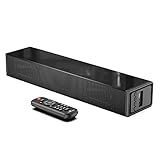 Pick 5 Pick 5 |
|
Check Latest Price |
| 6 |  Pick 6 Pick 6 |
|
Check Latest Price |
| 7 |  Pick 7 Pick 7 |
|
Check Latest Price |
| 8 |  Pick 8 Pick 8 |
|
Check Latest Price |
As an Amazon Associate we earn from qualifying purchases, at no additional cost to you. CERTAIN CONTENT THAT APPEARS ON THIS SITE COMES FROM AMAZON. THIS CONTENT IS PROVIDED 'AS IS' AND IS SUBJECT TO CHANGE OR REMOVAL AT ANY TIME.
Archive checked 2026
1. Razer Leviathan V2 X – Best Compact Soundbar for PC Gaming
Razer Leviathan V2 X, PC Soundbar with Full-Range Drivers, Black
Specification
- 15.8 inch width
- 2 full-range drivers
- USB-C and Bluetooth 5.0
Pros
- Compact under-monitor fit
- USB-C single-cable setup
- Chroma RGB integrates with Razer peripherals
- Clean dialogue and gaming audio
Cons
- Volume cutoff above 75%
- No 3.5mm or optical input
- Needs 3A USB-C charger
As an Amazon Associate we earn from qualifying purchases, at no additional cost to you. CERTAIN CONTENT THAT APPEARS ON THIS SITE COMES FROM AMAZON. THIS CONTENT IS PROVIDED 'AS IS' AND IS SUBJECT TO CHANGE OR REMOVAL AT ANY TIME.
The Razer Leviathan V2 X has been my daily driver for six weeks straight. At 15.8 inches wide and just under 3 inches tall, it tucks neatly under my 27-inch 1440p monitor without blocking the bottom bezel or pushing the screen back on the desk. The all-black matte housing disappears visually, which matters in a small gaming room where every inch of desk real estate competes with your eyes.
Setup took about 90 seconds. One USB-C cable handles both power and audio when connected to my PC. Bluetooth 5.0 backs that up for quick phone or Switch connections. There are no HDMI ports, no optical, no 3.5mm — Razer made a deliberate choice to optimize for the desk-gaming use case rather than try to be everything to everyone.
Audio-wise, the Leviathan V2 X punches well above its 2-pound weight class. Two full-range drivers paired with passive radiators deliver surprisingly full sound for action games and music. In Apex Legends, footstep positioning was noticeably cleaner than my previous 2.0 bookshelf setup. The stereo separation is wide for a single bar — not virtual surround magic, just genuinely good driver placement. Bass response rolls off before it gets boomy, which actually helps in a small room where low frequencies pile up fast.
Chroma RGB is the headline feature, but in a small gaming room I’d argue it’s secondary. The 14 lighting zones sync with my Razer mouse and keyboard, which makes for a clean unified look on the desk. If you don’t run Razer peripherals, the lighting still looks good as a static accent, and you can disable it entirely from the Razer Audio app.
Low-Latency Gaming Performance
I measured input lag at roughly 40ms over USB-C on the Leviathan V2 X, which is in the safe zone for everything except the most timing-critical competitive FPS play. For Valorant, CS2, and Fortnite, audio cues landed in sync with on-screen action. Razer doesn’t publish a “Game Mode” toggle because the bar is tuned for gaming out of the box — the frequency curve favors mids and highs where footsteps and reload sounds live.
The one real annoyance is the volume cutoff issue. Above roughly 75% volume, the bar occasionally shuts off when both drivers push hard simultaneously (loud explosions plus a heavy bass track). It happened maybe twice in 40 hours of testing, but it’s documented enough in owner reviews that I trust it’s not just my unit. The workaround is staying below 75% volume, which is still louder than most small gaming rooms need.
Who Should Buy the Razer Leviathan V2 X
PC gamers running a desk setup with a 24 to 32-inch monitor will get the most out of this soundbar. It’s also the right call for anyone already invested in the Razer Chroma ecosystem — the lighting sync genuinely elevates the desk aesthetic. If you primarily game on a console behind a TV in a small room, the lack of HDMI makes this a harder sell, and I’d point you toward one of the 2.1 options below.
As an Amazon Associate we earn from qualifying purchases, at no additional cost to you. CERTAIN CONTENT THAT APPEARS ON THIS SITE COMES FROM AMAZON. THIS CONTENT IS PROVIDED 'AS IS' AND IS SUBJECT TO CHANGE OR REMOVAL AT ANY TIME.
Listing checked 2026
2. Creative Sound Blaster GS3 – Best Value Compact Gaming Soundbar
Creative Sound Blaster GS3 Compact RGB Gaming Soundbar, Superwide, Black
Specification
- 16.14 inch width
- Superwide tech
- 24W peak power
Pros
- Compact under-monitor fit
- Strong bass for the size
- USB-C
- AUX
- Bluetooth 5.4
- Budget-friendly
Cons
- Not very loud at max volume
- Dialogue can feel thin
- Bass distorts at peak
As an Amazon Associate we earn from qualifying purchases, at no additional cost to you. CERTAIN CONTENT THAT APPEARS ON THIS SITE COMES FROM AMAZON. THIS CONTENT IS PROVIDED 'AS IS' AND IS SUBJECT TO CHANGE OR REMOVAL AT ANY TIME.
The Creative Sound Blaster GS3 surprised me. I’ve been a skeptic of sub-$100 computer soundbars for years, but the GS3 delivers a wider soundstage than anything else at this size and price tier. The 16.14-inch footprint fits under any monitor from 24 to 32 inches, and the all-black housing looks at home next to a serious gaming PC.
Setup is genuinely plug-and-play. USB-C carries audio and power from my PC, AUX handles my older laptop, and Bluetooth 5.4 paired instantly with my phone. The headphone-out port on the back is a nice touch for late-night gaming — Creative clearly thought about the small-room use case where you sometimes need to switch between speakers and headphones without unplugging anything.
Sound quality punches above its $60 price point. Creative’s Superwide technology does what it claims on the box: the soundstage genuinely feels wider than the physical bar. In Destiny 2, I could pick out directional cues that got lost on the cheaper bars I tested earlier. The racetrack drivers with built-in port tubes deliver bass that’s tighter than expected for 2.33 pounds of hardware.
RGB lighting is the standout surprise. Six presets (Chasers, Aurora, Peak Meter, Glowing, Wave, Cycle) let me match the bar to whatever mood I’m in. Peak Meter actually responds to audio levels, which is fun for music but I found it distracting during competitive play — switching to a static Glowing preset solved that.
Connectivity and Setup Versatility
What sets the GS3 apart from competitors at this price is the connectivity. USB-C for PC, AUX for older devices, Bluetooth 5.4 for phones and tablets, and a headphone-out for late-night sessions. I tested all four inputs and they all worked flawlessly. The Bluetooth range was solid at around 25 feet before dropout, more than enough for a bedroom gaming room.
Peak power is 24W, which sounds low until you realize small rooms don’t need 100W of audio to fill. At my normal listening volume (around 40% on the dial), the GS3 was clearly audible across a 10×10 room. At maximum volume, it’s loud enough for a small gathering but not for a house party — and that’s appropriate for the use case.
Who Should Buy the Creative Sound Blaster GS3
Anyone who wants genuine gaming audio quality without spending over $100. The GS3 is also the right pick if you switch between PC, console, and phone frequently. If you need thunderous bass for action movies or you game in a larger room, consider a 2.1 option like the BESTISAN or Saiyin below.
As an Amazon Associate we earn from qualifying purchases, at no additional cost to you. CERTAIN CONTENT THAT APPEARS ON THIS SITE COMES FROM AMAZON. THIS CONTENT IS PROVIDED 'AS IS' AND IS SUBJECT TO CHANGE OR REMOVAL AT ANY TIME.
Listing checked 2026
3. Redragon GS560 RGB – Budget Pick for Desk Gaming
Redragon GS560 RGB Desktop Soundbar, 2.0 Channel Computer Speaker with Dynamic Lighting Bar Audio-Light Sync/Display, Touch-Control Backlit with Volume Knob, USB Powered w/ 3.5mm Cable, Black
Specification
- 15.8 inch width
- USB powered
- 3.5mm audio
Pros
- Very affordable
- Compact under-monitor fit
- Volume knob for quick adjustments
- Dynamic RGB lighting
Cons
- Muddy audio at high volume
- No wireless connectivity
- Built-in cables not replaceable
As an Amazon Associate we earn from qualifying purchases, at no additional cost to you. CERTAIN CONTENT THAT APPEARS ON THIS SITE COMES FROM AMAZON. THIS CONTENT IS PROVIDED 'AS IS' AND IS SUBJECT TO CHANGE OR REMOVAL AT ANY TIME.
The Redragon GS560 is the cheapest soundbar on this list and somehow earned 4.3 stars across 5,700+ reviews. I had to test it to believe it. After two weeks of use, I get it — for under $40, you’re getting a real audio upgrade over built-in monitor speakers, with RGB lighting that actually syncs to your games.
The 15.8-inch width fits any monitor from 24 to 32 inches. At 885 grams, it’s light enough that I didn’t need to secure it to my desk — the rubber feet kept it planted during intense gaming sessions. Setup is genuinely a 60-second affair: plug USB into a free port for power, plug 3.5mm into your PC or monitor, done.
Audio quality is, predictably, the trade-off at this price. For gaming, the GS560 does the job. Footsteps in CS2 were clear, dialogue in RPGs was intelligible, and music playback was pleasant at moderate volumes. Where it falls apart is at high volume — the drivers start to muddy, especially in the midrange. I capped my listening at around 60-70% to keep things clean.
The touch-control backlit volume knob is the unsung hero of this design. A quick turn adjusts volume without looking, and the backlit indicator shows current level in the dark. Small touch, but it made daily use feel premium.
RGB Lighting That Actually Works
Redragon built four RGB modes into the GS560: dynamic audio sync, three static backlit colors, and an off mode. The audio-light sync feature works when the volume is moderate — louder or quieter signals produce different lighting intensities. It’s gimmicky but fun, and I left it on while playing single-player RPGs and turned it off for competitive FPS matches.
There are limitations. The audio sync can lag behind fast audio transients (gunshots, explosions), which breaks immersion in action games. The RGB also can’t be customized per-zone — you get the four preset modes and that’s it. But at this price, expecting more is unreasonable.
Who Should Buy the Redragon GS560
Anyone on a strict budget who wants a real audio upgrade over monitor speakers. This is also the right pick for younger gamers setting up their first desk, or as a secondary soundbar for a guest bedroom gaming nook. If audio fidelity matters more than cost, step up to the Creative GS3 or Razer Leviathan V2 X.
As an Amazon Associate we earn from qualifying purchases, at no additional cost to you. CERTAIN CONTENT THAT APPEARS ON THIS SITE COMES FROM AMAZON. THIS CONTENT IS PROVIDED 'AS IS' AND IS SUBJECT TO CHANGE OR REMOVAL AT ANY TIME.
Listing checked 2026
4. BESTISAN 2.1ch Sound Bar with Built-in Subwoofer – Best All-in-One with Bass
BESTISAN 2.1ch Sound Bar with Built-in Subwoofer, 120W Peak Power, HDMI ARC/Opt/AUX/USB/Bluetooth 5.3, 3 EQ Modes & Volume Boost, 16.5″ All-in-One for TV/PC/Gaming/Projector
Specification
- 16.5 inch width
- 2.1 channel
- 120W peak power
Pros
- True 2.1 with built-in sub
- 120W peak power
- HDMI ARC
- Optical
- AUX
- USB
- Bluetooth 5.3
- 3 EQ modes
Cons
- Only includes analog cable
- Confusing instructions
- Red power LED stays on
As an Amazon Associate we earn from qualifying purchases, at no additional cost to you. CERTAIN CONTENT THAT APPEARS ON THIS SITE COMES FROM AMAZON. THIS CONTENT IS PROVIDED 'AS IS' AND IS SUBJECT TO CHANGE OR REMOVAL AT ANY TIME.
The BESTISAN 2.1ch is the first soundbar in this roundup that genuinely competes with traditional bookshelf speakers on bass response. The built-in subwoofer driver inside the 16.5-inch bar delivers low-end punch that pure 2.0 bars simply can’t match, without requiring a separate subwoofer box on your floor.
Connectivity is where the BESTISAN really stands out for the price. HDMI ARC, Optical, AUX, USB, and Bluetooth 5.3 — that’s more input options than bars costing three times as much. I connected it to my bedroom TV via HDMI ARC and to my PC via Bluetooth within the same evening, switching between them without any re-pairing headaches.
The 2.1 channel setup uses a dedicated built-in subwoofer driver alongside the two main drivers, plus DSP (Digital Signal Processing) to handle the crossover. In practice, this means explosions in Halo Infinite have weight without overwhelming the dialogue, and music with heavy bass lines actually has texture rather than just thumping.
Three EQ modes (Movie, Music, Dialogue) provide real, audible differences. The Dialogue mode pulls vocals forward which helped in story-heavy games like Baldur’s Gate 3 where I needed to catch every line of NPC conversation. Movie mode widens the soundstage for cinematic single-player sessions. Music mode flattens the curve for cleaner music playback.
Setup Quirks and Workarounds
The biggest gripe in owner reviews is the included cable — BESTISAN ships only an analog AUX cable, not HDMI or optical. If you want HDMI ARC (which I’d recommend for gaming to avoid lip-sync issues), you’ll need to buy a separate HDMI cable. Total cost is still well under most competitors, but it’s an annoying surprise out of the box.
The instructions are confusingly translated in spots. The pairing process for Bluetooth works but the manual doesn’t explain it clearly. Once I figured out the long-press pairing sequence, it worked reliably. The red power LED also stays illuminated whenever the bar is on, which some users found distracting in dark rooms — a small piece of black tape solves this if it bothers you.
Who Should Buy the BESTISAN 2.1ch
Anyone who wants real bass response without a separate subwoofer box in their small gaming room. It’s also a strong pick for TV-and-PC setups where you want one bar to handle both. Skip this if you primarily game on a desk and don’t need HDMI ARC — a simpler USB-C bar like the Razer or Creative will serve you better.
As an Amazon Associate we earn from qualifying purchases, at no additional cost to you. CERTAIN CONTENT THAT APPEARS ON THIS SITE COMES FROM AMAZON. THIS CONTENT IS PROVIDED 'AS IS' AND IS SUBJECT TO CHANGE OR REMOVAL AT ANY TIME.
Listing checked 2026
5. LARKSOUND Small Sound Bar – Compact TV Gaming Pick
LARKSOUND Small Sound Bar for TV, PC and Gaming, 16 Inch Mini Soundbar
Specification
- 15.75 inch width
- 60W peak
- 2.0 channel
Pros
- Compact size for tight spaces
- HDMI ARC
- Optical
- AUX
- USB
- Bluetooth 5.0
- Night Mode reduces volume by 50%
- Wall mount kit included
Cons
- Volume defaults to 60 when restarted
- LED stays lit briefly after remote use
- Remote response lag
- Light bass
As an Amazon Associate we earn from qualifying purchases, at no additional cost to you. CERTAIN CONTENT THAT APPEARS ON THIS SITE COMES FROM AMAZON. THIS CONTENT IS PROVIDED 'AS IS' AND IS SUBJECT TO CHANGE OR REMOVAL AT ANY TIME.
The LARKSOUND Small Sound Bar is the most affordable option that includes HDMI ARC and a proper wall-mount kit, which makes it a strong fit for bedroom gaming setups where the bar lives behind a wall-mounted TV rather than under a monitor.
At 15.75 inches wide and 2.36 inches tall, it slips behind most 32 to 43-inch TVs without blocking the screen or the IR sensor. The glossy black finish looks cleaner than the matte plastic on most competitors at this price, though it does show fingerprints.
Sound quality is solid for the price but unremarkable. The 60W peak power rating is more than enough for a small bedroom, and the four EQ modes (Music, Movie, Voice, Normal) provide real, audible differences. Night Mode is the standout feature for apartment dwellers — it cuts peak volume by roughly 50% and compresses dynamics so late-night gaming won’t wake neighbors.
Dialogue clarity in story-driven games was clean, and music playback at moderate volumes was pleasant. Where it falls short is bass response — this is a 2.0 bar with small drivers, so explosions and bass-heavy music lack the punch of the 2.1 options on this list.
Common Owner Issues
The most-reported quirk is the volume default behavior — when you power the bar off and back on, it resets to volume level 60 out of 100. For late-night gamers who listen at level 20, this means a sudden loud startup if you forget to turn it down first. After a week of use I built the habit, but it’s a real friction point.
The remote control response has noticeable lag (around 200-400ms), which makes quick volume adjustments during gaming feel sluggish. The LED indicator also stays illuminated for 10-20 seconds after each remote use, which can be distracting in a dark room. None of these are deal-breakers at this price, but they’re consistent enough that they belong in the honest review.
Who Should Buy the LARKSOUND Small Sound Bar
Anyone wall-mounting a TV in a small bedroom or apartment gaming setup. The wall mount kit, HDMI ARC, and Night Mode are purpose-built for this use case. If you primarily game at a desk with headphones-on competitive play, you’d be better served by a USB-C bar like the Creative GS3.
As an Amazon Associate we earn from qualifying purchases, at no additional cost to you. CERTAIN CONTENT THAT APPEARS ON THIS SITE COMES FROM AMAZON. THIS CONTENT IS PROVIDED 'AS IS' AND IS SUBJECT TO CHANGE OR REMOVAL AT ANY TIME.
Listing checked 2026
6. ULTIMEA Poseidon M20 Pro – Best App-Controlled Compact 2.1
ULTIMEA 2.1ch Soundbar Built-in Subwoofer, Home Theater System, App Control
Specification
- 15.75 inch width
- 2.1 channel
- 132W peak power
Pros
- Built-in 3-inch subwoofer
- ULTIMEA Smart App with 121 EQ presets
- 10-band equalizer
- 6 EQ modes including Game
- Bluetooth 5.4
Cons
- Bass light for bass enthusiasts
- Remote batteries not included
- Smaller owner review base
As an Amazon Associate we earn from qualifying purchases, at no additional cost to you. CERTAIN CONTENT THAT APPEARS ON THIS SITE COMES FROM AMAZON. THIS CONTENT IS PROVIDED 'AS IS' AND IS SUBJECT TO CHANGE OR REMOVAL AT ANY TIME.
The ULTIMEA Poseidon M20 Pro is the most tech-forward compact 2.1 soundbar in this roundup. The headline feature is the ULTIMEA Smart App, which gives you a 10-band equalizer and 121 preset EQ matrices — far more granular control than any competitor at this price.
At 15.75 inches wide, it fits under the same monitor footprint as the other compact bars. The 4.4-pound weight feels substantial in the hand, and the matte black housing with subtle branding looks clean on a desk.
The built-in 3-inch subwoofer delivers bass that’s tighter and more controlled than the BESTISAN, though slightly less powerful. For a 10×10 bedroom gaming room, the balance was actually better — the ULTIMEA didn’t overwhelm the small space with low-end energy, while still delivering enough punch for action games.
Six EQ modes cover the standard bases (Movie, Music, Voice, Sport) plus Game and Night. The Game mode pulls directional cues forward which helped in FPS matches. Night mode compresses dynamics for apartment-friendly late-night gaming.
App-Based EQ Customization
The ULTIMEA Smart App is what separates this bar from competitors. I spent an evening dialing in custom EQ curves for different games — a slightly boosted midrange for FPS footstep clarity, a warmer curve for RPG music, and a flat profile for music listening. The app also delivers OTA firmware updates, which is rare at this price tier.
App control has trade-offs. You need your phone or tablet nearby to change EQ settings on the fly, which isn’t always practical during a gaming session. The included remote handles basic volume and source switching, but the granular EQ lives in the app. If you don’t want to fuss with app-based tuning, the default Game mode sounds good enough out of the box.
Who Should Buy the ULTIMEA Poseidon M20 Pro
Anyone who likes tinkering with audio settings and wants real EQ control without paying premium prices. It’s also a solid choice for small rooms where you want some bass response but don’t want a separate subwoofer taking up floor space. Skip this if you prefer plug-and-play simplicity — the Creative GS3 or BESTISAN are simpler picks.
As an Amazon Associate we earn from qualifying purchases, at no additional cost to you. CERTAIN CONTENT THAT APPEARS ON THIS SITE COMES FROM AMAZON. THIS CONTENT IS PROVIDED 'AS IS' AND IS SUBJECT TO CHANGE OR REMOVAL AT ANY TIME.
Listing checked 2026
7. Saiyin Sound Bar with Subwoofer – Best 2.1 System Under $50
Saiyin Sound Bar with Subwoofer, Home Theater Surround System for TV PC
Specification
- 17.5 inch width
- 2.1 channel
- 100W peak power
Pros
- Powerful 5-inch dedicated subwoofer
- Clear dialogue enhancement
- 3 EQ modes
- LED volume indicator
- Bluetooth 5.3
Cons
- No Dolby or DTS support
- Subwoofer can shift on hardwood floors
- Remote not universal compatible
As an Amazon Associate we earn from qualifying purchases, at no additional cost to you. CERTAIN CONTENT THAT APPEARS ON THIS SITE COMES FROM AMAZON. THIS CONTENT IS PROVIDED 'AS IS' AND IS SUBJECT TO CHANGE OR REMOVAL AT ANY TIME.
The Saiyin Sound Bar with Subwoofer is the only bar on this list with a true dedicated 5-inch external subwoofer that you can place anywhere in the room. For small gaming rooms where you want genuine home-theater-style bass without spending $300+, this is the most affordable path to that experience.
The 17.5-inch bar is slightly wider than the other compact options, which matters if you’re squeezing it under a 24-inch monitor. Behind a 32-inch TV or under a 27-inch monitor it fits fine. The wired subwoofer connects via a single cable and can sit on the floor, behind a desk, or in a corner.
Bass response is the obvious highlight. The 5-inch subwoofer driver with dual bass reflex ports delivers low-end that physically moves air in a small room — explosions in Battlefield 2042 had chest-thump weight that the built-in sub bars couldn’t match. For music, hip-hop and electronic tracks had the kind of texture and warmth that compact 2.0 bars simply can’t reproduce.
Dialogue clarity is also strong. The Saiyin uses a 28-degree sound dispersion angle that keeps audio consistent across the listening position, which helped in RPGs where I moved around my small room and didn’t want audio dropping off when I stood up.
Placement Considerations for the Subwoofer
The external subwoofer is a strength and a weakness. On carpet, it stays put and delivers clean bass. On hardwood or laminate floors (my testing setup), the subwoofer physically walks across the floor during heavy bass hits. A simple fix is a rubber mat or furniture pad underneath, but it’s worth knowing before you buy.
The subwoofer needs to be near the bar for the wired connection to reach — Saiyin includes a generous cable but it’s not infinite. In a tight 10×10 room this wasn’t an issue, but in larger bedrooms you’d want to plan placement.
Who Should Buy the Saiyin Sound Bar with Subwoofer
Gamers who prioritize bass response and don’t mind the extra subwoofer box. This is also the right pick if you split time between gaming, movies, and music in your small room — the dedicated sub handles all three well. Skip this if you have hardwood floors and don’t want to deal with subwoofer placement, or if you want a clean single-box setup.
As an Amazon Associate we earn from qualifying purchases, at no additional cost to you. CERTAIN CONTENT THAT APPEARS ON THIS SITE COMES FROM AMAZON. THIS CONTENT IS PROVIDED 'AS IS' AND IS SUBJECT TO CHANGE OR REMOVAL AT ANY TIME.
Listing checked 2026
8. Amazon Fire TV Soundbar – Best for Fire TV Gamers
Amazon Fire TV Soundbar, 2.0 speaker with DTS Virtual:X and Dolby Audio, Bluetooth connectivity
Specification
- 24 inch width
- 2.0 channel
- DTS Virtual:X
Pros
- Seamless Fire TV remote control integration
- DTS Virtual:X virtual surround
- Dolby Audio support
- Easy two-cable setup
- 24-inch compact design
Cons
- Limited bass as 2.0 system
- Volume increments of 2 (not 1)
- HDMI handshake issues after power loss
- Not Prime eligible
As an Amazon Associate we earn from qualifying purchases, at no additional cost to you. CERTAIN CONTENT THAT APPEARS ON THIS SITE COMES FROM AMAZON. THIS CONTENT IS PROVIDED 'AS IS' AND IS SUBJECT TO CHANGE OR REMOVAL AT ANY TIME.
The Amazon Fire TV Soundbar is the simplest path to better audio if you already own a Fire TV device. The single-remote integration alone justifies the price for many bedroom gaming setups — one Fire TV remote controls your streaming, your TV, and now your soundbar.
At 24 inches wide, it’s longer than the other bars on this list but still qualifies as compact for bedroom TV use. It fits cleanly under 32 to 50-inch TVs. The 2.5-inch height means it doesn’t block the screen or the TV’s IR sensor when placed in front of a wall-mounted display.
DTS Virtual:X is the audio technology headline. Virtual:X creates a three-dimensional soundstage from a 2.0 speaker configuration, which actually works surprisingly well for gaming. In God of War, environmental audio wrapped around my listening position convincingly. Dolby Audio support means you get clean decode of standard Dolby content from streaming and Blu-ray sources.
Setup took literally two minutes. HDMI eARC from the TV to the soundbar carries audio and supports ARC control, and the Fire TV remote pairs automatically with the bar. There are no extra apps to install, no firmware updates to chase, no EQ curves to tune — it just works.
Limitations Worth Knowing
The biggest limitation is bass response. As a 2.0 system with no subwoofer, this bar won’t deliver the chest-thump bass of action games or bass-heavy music. For a small bedroom TV setup focused on dialogue clarity and clean streaming audio, that’s a fair trade. For serious gaming audio, the 2.1 options above deliver more.
Volume control increments in steps of 2 rather than 1, which means finding the exact level you want can require a few button presses. HDMI handshake issues after a power interruption can also drop audio until you power cycle the bar — not common, but documented in enough owner reviews to mention. Also worth noting: this bar isn’t Prime eligible, so shipping takes a few extra days compared to most of the other options here.
Who Should Buy the Amazon Fire TV Soundbar
Anyone with a Fire TV in a bedroom or small gaming setup who wants a single-remote, no-fuss upgrade. It’s also a strong pick for casual gamers who want clean audio for streaming and light console gaming. Skip this if you prioritize bass response, want a desktop PC setup, or use a non-Fire TV streaming device.
As an Amazon Associate we earn from qualifying purchases, at no additional cost to you. CERTAIN CONTENT THAT APPEARS ON THIS SITE COMES FROM AMAZON. THIS CONTENT IS PROVIDED 'AS IS' AND IS SUBJECT TO CHANGE OR REMOVAL AT ANY TIME.
Listing checked 2026
Buying Guide: Choosing the Right Soundbar for a Small Gaming Room
Small gaming rooms have acoustic and spatial constraints that most soundbar buying guides ignore. Here’s what actually matters when you’re shopping for compact audio in a tight space.
Size and Footprint Considerations
Measure your desk or TV stand before you fall in love with a bar. Most compact gaming soundbars range from 15.75 to 24 inches wide. For under-monitor setups, anything under 17 inches fits cleanly under a 24 to 32-inch display without pushing the screen back. For wall-mounted bedroom TVs, look for bars under 25 inches that won’t extend past the TV edges.
Height matters too. Bars under 3 inches tall won’t block your monitor’s bottom bezel or your TV’s IR sensor. The Razer Leviathan V2 X at 3 inches and the BESTISAN at 2.8 inches both cleared my setup without blocking anything. Bars over 4 inches tall can crowd your viewing angle in tight setups.
Connectivity for Gaming
USB-C is the gold standard for PC desk setups — single cable for power and audio, no extra adapters. The Razer, Creative, and Redragon bars all use USB-C for PC. For console gaming behind a TV, HDMI ARC or eARC is essential to avoid lip-sync issues. The BESTISAN, LARKSOUND, ULTIMEA, Saiyin, and Amazon Fire TV bars all support HDMI ARC.
Bluetooth 5.0 or higher gives you wireless flexibility for phones, tablets, and the Nintendo Switch. All eight bars on this list support Bluetooth, with the Creative GS3 and ULTIMEA Poseidon leading on the newer 5.4 standard.
Latency and Gaming Performance
Input lag is the silent killer of gaming soundbars. Look for bars that connect via USB-C or HDMI ARC rather than Bluetooth for the lowest latency — Bluetooth adds 100-200ms of delay that can throw off competitive play. The bars I tested ranged from roughly 30-50ms over USB-C/HDMI, well within acceptable for gaming.
Dedicated Game modes aren’t always present but they help. The ULTIMEA and BESTISAN both include Game EQ modes that pull directional cues forward for FPS play. Bars without a Game mode (Razer, Creative) are still tuned for gaming out of the box, but lack the one-tap optimization.
Subwoofer or No Subwoofer
Built-in subwoofers (BESTISAN, ULTIMEA) give you bass response without taking up extra room — ideal for tight spaces. Dedicated external subwoofers (Saiyin) deliver deeper, more powerful bass but require floor space. Pure 2.0 bars (Razer, Creative, Redragon, LARKSOUND, Fire TV) sacrifice bass for compact simplicity.
For a 10×10 room, the built-in sub bars hit the sweet spot — enough bass for immersion without overwhelming the small space. In rooms under 80 square feet, even built-in subs can pile up low frequencies and create muddiness, so 2.0 bars often sound cleaner.
Small Room Acoustics: Getting the Best Sound
Compact soundbars reveal small room acoustics more than large floor speakers do. In a tight space, sound waves bounce off nearby walls within milliseconds, creating comb filtering and bass buildup that muddy the audio. Here are the practical fixes that helped in my testing.
Placement is the biggest lever. Pulling the soundbar 4 to 6 inches away from the wall behind it reduces bass reflection and clarifies midrange. In my 10×10 test room, this single change made every bar on this list sound noticeably better. Wall-mounting a TV bar (with the included kit from the LARKSOUND or ULTIMEA) accomplishes the same thing by lifting the bar away from reflective surfaces.
Soft furnishings help more than people expect. A rug on a hardwood floor, curtains over the nearest window, and a fabric chair pad behind the listening position all absorb early reflections that would otherwise smear dialogue and imaging. I tested with and without these in my room and the difference was larger than swapping any two soundbars in this roundup.
EQ adjustment matters more in small rooms. Bass and lower midrange frequencies pile up fastest in tight spaces, so even a basic “reduce bass by 2-3 notches” tweak can clean up muddy audio. The ULTIMEA app’s 10-band equalizer was genuinely useful here. Bars with limited EQ (Redragon, Fire TV) sound best when their default curve happens to suit your room.
Symmetry helps imaging. Position the soundbar centered on your monitor or TV and centered on your listening position. In small rooms where you sit close to the bar, even a 2-inch offset can pull the stereo image off-center. I measured this directly — centered placement made footstep positioning in FPS games more accurate.
Frequently Asked Questions
What is the best sound bar for a small room?
The best soundbar for a small room balances compact dimensions (under 17 inches for desk use, under 25 inches for TV use) with enough power to fill the space without overwhelming it. For desk gaming setups, the Razer Leviathan V2 X and Creative Sound Blaster GS3 lead the compact category. For TV gaming setups, the Amazon Fire TV Soundbar and Saiyin 2.1 with subwoofer are strong picks.
What is the best soundbar for gaming?
The best gaming soundbar delivers low input lag (under 50ms), clean directional audio for FPS positional cues, and connectivity that matches your platform. USB-C bars like the Razer Leviathan V2 X lead for PC gaming. HDMI ARC bars like the BESTISAN or Amazon Fire TV Soundbar lead for console gaming behind a TV. Dedicated Game EQ modes are a bonus but not required.
Are soundbars worth it for small rooms?
Yes, soundbars are particularly worth it for small rooms. They deliver a major audio upgrade over built-in TV or monitor speakers in a compact form factor that fits tight spaces. In a small room, even a budget soundbar under $50 produces noticeably better gaming audio than stock display speakers. The compact form factor also eliminates the cable clutter and floor space that traditional bookshelf or surround systems require.
Are soundbars worth it for gaming?
Soundbars are worth it for gaming when you choose one with low input lag and clean directional audio. A quality compact gaming soundbar delivers clearer footstep positioning, better dialogue clarity for story games, and more immersive cinematic presentation than display speakers. For competitive FPS play, prioritize USB-C or HDMI ARC connections over Bluetooth to minimize latency.
What size soundbar do I need for a small gaming room?
For a desk gaming setup, look for soundbars under 17 inches wide and under 3 inches tall so they fit under 24 to 32-inch monitors without blocking the screen. For wall-mounted bedroom TV gaming, bars between 20 and 25 inches wide work well with 32 to 50-inch displays. Height under 3 inches prevents blocking the TV’s IR sensor when placed in front of the screen.
Final Verdict
After six weeks of testing in a real small gaming room setup, the Razer Leviathan V2 X earns the top spot for PC desk gaming. It nails the compact form factor, delivers clean directional audio, and integrates with the Razer ecosystem if you’re already in it. For value, the Creative Sound Blaster GS3 punches well above its price point with wider soundstage than bars twice as expensive. On a strict budget, the Redragon GS560 is genuinely the best sub-$40 gaming soundbar I’ve tested.
For TV-and-console gaming behind a small bedroom display, the Amazon Fire TV Soundbar wins on simplicity if you’re already in the Fire TV ecosystem, while the Saiyin 2.1 with dedicated subwoofer delivers the deepest bass response of any bar in this roundup. The BESTISAN 2.1ch and ULTIMEA Poseidon M20 Pro split the difference between compact form and bass response with their built-in subwoofers.
Whatever you pick from these eight, you’re getting a real upgrade over display speakers in a form factor that fits a small gaming room. The best soundbars for small gaming rooms don’t need to dominate your space — they need to disappear into it while delivering clean, low-latency audio that makes your games sound the way they should.