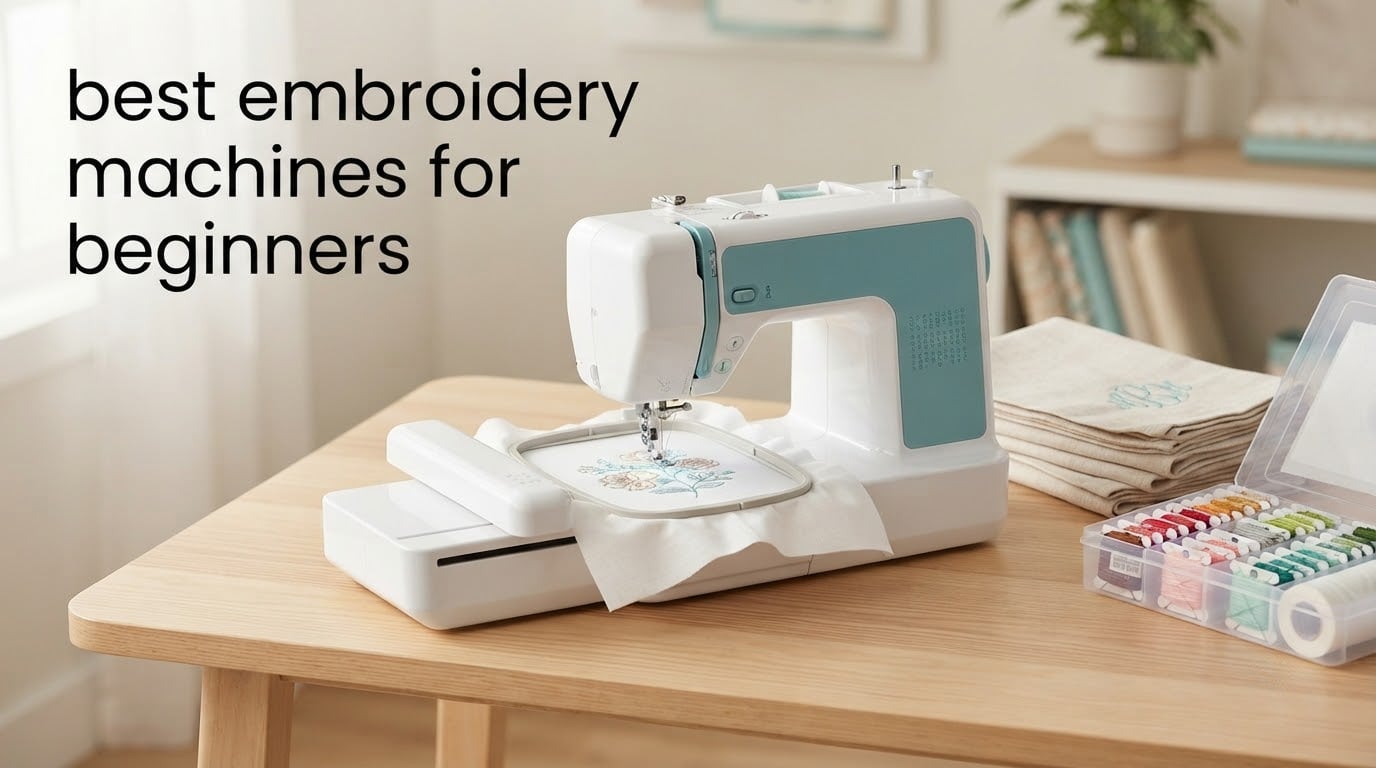
If you want one machine that covers monogramming, towels, totes, and simple chest logos without a steep learning curve, the Brother SE600 is the pick we keep coming back to. It sews and it embroiders, includes 80 built-in designs, and the 3.2 inch color touchscreen does most of the thinking for you.
That said, the SE600 makes you choose between two functions. If embroidery is the only thing you care about, one of the embroidery-only machines lower down will serve you better and cost you less in wasted capability. This guide covers all eight machines we analyzed, sorted by what a first-time owner actually needs, not by spec sheet length.
We spent weeks reading owner reviews, comparing the numbers that matter, and working out where each machine fits. Every pick below lists its real drawback, because the gap between a good beginner machine and a frustrating one is usually stitch recovery, hoop size, or documentation.
One thing to know before you read: embroidery hoop size is the only spec you cannot change later. A 4×4 machine will never stitch a design larger than 4×4 in a single pass, no matter what you spend on it later. More on that in the buying guide.
Index Table of Contents
- Top 3 Embroidery Machines for Beginners Right Now
- All 8 Picks at a Glance in 2026
- 1. Brother SE600 – Best All-Rounder for a First Machine
- Brother SE600 Sewing and Embroidery Machine, 80 Designs, 103 Built-In Stitches, Computerized, 4″ x 4″ Hoop Area, 3.2″ LCD Touchscreen Display, 7 Included Feet
- Specification
- Pros
- Cons
- What the SE600 does well that cheaper combos cannot
- Where the SE600 will disappoint you
- 2. Brother PE535 – Best Value for Embroidery Only
- Brother PE535 Embroidery Machine, 80 Built-in Designs, 4″ x 4″ Hoop Area, Large 3.2″ LCD Touchscreen, USB Port, 9 Font Styles
- Specification
- Pros
- Cons
- Why the PE535 is the smarter buy for most beginners
- When to skip it
- 3. Poolin EOC06 – Best for a Large 11 x 7.9 Inch Field
- Poolin EOC06 Large Hoop Embroidery Machine, 11 x 7.9 in Embroidery Area
- Specification
- Pros
- Cons
- What you gain by stretching past 4×4
- What makes this a real learning curve
- 4. Poolin EOC05 – Best for a Complete First-Time Buyer
- Poolin EOC05 Embroidery Machine for Beginners, 4″ x 9.25″ Embroidery Area
- Specification
- Pros
- Cons
- Why beginners like this one
- The thread break problem you should know about
- 5. Brother PE545 – Best for Wireless Designs and a Big Built-In Library
- Brother PE545 Wireless Embroidery Machine 4×4 Hoop LCD
- Specification
- Pros
- Cons
- What wireless actually buys you
- Where it stops
- 6. Janome Horizon Memory Craft 9850 – Best Sewing and Embroidery Combo with a Long Arm
- Janome Horizon Memory Craft 9850 Embroidery and Sewing Machine
- Specification
- Pros
- Cons
- Who this combination machine actually suits
- What to know before you commit
- 7. Janome Memory Craft C400E – Best for Monogramming With Real Thread-Break Recovery
- Janome Memory Craft C400E Computerized Embroidery Machine – MC400E Monogram Machine with 160 Built in Designs, 4 Hoops, and 6 Monogramming Fonts, Digital Embroidery Unit for Home, Beginners
- Specification
- Pros
- Cons
- Why monogrammers like this machine
- The two things that frustrate owners
- 8. Poolin EOC07 – Best for Large Panels and Jacket Backs
- Poolin EOC07 Embroidery Machine,15″x 7.9″ Large Embroidery Area & 4 Hoops
- Specification
- Pros
- Cons
- Who benefits from a field this wide
- What to plan around
- Embroidery-Only or Combination Machine? The One Decision That Matters Most
- How to Choose the Right Embroidery Hoop Size
- What You Need Beyond the Machine
- How to Choose an Embroidery Machine as a Beginner
- Frequently Asked Questions
- What is the best embroidery machine for beginners?
- How much does a decent embroidery machine cost?
- Is buying an embroidery machine worth it?
- What is the best embroidery machine for home use?
- Which machine is better for embroidery, Janome or Brother?
- Can a beginner import their own designs?
- Which Beginner Embroidery Machine Should You Buy?
Top 3 Embroidery Machines for Beginners Right Now
 Pick 1
Brother SE600
- Sewing plus embroidery in one machine
- 80 built-in designs
- 3.2 inch color touchscreen
- 4x4 inch field
 Pick 2
Brother PE535
Top of the shelf
- Embroidery only
- 4x4 inch field
- 9 lettering fonts
- 25 year warranty
 Pick 3
Poolin EOC06
- 11x7.9 inch embroidery area
- Four hoops included
- 200 built-in patterns
- WiFi and USB
As an Amazon Associate we earn from qualifying purchases. CERTAIN CONTENT THAT APPEARS ON THIS SITE COMES FROM AMAZON. THIS CONTENT IS PROVIDED 'AS IS' AND IS SUBJECT TO CHANGE OR REMOVAL AT ANY TIME.
Stock and pricing checked 2026
The SE600 takes the top slot because 81 percent of its 4676 reviews are five star, and it is the most reviewed machine in this group by a wide margin. The PE535 is the cheaper embroidery-only answer, and the Poolin EOC06 is the one to look at if you have designs larger than 4 inches in mind.
All 8 Picks at a Glance in 2026
| No | Title | Notes | Where to buy |
|---|---|---|---|
| 1 | Pick 1 |
|
Check Latest Price |
| 2 | Pick 2 |
|
Check Latest Price |
| 3 | Pick 3 |
|
Check Latest Price |
| 4 |  Pick 4 Pick 4 |
|
Check Latest Price |
| 5 |  Pick 5 Pick 5 |
|
Check Latest Price |
| 6 |  Pick 6 Pick 6 |
|
Check Latest Price |
| 7 |  Pick 7 Pick 7 |
|
Check Latest Price |
| 8 |  Pick 8 Pick 8 |
|
Check Latest Price |
As an Amazon Associate we earn from qualifying purchases, at no additional cost to you. CERTAIN CONTENT THAT APPEARS ON THIS SITE COMES FROM AMAZON. THIS CONTENT IS PROVIDED 'AS IS' AND IS SUBJECT TO CHANGE OR REMOVAL AT ANY TIME.
Archive checked 2026
Note that no machine here falls in the same category as any other. Two are embroidery-only with 4×4 inch fields, three are wide-field embroidery-only machines, two are sewing and embroidery combos, and one is a compact embroidery-only unit with a surprisingly tall hoop.
1. Brother SE600 – Best All-Rounder for a First Machine
Brother SE600 Sewing and Embroidery Machine, 80 Designs, 103 Built-In Stitches, Computerized, 4″ x 4″ Hoop Area, 3.2″ LCD Touchscreen Display, 7 Included Feet
Specification
- 4x4 inch embroidery field
- 103 sewing stitches
- 400 spm embroidery speed
- 3.2 inch color touchscreen
Pros
- Quiet sewing with strong fabric grip and clean stitch quality
- 103 built-in sewing stitches plus embroidery in one body
- Automatic needle threader and automatic thread cutter
- Color touchscreen makes design preview and editing straightforward
Cons
- 4x4 inch field limits design size
- Included embroidery designs are described as mediocre
- Average feed dogs
- Horizontal spools awkward with standard cones
As an Amazon Associate we earn from qualifying purchases, at no additional cost to you. CERTAIN CONTENT THAT APPEARS ON THIS SITE COMES FROM AMAZON. THIS CONTENT IS PROVIDED 'AS IS' AND IS SUBJECT TO CHANGE OR REMOVAL AT ANY TIME.
The SE600 is the machine we recommend to someone who is not certain embroidery will be their only craft. It runs 103 sewing stitches at up to 710 stitches per minute, drops to 400 for embroidery, and switches between the two modes without fuss.
Owners consistently describe it as quiet, with a fabric feed that grips knits and knits-heavy projects without constant adjustment. The 3.2 inch color touchscreen is the piece that saves beginners the most time, since you can see the design, reposition it, and change lettering without guessing.
Threading is close to automatic with the needle threader and drop-in top bobbin, and the automatic thread cutter trims between color changes. Seven sewing feet come in the box, along with bobbins, a needle set, a ball point needle for knits, spool caps, and a pre-wound bobbin already threaded with embroidery thread.
At 26.2 pounds and roughly 21 by 16 inches, it is a substantial machine that stays put on a table. That is a plus for stitch quality, since a heavy body does not skate around during satin stitch.
What the SE600 does well that cheaper combos cannot
The 4×4 inch field is small, but it handles the projects beginners actually start with: a three-letter monogram on a shirt cuff, a name on a towel corner, a small chest logo on a polo. The 80 built-in designs and 6 lettering fonts cover most personalization needs without buying a single design file.
The USB port is for loading purchased designs from a flash drive, which is worth knowing because it is not a wireless feature. You still need a computer and Brother software to prepare a file for it.
Where the SE600 will disappoint you
Owners are candid about the included embroidery designs being the weakest part of the machine, and the accessory bundle leaves out invisible zipper, rolled hem, and binding feet. The feed dogs are described as average, so a walking foot is a sensible early add-on.
Several reviewers also flag that the manual needs to be read properly, particularly around needle selection and timing, to avoid needle breaks. Horizontal spool orientation is awkward if you prefer standard cone thread over the cross-wound spools it is designed for.
As an Amazon Associate we earn from qualifying purchases, at no additional cost to you. CERTAIN CONTENT THAT APPEARS ON THIS SITE COMES FROM AMAZON. THIS CONTENT IS PROVIDED 'AS IS' AND IS SUBJECT TO CHANGE OR REMOVAL AT ANY TIME.
Listing checked 2026
2. Brother PE535 – Best Value for Embroidery Only
Brother PE535 Embroidery Machine, 80 Built-in Designs, 4″ x 4″ Hoop Area, Large 3.2″ LCD Touchscreen, USB Port, 9 Font Styles
Specification
- 4x4 inch embroidery field
- 80 built-in designs
- 9 lettering fonts
- 3.2 inch color touchscreen
Pros
- Simple approachable interface with a large color touchscreen
- USB port loads and stores custom designs
- Compact and light at 15 pounds
- 25 year limited warranty with lifetime phone support
Cons
- Embroidery only with no sewing function
- 4x4 inch field limits larger projects
- Importing designs needs separate software and file preparation
As an Amazon Associate we earn from qualifying purchases, at no additional cost to you. CERTAIN CONTENT THAT APPEARS ON THIS SITE COMES FROM AMAZON. THIS CONTENT IS PROVIDED 'AS IS' AND IS SUBJECT TO CHANGE OR REMOVAL AT ANY TIME.
The PE535 is the answer to a question we see constantly in embroidery forums: what if I already own a sewing machine and only want the embroidery half? It is dedicated embroidery, it does one job, and it does it without asking you to learn a sewing bed you will never use.
At 15 pounds it is one of the lighter machines here, and the 3.2 inch color touchscreen is the same panel Brother puts on higher-end models. Eighty built-in designs cover kids, holiday, and floral motifs, and the 9 lettering fonts (6 English, 3 Japanese) handle monogramming well.
Two details set it apart from the bargain machines. The USB port does more than read a design; it stores designs in the machine’s built-in memory, so a project can live in the machine rather than living on a laptop. And the warranty runs 25 years limited, with free phone support for the life of the machine.
The box includes a 4×4 inch hoop, the embroidery arm, and the embroidery foot. That is genuinely minimal, and it is fine for a first project, but plan on buying a second hoop before long.
Why the PE535 is the smarter buy for most beginners
Long-term owners on embroidery forums describe a 4×4 field as not limiting for monogramming and children’s clothing, which is exactly where new users start. The 4×4 field on this machine is the same size hoop the brand has shipped for years, so hoop accessories and stabilizer sizing are easy to find.
Brother’s phone support is the practical reason to lean this way. When something goes wrong on an unfamiliar machine, being able to call someone who knows that specific model is worth more than a feature on the spec sheet.
When to skip it
Skip it if your first project idea is larger than a 4 inch square, or if you might want a sewing function later. The design library is good but small at 80 patterns, and importing anything you buy yourself means running the file through separate software first.
It is also a 120 volt US machine, so it is not designed for direct international use without conversion.
As an Amazon Associate we earn from qualifying purchases, at no additional cost to you. CERTAIN CONTENT THAT APPEARS ON THIS SITE COMES FROM AMAZON. THIS CONTENT IS PROVIDED 'AS IS' AND IS SUBJECT TO CHANGE OR REMOVAL AT ANY TIME.
Listing checked 2026
3. Poolin EOC06 – Best for a Large 11 x 7.9 Inch Field
Poolin EOC06 Large Hoop Embroidery Machine, 11 x 7.9 in Embroidery Area
Specification
- 11x7.9 inch embroidery area
- Four hoops included
- 200 built-in patterns
- USB and wireless transfer
Pros
- Wide 11x7.9 inch embroidery area on a home machine
- Four hoops included for different project sizes
- Very quiet and smooth with little vibration
- Thread bobbins stabilizers and needles bundled
- Responsive one to one support
Cons
- Bundled digitizing software described as clunky
- Steep learning curve for tension and threading
- Missing hoop clip reported by some buyers
As an Amazon Associate we earn from qualifying purchases, at no additional cost to you. CERTAIN CONTENT THAT APPEARS ON THIS SITE COMES FROM AMAZON. THIS CONTENT IS PROVIDED 'AS IS' AND IS SUBJECT TO CHANGE OR REMOVAL AT ANY TIME.
The EOC06 breaks the beginner mold in one specific way: a maximum embroidery area of 11 by 7.9 inches. That is a towel band, a name tape strip, or a decent-sized chest logo in a single hooping, which is more than any 4×4 machine here can do.
It comes with four hoops, so you are not immediately looking for accessories. The 7 inch color touchscreen supports drag-and-drop design editing, and the machine runs on the InStitch i3 system with 200 built-in patterns, 8 fonts, and 10 languages.
Design transfer works both ways: USB flash drive or wireless LAN. The InStitch i3 package includes InStitch Doodle for digitizing, and the machine handles automatic needle threading, bobbin winding, and automatic thread trimming. It reads DST and DSB file formats.
Owners mention that it runs very quietly with almost no vibration, which matters in an apartment. At 35 pounds and 27 inches wide, it needs a real table and its own corner of it.
What you gain by stretching past 4×4
A wide field changes your design options more than any other single spec. You can stitch a name across a towel, a long horizontal logo on a sleeve, or a multi-line monogram without splitting the file and re-hooping halfway through.
Many beginners who start with a 4×4 field outgrow it within a year, and reselling to move up is a reasonable path. Buying a wide-field machine once avoids that round trip, provided the wider field is what you actually need.
What makes this a real learning curve
Several owners describe the bundled digitizing software as clunky, and the machine asks more of a beginner in the first week than a Brother does. Most early complaints, though, turned out to be thread tension and rethreading mistakes rather than machine faults.
One buyer reported a missing hoop clip that was hard to source. The fix is direct support through the Poolin user group, engineers, and the YouTube channel, which owners consistently rate as unusually responsive for a brand this size.
As an Amazon Associate we earn from qualifying purchases, at no additional cost to you. CERTAIN CONTENT THAT APPEARS ON THIS SITE COMES FROM AMAZON. THIS CONTENT IS PROVIDED 'AS IS' AND IS SUBJECT TO CHANGE OR REMOVAL AT ANY TIME.
Listing checked 2026
4. Poolin EOC05 – Best for a Complete First-Time Buyer
Poolin EOC05 Embroidery Machine for Beginners, 4″ x 9.25″ Embroidery Area
Specification
- 4x9.25 inch embroidery area
- 4x4 hoop also included
- 7 inch color touchscreen
- WiFi and USB transfer
Pros
- Very approachable for someone who has never embroidered
- 4x9.25 inch hoop in a compact 22 pound body
- Starter kit with thread stabilizers bobbins needles and USB drive
- Free design software included with guided touchscreen
- Proactive customer service from engineers
Cons
- No stitch recovery after a thread break
- Some bundled patterns do not lock at color changes
- Firmware update process is not intuitive
As an Amazon Associate we earn from qualifying purchases, at no additional cost to you. CERTAIN CONTENT THAT APPEARS ON THIS SITE COMES FROM AMAZON. THIS CONTENT IS PROVIDED 'AS IS' AND IS SUBJECT TO CHANGE OR REMOVAL AT ANY TIME.
The EOC05 is built around one assumption: that the person operating it has never done this before. The 7 inch color touchscreen uses guided navigation on the Institch OS2 system, and reviewers repeatedly describe stitching their first complete project straight out of the box.
The embroidery area is 4 by 9.25 inches, plus a 4×4 hoop in the box. That vertical rectangle is unusual and genuinely useful for tall designs, names stacked over a number, or a long slim logo.
The starter bundle is the most complete in this roundup: 6 rolls of thread, 30 pieces of stabilizer, 25 pre-wound bobbins, a thread stand, 9 needles, a 16GB USB drive, and a tool kit. Free embroidery design software comes with it, and transfer works over USB or Wi-Fi through the Institch site.
At 22 pounds and 21.5 inches wide it is lighter and narrower than the other Poolin machines here, which makes it easier to set up at a kitchen table and move when you want the space back.
Why beginners like this one
The vertical 4 by 9.25 inch field is bigger in one direction than almost any machine in this group without turning into a production machine. It covers a jacket pocket, a towel, a tote panel, or a stacked monogram, and it does not need re-hooping for those jobs.
Owners call out customer service that reaches out proactively after purchase, and there are reports of units being replaced when something went wrong. That kind of support matters most in the first month.
The thread break problem you should know about
This is the one real drawback and it is a significant one. Owners report that the machine cannot resume where it stopped after a thread break, which means removing the fabric and re-stitching the section. On a 4×4 machine that mistake costs you a minute; on a 9 inch design it costs you more.
Some bundled patterns also fail to lock stitches at color changes, which can unravel. Reviewers note the built-in design library is limited, so importing your own files is effectively necessary after a few weeks.
As an Amazon Associate we earn from qualifying purchases, at no additional cost to you. CERTAIN CONTENT THAT APPEARS ON THIS SITE COMES FROM AMAZON. THIS CONTENT IS PROVIDED 'AS IS' AND IS SUBJECT TO CHANGE OR REMOVAL AT ANY TIME.
Listing checked 2026
5. Brother PE545 – Best for Wireless Designs and a Big Built-In Library
Brother PE545 Wireless Embroidery Machine 4×4 Hoop LCD
Specification
- 4x4 inch embroidery field
- 135 built-in designs
- Wireless LAN and USB transfer
- 3.7 inch color touchscreen
Pros
- Artspira app sends designs from a phone or tablet
- 135 built-in patterns and 10 fonts
- Lightest machine in this group at 14.1 pounds
- 3.7 inch touchscreen with built-in tutorial videos
- 25 year chassis and 2 year electronics warranty
Cons
- Embroidery only with no sewing function
- 4x4 inch field limits project size
- Wireless transfer needs Brother software and the Artspira app
As an Amazon Associate we earn from qualifying purchases, at no additional cost to you. CERTAIN CONTENT THAT APPEARS ON THIS SITE COMES FROM AMAZON. THIS CONTENT IS PROVIDED 'AS IS' AND IS SUBJECT TO CHANGE OR REMOVAL AT ANY TIME.
The PE545 answers the single most common beginner question about connectivity. You can draw a design on a phone or tablet in the Artspira app and send it to the machine over wireless LAN, and there is still a USB port if you prefer a flash drive.
It also carries the largest built-in library in this roundup: 135 patterns and 10 fonts, 7 English and 3 Japanese. The 3.7 inch color touchscreen is the biggest panel among the Brother embroidery-only machines and includes tutorial videos on the machine itself.
At 14.1 pounds it is the lightest machine here by a clear margin, and the footprint is small enough for a shared craft room. The accessory pouch is generous, with needles, pre-wound bobbins, spool caps, a seam ripper, scissors, and a spool net already inside.
Warranty terms are strong: 25 years on the chassis casting, 2 years on electronic components and printed circuit boards, and 1 year on parts, labor, and accessories.
What wireless actually buys you
It removes the computer from the workflow. On machines with a USB port only, you still need to run a design through software on a computer, save it to a drive, and move it to the machine. On the PE545 you can finish a design in the same app that sent it.
Long-term owners on forums make the same correction about cheaper machines repeatedly: a USB port is not a wireless feature, and a marketing photo of a USB socket does not mean free design importing. The PE545 is one of the few machines in this price class where the connection matches the advertisement.
Where it stops
The 4×4 inch field is the limiting factor, and there is no path to a larger one. If your plan involves anything wider than a square, the wide-field machines make more sense even with the extra setup.
It is also embroidery only, so it pairs with an existing sewing machine rather than replacing one.
As an Amazon Associate we earn from qualifying purchases, at no additional cost to you. CERTAIN CONTENT THAT APPEARS ON THIS SITE COMES FROM AMAZON. THIS CONTENT IS PROVIDED 'AS IS' AND IS SUBJECT TO CHANGE OR REMOVAL AT ANY TIME.
Listing checked 2026
6. Janome Horizon Memory Craft 9850 – Best Sewing and Embroidery Combo with a Long Arm
Janome Horizon Memory Craft 9850 Embroidery and Sewing Machine
Specification
- Sewing plus embroidery
- Extended arm work area
- Touchscreen controls
- Pattern memory storage
Pros
- Sewing and embroidery in a single machine
- Extended arm handles quilts and bulky fabric
- Large built-in embroidery and decorative stitch library
- Touchscreen simplifies pattern selection and settings
- Memory Craft stores custom patterns
Cons
- Learning curve for first time computerized users
- Heavy 23 pound build limits portability
As an Amazon Associate we earn from qualifying purchases, at no additional cost to you. CERTAIN CONTENT THAT APPEARS ON THIS SITE COMES FROM AMAZON. THIS CONTENT IS PROVIDED 'AS IS' AND IS SUBJECT TO CHANGE OR REMOVAL AT ANY TIME.
The Memory Craft 9850 is the combo to look at when embroidery is only half of what you want to do. It pairs professional embroidery with a full precision sewing function and a long arm that gives you room to maneuver bulky fabric.
That extended arm is the reason to choose it over a smaller combo. Quilts, tote bags, and layered projects need width behind the needle, and a standard bed makes those projects awkward in a way a long arm does not.
Memory Craft technology stores custom embroidery patterns, stitch combinations, and your own settings, so a layout you like does not have to be rebuilt each time. The touchscreen handles pattern selection and stitch customization without a menu dive.
The built-in library covers embroidery designs and decorative stitches, which is one of the broader libraries on a machine at this level.
Who this combination machine actually suits
It suits the person who will sew as much as they embroider, or who works with fabric too bulky for a small bed. Buyers rate it highly for versatility, the work area, and the stitch library.
If you already own a working sewing machine, most of that value disappears. Paying to carry a sewing function you will not use is the most common first-machine regret we see in beginner discussions.
What to know before you commit
A minority of reviews flag a learning curve for people new to computerized machines, and at 23 pounds it is not portable. The available specifications for this model do not detail the thread cutting and threading automation, so do not assume the convenience features of a newer machine.
It is also a heavier, larger purchase than anything else in this guide aimed at first-time buyers. Make sure you have the table space and the patience for a bigger learning curve.
As an Amazon Associate we earn from qualifying purchases, at no additional cost to you. CERTAIN CONTENT THAT APPEARS ON THIS SITE COMES FROM AMAZON. THIS CONTENT IS PROVIDED 'AS IS' AND IS SUBJECT TO CHANGE OR REMOVAL AT ANY TIME.
Listing checked 2026
7. Janome Memory Craft C400E – Best for Monogramming With Real Thread-Break Recovery
Janome Memory Craft C400E Computerized Embroidery Machine – MC400E Monogram Machine with 160 Built in Designs, 4 Hoops, and 6 Monogramming Fonts, Digital Embroidery Unit for Home, Beginners
Specification
- 7.9x7.9 inch embroidery area
- Four hoops included
- 160 built-in designs
- Auto return after thread break
Pros
- 7.9x7.9 inch maximum area with four hoops
- 160 built-in designs and 6 monogram fonts
- Auto return picks up after a thread break
- On-screen rotate resize mirror and combine
- 25 year mechanical warranty
Cons
- Manuals and instructions widely reported as insufficient
- USB drive reads JEF files only so other formats convert
- Some owners hit thread breaks until the bobbin case is switched
As an Amazon Associate we earn from qualifying purchases, at no additional cost to you. CERTAIN CONTENT THAT APPEARS ON THIS SITE COMES FROM AMAZON. THIS CONTENT IS PROVIDED 'AS IS' AND IS SUBJECT TO CHANGE OR REMOVAL AT ANY TIME.
The Memory Craft 400E is built for one job: putting clean lettering on fabric in a large square field. The maximum embroidery area is 7.9 by 7.9 inches, with four hoops included, and 160 built-in designs plus 6 monogram fonts come loaded on the machine.
Its standout feature for a beginner is auto return after a thread break. The machine picks up exactly where it left off instead of making you unpick the section, which is the exact weakness that hurts on the Poolin EOC05. Automatic thread tension control backs that up.
The LCD color touchscreen lets you rotate, resize, mirror, and combine patterns on screen before the first stitch, so you can preview the result instead of committing fabric to a guess. Custom designs import over the included USB drive with PC-compatible AcuStitch software.
Warranty coverage is 25 years on mechanical parts, 2 years on electrical parts, and 1 year on labor. It weighs 25 pounds and needs a dedicated footprint.
Why monogrammers like this machine
A 7.9 inch square handles a full name, a school name, a date, or a stacked monogram with a border in one pass. That is the point of the machine, and four hoops mean you can go from a name on a cuff to a name on a blanket without buying hardware.
The on-screen combine feature is more useful than it sounds for monogramming, because most people want text plus a decorative element rather than text alone.
The two things that frustrate owners
The documentation is the biggest complaint. Setup and operation instructions are widely reported as insufficient, so budget time for a tutorial series or dealer walkthrough rather than expecting to learn it from the box alone.
The USB drive also reads JEF files only, which means PES and other formats need converting before loading. A few owners hit frequent thread breaks until they switched the bobbin case, and the fix is easy once someone tells you.
As an Amazon Associate we earn from qualifying purchases, at no additional cost to you. CERTAIN CONTENT THAT APPEARS ON THIS SITE COMES FROM AMAZON. THIS CONTENT IS PROVIDED 'AS IS' AND IS SUBJECT TO CHANGE OR REMOVAL AT ANY TIME.
Listing checked 2026
8. Poolin EOC07 – Best for Large Panels and Jacket Backs
Poolin EOC07 Embroidery Machine,15″x 7.9″ Large Embroidery Area & 4 Hoops
Specification
- 7.9x15 inch embroidery area
- Four hoops included
- Up to 860 stitches per minute
- 200 built-in patterns
Pros
- 7.9x15 inch field cuts rehooping to a minimum
- Clean consistent stitch quality over long runs
- Up to 860 stitches per minute
- Very fast one to one technical support
- Thread stabilizers bobbins and thread stand included
Cons
- Reads DST files only so other formats need conversion
- No magnetic or third party hoops available yet
- 1 year manufacturer warranty is short
As an Amazon Associate we earn from qualifying purchases, at no additional cost to you. CERTAIN CONTENT THAT APPEARS ON THIS SITE COMES FROM AMAZON. THIS CONTENT IS PROVIDED 'AS IS' AND IS SUBJECT TO CHANGE OR REMOVAL AT ANY TIME.
The EOC07 is the widest machine in this roundup at 7.9 by 15 inches, with a usable field just under that. That is a towel top, a jacket back panel, or a full-width tote without splitting the file and re-hooping in the middle.
Four hoops come in the box, two at 5.5 by 5.5, one at 7.9 by 7.9, and the 7.9 by 15 itself. The 7 inch color touchscreen handles design preview and stitch progress tracking, and Institch OS3 keeps the workflow deliberately simple.
It runs up to 860 stitches per minute with automatic speed adjustment, which is the fastest figure among these machines. One owner reported more than 650000 stitches with no mechanical trouble, and others describe the thread path as set-and-forget once you understand the route.
Transfer works over Wi-Fi through the Institch site or by USB flash drive, exporting DST and DSB. There are 200 built-in patterns, 8 fonts, and 10 languages.
Who benefits from a field this wide
If you are stitching names along a towel edge, a horizontal chest or back band, or a design that reads across the full width of a garment, this is the machine that does it in one run. Fewer rehoops also means fewer seams to hide in a large design.
It is also the right shape for someone testing a small side business with patches and simple garments, since the wide field reduces the fiddly part of production. At 40 pounds and 27 inches wide, it wants a dedicated table.
What to plan around
File support is DST only, so JEF, PES, and DSB files need converting before loading. There are no magnetic hoops and no third party hoop options for this machine yet, which matters if you like the magnetic hoop workflow on other brands.
The 1 year manufacturer warranty is short next to the 25 year terms on the Brother machines, and the included thread stand is a few inches too short. Machine lights and beeps also cannot be turned off currently.
As an Amazon Associate we earn from qualifying purchases, at no additional cost to you. CERTAIN CONTENT THAT APPEARS ON THIS SITE COMES FROM AMAZON. THIS CONTENT IS PROVIDED 'AS IS' AND IS SUBJECT TO CHANGE OR REMOVAL AT ANY TIME.
Listing checked 2026
Embroidery-Only or Combination Machine? The One Decision That Matters Most
If you already own a working sewing machine, buy an embroidery-only machine. This is the clearest rule in the whole category, and it is the one most beginners break.
Combination machines bundle a sewing function you may never touch, and that bundle shows up in the weight, the footprint, and the price. A dedicated embroidery machine does one job, tends to be simpler to learn, and leaves your existing machine to do what it is good at.
Buy a combination only when you do not own a sewing machine at all, or when you specifically sew projects bulky enough to need a long arm. Under that condition the Janome Horizon Memory Craft 9850 makes more sense than pairing a small embroidery unit with a separate basic machine.
Beginners who already own a Singer or Kenmore for sewing frequently say they want to try a different brand for embroidery, and they land on Brother for support reasons. That is a reasonable instinct, and it is why three Brother machines appear in this guide.
How to Choose the Right Embroidery Hoop Size
Hoop size is the only spec on this list you cannot change later. The machine’s arm and carriage are built for a maximum field, so a 4×4 machine will never stitch a 6 inch design in one pass, no matter what software you add later.
A 4×4 inch field is enough to start and, for a lot of people, enough for years. Monograms, small chest logos, children’s names, and towel corners all fit. Long-term owners on embroidery forums describe it as never limiting what they wanted to do, while conceding most of them outgrew it eventually.
Around 5×7 is the sweet spot for a name, a full word, or a logo with a little air around it. It is the field most first machines skip straight past, and it is the one that causes the least frustration in year two.
Past that, the machines in this guide offer rectangular and large square fields: 4 by 9.25, 7.9 by 7.9, 11 by 7.9, and 7.9 by 15. These are for towel bands, jacket backs, name tapes, and full-width logos, and they are worth choosing deliberately rather than by accident.
The upgrade path is straightforward and it is not a mistake: start with the field your projects need now, and resell when you outgrow it. Forum regulars describe buying smaller and moving up later as a normal path rather than a wrong choice. Just do not buy a 4×4 machine planning to upgrade it inside the same machine.
What You Need Beyond the Machine
No competitor we looked at tells beginners what the machine alone will not do, so here is the honest list. Budget for these before the first project, not after a failed one.
Stabilizer. This is the backing fabric that stops embroidery from puckering and sinking into knit fabric. Buy a cutaway stabilizer for knits and a wash-away or tear-away for woven fabric. Both Poolin machines here include some in the box, and the Brother machines include very little, so this is your first real supply purchase.
Needles. A 75/11 sharp for woven fabric and a 90/14 ball point for knits and sweatshirt fleece. Ball point needles glide between the threads instead of punching them, and using the wrong needle is the top cause of thread breaks. Change the needle every few hours of stitching rather than waiting for a break.
Thread. Polyester embroidery thread in 40 weight for most garments. Rayon thread has a higher sheen and is the traditional choice for decorative work. Buy cones, not the small spools, unless the machine takes horizontal spools, as the SE600 does.
Bobbins. Pre-wound bobbins in 60 weight are faster and more consistent than winding your own, and the Brother SE600 ships with pre-wound bobbins already threaded. Cheap empty bobbins are worth having in quantity.
A second hoop. Most machines ship with one hoop, sometimes two. A larger hoop plus a small hoop for tight spots is a natural early upgrade, and hoop sizing drives how much stabilizer you buy.
Digitizing software. This is the part beginners misunderstand most. A machine cannot stitch a picture file. A JPEG has to be turned into stitch data by digitizing software, which is a separate program. Brother machines use their own design software, Janome uses AcuStitch, and both Poolin machines here ship with InStitch. Free options exist and handle basic text and shapes, so you do not need to buy anything to get started.
As for connecting a computer: a USB port on a machine is not the same as wireless transfer, and it does not mean free design importing. On the PE535 and SE600 you need a computer to prepare files. On the PE545, the Poolin machines, and the Janome 400E, wireless transfer or simpler bundled software reduces that step.
How to Choose an Embroidery Machine as a Beginner
Start with the project, not the feature list. A r/SewingForBeginners comment we keep coming back to calls this brand overload plus feature inflation: machines advertise more than 100 built-in stitches while a beginner uses about three. Judge the screen, the hoop, and the support instead.
Screen and on-machine help. A color touchscreen with drag-and-drop positioning saves the most beginner frustration. The PE545 goes further with tutorial videos on the machine itself, and the PE535’s 3.2 inch panel is the same size on a lower model.
Stitch recovery. This is the feature that separates a pleasant first machine from a frustrating one. Auto return after a thread break means you keep what you stitched. Machines without it can cost you the whole section. Check this before you check anything else.
Support and warranty. Brother offers 25 year limited terms with lifetime phone support on some models, and the Janome 400E carries 25 years on mechanical parts. The Poolin machines here run a 1 year manufacturer warranty, and reviewers make up the difference with fast one-to-one support from engineers and an active user group. That trade is worth it for some buyers and not for others.
Brand fit. Brother is the easiest for support and resale. Janome is a solid alternative with a long-arm option. Baby Lock is repeatedly praised as an easy alternative to Brother, sometimes at a slightly higher price, though none of their machines cleared our beginner criteria here. Poolin is the value route for large fields with bundled supplies.
And test-drive before you commit. Sit with the machine in a dealer showroom, thread it, and change a hoop yourself. If a shop cannot let you handle it, that tells you something about the support you will get afterward.
Frequently Asked Questions
What is the best embroidery machine for beginners?
The Brother SE600 is the best embroidery machine for most beginners because it sews and embroiders, has a 3.2 inch color touchscreen, 80 built-in designs, and a 4.6 rating across 4676 reviews. If you already own a sewing machine, the embroidery-only Brother PE535 is the better and cheaper choice.
How much does a decent embroidery machine cost?
Entry embroidery machines with a 4×4 inch hoop sit at the low end of the category, while sewing and embroidery combos and large-field machines with 7.9 to 15 inch areas cost considerably more. Add stabilizer, needles, thread, bobbins, a spare hoop, and digitizing software to your first-year budget on top of the machine.
Is buying an embroidery machine worth it?
It is worth it if you will personalize clothing, towels, totes, and caps, because a computerized machine stitches faster and more evenly than hand embroidery. It is not worth it if you only want to try the craft occasionally, since a machine is a dedicated tool and the hobby happens mostly on screen, hoop, and stabilizer.
What is the best embroidery machine for home use?
For home use, match the machine to your projects rather than to the highest specification. A 4×4 field covers monogramming and small chest logos, a 5×7 field handles a full name, and wider fields such as the 7.9×7.9 or 11×7.9 inch options cover towels, jacket backs, and name tapes in a single pass.
Which machine is better for embroidery, Janome or Brother?
Brother is usually the easier first machine because of the phone support, the size of the built-in design library, and the range of hoops. Janome competes well on stitch recovery and monogram features, and the Memory Craft 400E is the pick if you want a large field and auto return after a thread break.
Can a beginner import their own designs?
Yes, but the machine cannot stitch a picture file. A design has to be digitized into a stitch file first, and each brand uses its own software and formats. Brother machines use Brother design software, Janome uses AcuStitch, and the Poolin machines here ship with InStitch, so free basic options are available to start.
Which Beginner Embroidery Machine Should You Buy?
For most first-time buyers, the Brother SE600 is the safest starting point because it handles both sewing and embroidery and its owners rate it 4.6 across 4676 reviews. If you already own a sewing machine, take the Brother PE535 instead and put the money you saved toward stabilizer, needles, and a second hoop.
If your designs are wider than 4 inches, stop comparing small hoops. The Poolin EOC06 at 11 by 7.9 inches bundles four hoops and starter supplies, and the Poolin EOC07 at 7.9 by 15 inches handles jacket backs and name tapes in a single run. For a large square field with stitch recovery, the Janome Memory Craft 400E is the one.
Whichever you choose, buy the hoop size your first three projects actually need, and buy your stabilizer before your second machine. That is where beginners save the most time and money in 2026.