
If you want the short version: the Brother PE535 is the best embroidery machine under 500 for almost everyone, and the Brother PE545 is the runner-up if you want to send designs to the machine wirelessly from a phone or laptop. Everything else in this guide is a deliberate step sideways from that pair, in either price, hoop size or machine type.
We spent weeks reading the review data on every computerized embroidery machine that sits at or below this ceiling, then ranked them on the three things that actually decide whether you will still enjoy the machine a year from now: how large the embroidery field is, how designs get onto the machine, and how much long-term reliability data exists behind the product.
- Price: every machine listed here is a computerized embroidery machine that fits the sub-500 budget, with nothing padded in from a higher tier.
- Features: the field sizes run from a 4 x 4 inch hoop up to a 6.7 x 11 inch field, and every pick accepts custom digitized designs rather than shipping with built-ins only.
- Best for: the PE535 for a proven all-rounder, the PE545 for app-based and wireless transfer, the FLEURDENZ D777 if the embroidery field size is your top priority.
One thing to clear up before we start. A lot of machines advertised as “under 500” embroidery machines are not. The Brother SE700, the Brother PE800 and the Singer SE9180 are frequently described in roundups as budget options, yet they consistently land above this ceiling once you look at real listings. We excluded them entirely rather than pretend otherwise.
Prices in this band move constantly, so treat every figure you see anywhere on this page as a snapshot rather than a promise. Check the current listing before you commit, and read our cost-of-ownership section first, because the machine is only part of what a first year actually costs.
Index Table of Contents
- Top 3 Picks for Embroidery Machines Under 500 in 2026
- Quick Overview: Every Pick Side by Side in 2026
- 1. Brother PE535 – Best Overall Embroidery Machine Under 500
- Brother PE535 Embroidery Machine, 80 Built-in Designs, 4″ x 4″ Hoop Area, Large 3.2″ LCD Touchscreen, USB Port, 9 Font Styles
- Specification
- Pros
- Cons
- Who the PE535 suits
- Who should skip the PE535
- 2. Brother PE545 – Best for Wireless Design Transfer in 2026
- Brother PE545 Wireless Embroidery Machine 4×4 Hoop LCD
- Specification
- Pros
- Cons
- Who the PE545 suits
- Who should skip the PE545
- 3. EverSewn Sparrow X2 – Best Sewing and Embroidery Combo
- EverSewn Sparrow X2 Sewing & Embroidery Machine, White
- Specification
- Pros
- Cons
- Who the Sparrow X2 suits
- Who should skip the Sparrow X2
- 4. PooLin EOC03 – Best Value for a Larger Hoop
- PooLin EOC03 Embroidery Machine 4×4 & 4×9.25 Embroidery Area for Beginners, Easy Operation System, 130 Built-in Designs, 8 Fonts, WiFi Design Transfer, Home DIY Embroidery Machine with Starter Kit
- Specification
- Pros
- Cons
- Who the PooLin EOC03 suits
- Who should skip the PooLin EOC03
- 5. FLEURDENZ D777 – Biggest Embroidery Field in the Sub-500 Tier
- FLEURDENZ Embroidery Machine with 6.7″ x 11″ Area for Beginners, Home DIY, Sewing & Embroidery Machine, 180 Built-in Designs with USB Import, 7-Inch Touchscreen, Auto Threader & Cutter, Bonus 2 Hoops
- Specification
- Pros
- Cons
- Who the FLEURDENZ D777 suits
- Who should skip the FLEURDENZ D777
- 6. Brother Skitch PP1 – Cheapest and Smallest Way to Start Embroidering
- Brother Skitch Single-Needle Embroidery Machine Bluetooth
- Specification
- Pros
- Cons
- Who the Skitch PP1 suits
- Who should skip the Skitch PP1
- How to Choose an Embroidery Machine Under 500
- Embroidery-only or combo machine?
- What a 4 x 4 inch hoop can and cannot do
- Design transfer: USB, wireless LAN or an app
- File formats and built-in designs
- When this budget is not enough
- What It Really Costs to Run an Embroidery Machine
- First-Project Troubleshooting: The Four Problems Everyone Hits
- Frequently Asked Questions
- What is the best embroidery machine under 500?
- What is the best embroidery machine for beginners?
- What is the best budget embroidery sewing machine?
- Is a 4×4 inch embroidery hoop big enough?
- Should I buy an embroidery-only machine or a combo machine?
- Can you embroider hats with a home embroidery machine under 500?
- What files can a home embroidery machine read?
- How much does it cost to maintain an embroidery machine?
- Final Verdict
Top 3 Picks for Embroidery Machines Under 500 in 2026
 Pick 2
Brother PE545
Top of the shelf
- Wireless LAN transfer
- Artspira app
- 3.7 inch touchscreen
As an Amazon Associate we earn from qualifying purchases. CERTAIN CONTENT THAT APPEARS ON THIS SITE COMES FROM AMAZON. THIS CONTENT IS PROVIDED 'AS IS' AND IS SUBJECT TO CHANGE OR REMOVAL AT ANY TIME.
Stock and pricing checked 2026
Quick Overview: Every Pick Side by Side in 2026
| No | Title | Notes | Where to buy |
|---|---|---|---|
| 1 |  Pick 1 Pick 1 |
|
Check Latest Price |
| 2 | Pick 2 |
|
Check Latest Price |
| 3 |  Pick 3 Pick 3 |
|
Check Latest Price |
| 4 | 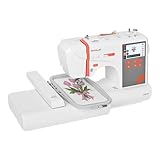 Pick 4 Pick 4 |
|
Check Latest Price |
| 5 | 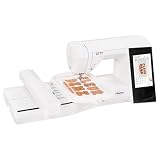 Pick 5 Pick 5 |
|
Check Latest Price |
| 6 |  Pick 6 Pick 6 |
|
Check Latest Price |
As an Amazon Associate we earn from qualifying purchases, at no additional cost to you. CERTAIN CONTENT THAT APPEARS ON THIS SITE COMES FROM AMAZON. THIS CONTENT IS PROVIDED 'AS IS' AND IS SUBJECT TO CHANGE OR REMOVAL AT ANY TIME.
Archive checked 2026
That table is the whole list. There are only six machines in this price band that we were willing to recommend, and we would rather show you six honest options than pad the page with duplicates, accessories or machines that have quietly moved out of budget.
1. Brother PE535 – Best Overall Embroidery Machine Under 500
Brother PE535 Embroidery Machine, 80 Built-in Designs, 4″ x 4″ Hoop Area, Large 3.2″ LCD Touchscreen, USB Port, 9 Font Styles
Specification
- 4 x 4 inch hoop
- 80 built-in designs
- 9 fonts
- 3.2 inch LCD touchscreen
- USB import
Pros
- Most proven machine in this list with 1730 reviews
- Large color touchscreen for on-screen preview
- 80 built-in designs plus 9 lettering fonts
- USB import with internal design memory
- 25 year warranty on the chassis casting
Cons
- Embroidery-only machine that cannot sew
- 4 x 4 inch hoop means constant re-hooping
- USB only with no wireless transfer
- 120 volt US unit
As an Amazon Associate we earn from qualifying purchases, at no additional cost to you. CERTAIN CONTENT THAT APPEARS ON THIS SITE COMES FROM AMAZON. THIS CONTENT IS PROVIDED 'AS IS' AND IS SUBJECT TO CHANGE OR REMOVAL AT ANY TIME.
The PE535 is the reason we trust this tier at all. Out of 1730 reviews it holds a 4.5 star average, and that volume of owner history matters more here than any spec sheet, because a machine with two hundred reviews tells you very little about what happens in year three.
Everything you touch is straightforward. A 3.2 inch color LCD touchscreen handles preview, layout and stitch-out, and 80 built-in designs with 9 lettering fonts cover the projects most beginners start with, so you can stitch something the same afternoon the box is open.
When you do outgrow the built-ins, a USB port loads your own digitized files into the machine’s internal memory. It is a cable rather than an app, which sounds old-fashioned until you realise it means the machine does not care what phone you own next year.
The included-components list is honest rather than generous: one 4 x 4 inch hoop, the embroidery arm, the embroidery foot and the machine itself. The chassis casting carries a 25 year limited warranty with free phone support for the life of the machine, which is a real advantage when you are two years into ownership and something sounds off.
Weighing in at 15 pounds with a footprint of 7.8 inches deep by 16.5 inches wide, it fits a normal craft corner without a dedicated table. The unit is 120 volt only, which matters if you are outside the US.
Who the PE535 suits
It suits anyone starting from zero who wants a forgiving machine with a real support network behind it. Reviewers consistently single out the color screen for previewing a design before committing fabric, which is the single most useful thing a new owner can have.
It also suits a sewist who already owns a decent sewing machine, because adding an embroidery-only unit means the two devices never fight over desk space. Nearly 1700 reviews at 4.5 stars is as close to a settled verdict as this category gets.
Who should skip the PE535
Skip it if your projects are chest logos, cap fronts or jacket backs. A 4 x 4 inch field means re-hooping a single design several times, and the seam where sections join is visible on a large satin-stitch element. It is also the wrong choice if you sew garments, because this machine cannot sew at all, or if wireless design transfer matters to your workflow, because there is no radio in this box.
As an Amazon Associate we earn from qualifying purchases, at no additional cost to you. CERTAIN CONTENT THAT APPEARS ON THIS SITE COMES FROM AMAZON. THIS CONTENT IS PROVIDED 'AS IS' AND IS SUBJECT TO CHANGE OR REMOVAL AT ANY TIME.
Listing checked 2026
2. Brother PE545 – Best for Wireless Design Transfer in 2026
Brother PE545 Wireless Embroidery Machine 4×4 Hoop LCD
Specification
- 4 x 4 inch hoop
- 135 built-in designs
- 3.7 inch touchscreen
- Wireless LAN
- 10 fonts
Pros
- Wireless LAN transfer removes the cable from the workflow
- Artspira app lets you draw patterns on a phone
- Largest screen in the 4 x 4 category at 3.7 inches
- 135 built-in patterns and 10 fonts
- Generous accessory bundle with pre-wound bobbins and dust cover
Cons
- Embroidery-only machine that cannot sew
- Same 4 x 4 inch hoop limit as the PE535
- Custom design work depends on the Artspira app ecosystem
- 120 volt US unit
As an Amazon Associate we earn from qualifying purchases, at no additional cost to you. CERTAIN CONTENT THAT APPEARS ON THIS SITE COMES FROM AMAZON. THIS CONTENT IS PROVIDED 'AS IS' AND IS SUBJECT TO CHANGE OR REMOVAL AT ANY TIME.
The PE545 is the same 4 x 4 class machine as the PE535, upgraded where it counts for modern workflows. The headline addition is wireless LAN, which means a design file can go from a laptop to the machine without anyone touching a USB cable.
The Artspira companion app is the bigger deal in practice. You can draw a pattern on a phone, size it, rotate it and send it, which is how a lot of first-time buyers discover that they want custom lettering rather than a stock motif.
The 3.7 inch color touchscreen is the largest in this category, and it carries drag-and-drop positioning, on-screen editing and built-in tutorial videos. With 80 percent of ratings at five stars, the on-machine editing experience is the most common thing owners praise.
The included accessory list is long: 2 bobbins, 3 pre-wound bobbins, 4 bobbin clips, an accessory bag, cleaning brush, disc-shaped screwdriver, dust cover, embroidery design guide, frame set, spool caps, needle set, manual, scissors, seam ripper and spool net. Warranty cover runs 25 years on the chassis casting and 2 years on electronics and printed circuit boards.
At 14.1 pounds and 16.5 inches deep, it occupies about the same desk space as the PE535. The variants list includes the machine alone and bundles with thread, needles and feet, which is handy if you do not own supplies yet.
Who the PE545 suits
It suits people who design on a screen. If your workflow is phone or laptop first, the wireless LAN path and Artspira app remove a genuinely annoying step that the PE535 still forces on you.
It also suits owners who want on-machine adjustment rather than app adjustment, because the 3.7 inch screen lets you nudge a design before you hoop it. The tutorial videos on the machine save a lot of YouTube hunting.
Who should skip the PE545
Skip it if you dislike subscription software ecosystems, since the app is the required path for custom work. The two machines stitch the same 4 x 4 inch field, so you are buying transfer convenience, not more capacity.
Skip it if your design work is entirely built-ins, because the extra library over the PE535 will sit unused. Neither machine sews, so it pairs with an existing sewing machine rather than replacing one.
As an Amazon Associate we earn from qualifying purchases, at no additional cost to you. CERTAIN CONTENT THAT APPEARS ON THIS SITE COMES FROM AMAZON. THIS CONTENT IS PROVIDED 'AS IS' AND IS SUBJECT TO CHANGE OR REMOVAL AT ANY TIME.
Listing checked 2026
3. EverSewn Sparrow X2 – Best Sewing and Embroidery Combo
EverSewn Sparrow X2 Sewing & Embroidery Machine, White
Specification
- Sewing plus embroidery
- App control via phone
- Two hoops included
- 100+ designs
- Reads exp pes dst
Pros
- Sewing and embroidery in a single body saves desk space
- App control works with Apple and Android with no WiFi needed
- Over 120 sewing stitch patterns plus one-step buttonhole
- Two hoops included and over 100 embroidery designs
- Reads the most common embroidery file formats
Cons
- No on-machine screen for embroidery work
- Only 54 reviews for long-term reliability data
- 16 percent of ratings are one star
- One year electrical and labor warranty
As an Amazon Associate we earn from qualifying purchases, at no additional cost to you. CERTAIN CONTENT THAT APPEARS ON THIS SITE COMES FROM AMAZON. THIS CONTENT IS PROVIDED 'AS IS' AND IS SUBJECT TO CHANGE OR REMOVAL AT ANY TIME.
Every other Brother on this list is embroidery-only, so the Sparrow X2 stands apart for one reason: it sews. Of the two combo machines here, it is also the one with a proper sewing function list, so if you are starting from nothing and want both capabilities in one machine, this is where the trade-off is cleaner.
The sewing side is the stronger half. You get a thread cutter, one-step buttonhole, speed control, needle up and down, electronic tension adjustment, presser foot pressure adjustment, a straight-stitch plate, an advanced auto threader and over 120 stitch patterns.
On the embroidery side, the machine is driven from a smart device through a companion app, and it does not require a WiFi network. It reads exp, pes and dst files, which covers most design libraries, and the box includes two hoops and over 100 embroidery designs.
The honest weakness is that there is no on-machine embroidery screen. Sizing, rotation and layout all happen on your phone, and a 3.9 star average across 54 reviews with 16 percent one-star ratings suggests some owners are not happy with that trade.
At 20 pounds and 18 inches wide, this is a substantial machine, so plan a sturdy spot before you unbox it. The warranty is one year on electrical and one year on labor, which is the thinnest cover in this roundup.
Who the Sparrow X2 suits
It suits a true beginner with no equipment at all, who wants garment construction and embroidery from the same machine without buying two devices or building a second workspace.
It also suits anyone already comfortable designing in an app, since that workflow will feel completely natural here. The included large and small hoops mean you are not buying accessories in week one.
Who should skip the Sparrow X2
Skip it if you want to size and position designs on the machine itself, because everything happens on the paired device. There is no screen to fall back on when the phone is across the room.
Skip it if reliability history matters to your decision. 54 reviews is a thin sample, and the one year electrical and labor warranty offers far less protection than the 25 year chassis coverage on the Brother machines.
As an Amazon Associate we earn from qualifying purchases, at no additional cost to you. CERTAIN CONTENT THAT APPEARS ON THIS SITE COMES FROM AMAZON. THIS CONTENT IS PROVIDED 'AS IS' AND IS SUBJECT TO CHANGE OR REMOVAL AT ANY TIME.
Listing checked 2026
4. PooLin EOC03 – Best Value for a Larger Hoop
PooLin EOC03 Embroidery Machine 4×4 & 4×9.25 Embroidery Area for Beginners, Easy Operation System, 130 Built-in Designs, 8 Fonts, WiFi Design Transfer, Home DIY Embroidery Machine with Starter Kit
Specification
- 4 x 4 and 4 x 9.25 inch areas
- 130 designs and 8 fonts
- WiFi transfer
- Large starter kit
Pros
- Large 4 x 9.25 inch hoop option that is rare at this price
- Institch operating system aimed at beginners
- 130 built-in designs and 8 fonts
- Free software with WiFi transfer from PC or phone
- Starter kit includes table plus stand with threads and stabilizers
Cons
- Only 33 reviews for long-term reliability
- 11 percent one-star and 11 percent two-star ratings
- New-generation model from a lesser-known brand
- Bulkier metal body at 15 pounds
As an Amazon Associate we earn from qualifying purchases, at no additional cost to you. CERTAIN CONTENT THAT APPEARS ON THIS SITE COMES FROM AMAZON. THIS CONTENT IS PROVIDED 'AS IS' AND IS SUBJECT TO CHANGE OR REMOVAL AT ANY TIME.
The PooLin EOC03 solves the complaint we hear most about this price tier, which is that every machine gives you the same small hoop. It ships with a 4 x 4 inch hoop and a 4 x 9.25 inch hoop, and the second one is genuinely useful for long lettering, towel edges and rectangular panels.
Reviewers point to the Institch operating system as the reason the machine feels approachable. The navigation is designed for someone who has never touched a computerized embroidery machine, which is not a small thing in a category full of dense control panels.
Design transfer runs over WiFi using free embroidery software, and there are 130 built-in designs with 8 fonts for the days you do not want to import anything. A 4.0 star average across 33 reviews is a reasonable signal, but it is a small one.
The starter kit is unusually generous: a table, thread stand, 6 embroidery threads, 20 stabilizers, 25 prewound bobbins and a tool kit. That alone can cover your first few months of supplies without a separate order.
Support is the quiet strength. The listing points to video tutorials, a user community of more than 12000 members and free one-on-one online support from engineers, which matters more for an unfamiliar brand than it would for Brother.
Who the PooLin EOC03 suits
It suits someone whose real problem is hoop size rather than features. If you are stitching names along a towel edge or a long strip on a bag, the 4 x 9.25 inch hoop removes the re-hooping that frustrates owners of 4 x 4 machines.
It also suits a first-time buyer who wants a full supply kit on day one, or a beginner who prefers WiFi transfer and simple on-machine navigation to a deep control panel.
Who should skip the PooLin EOC03
Skip it if you want a long, proven reliability record. This is a recent-generation model from a brand with a small support footprint, and 11 percent one-star plus 11 percent two-star ratings is a meaningful early signal of dissatisfaction.
Skip it if resale value matters to you. A lesser-known brand carries far less secondary-market value than a Brother, and the 15 pound metal body is bulkier than the compact Brothers.
As an Amazon Associate we earn from qualifying purchases, at no additional cost to you. CERTAIN CONTENT THAT APPEARS ON THIS SITE COMES FROM AMAZON. THIS CONTENT IS PROVIDED 'AS IS' AND IS SUBJECT TO CHANGE OR REMOVAL AT ANY TIME.
Listing checked 2026
5. FLEURDENZ D777 – Biggest Embroidery Field in the Sub-500 Tier
FLEURDENZ Embroidery Machine with 6.7″ x 11″ Area for Beginners, Home DIY, Sewing & Embroidery Machine, 180 Built-in Designs with USB Import, 7-Inch Touchscreen, Auto Threader & Cutter, Bonus 2 Hoops
Specification
- 6.7 x 11 inch field
- 7 inch HD touchscreen
- 180 designs
- USB import
- Sewing plus embroidery
Pros
- Largest embroidery area available in this price band
- Combines embroidery and basic sewing in one body
- 7 inch HD touchscreen with accurate color preview
- 180 built-in designs with USB import
- Auto threader plus thread cutter and independent bobbin winding
Cons
- Lowest rating in the group at 3.3 stars across 7 reviews
- Roughly 42 percent of ratings are one star
- Reports of embroidery errors from first use and missing hardware
- Hoops reported as unrecognized after a few weeks
- Support reported as unresponsive
As an Amazon Associate we earn from qualifying purchases, at no additional cost to you. CERTAIN CONTENT THAT APPEARS ON THIS SITE COMES FROM AMAZON. THIS CONTENT IS PROVIDED 'AS IS' AND IS SUBJECT TO CHANGE OR REMOVAL AT ANY TIME.
We are including the D777 because the 6.7 x 11 inch embroidery area is not something any other machine at this budget offers, and that field changes what you can make. It handles hats, tote bags and larger garment panels without the multi-section seams a 4 x 4 machine forces on you.
On paper it is the most capable machine here. A 7 inch HD touchscreen, 180 built-in designs with USB import, two bonus hoops, automatic needle threading, one-touch thread cutting and independent bobbin winding, plus basic sewing functions in the same body.
Then there is the reality, which we will not dress up. It averages 3.3 stars across 7 reviews, roughly 42 percent of those ratings are one star, and owners report machines that errored on the embroidery function from first use, missing parts and loose screws in the box, and hoops the machine stopped recognizing after a few weeks.
Customer support is reported as unresponsive after the first few weeks, with replacement requests unanswered. At 28.7 pounds and 21 inches deep, it is also by far the largest and heaviest machine in this guide, and a recent manufacture date confirms how new the platform is.
Who the FLEURDENZ D777 suits
It suits someone whose project list is dominated by caps, tote bags and large panels, and who would otherwise be re-hooping every single design four or five times. Nothing else here solves that problem.
The 7 inch touchscreen is genuinely the largest control surface in the group, which helps if you are not confident with tiny preview windows or if you stitch designs with lots of colour stops to review.
Who should skip the FLEURDENZ D777
Skip it if reliability is your priority. 7 reviews is not enough data to judge a machine, and the share of one-star ratings combined with reports of unrecognized hoops suggests unresolved problems rather than a learning curve.
Skip it if you have limited shelf space or need a machine you can move between a craft room and a class. At 28.7 pounds, this is a machine that lives in one place permanently.
As an Amazon Associate we earn from qualifying purchases, at no additional cost to you. CERTAIN CONTENT THAT APPEARS ON THIS SITE COMES FROM AMAZON. THIS CONTENT IS PROVIDED 'AS IS' AND IS SUBJECT TO CHANGE OR REMOVAL AT ANY TIME.
Listing checked 2026
6. Brother Skitch PP1 – Cheapest and Smallest Way to Start Embroidering
Brother Skitch Single-Needle Embroidery Machine Bluetooth
Specification
- 4 x 4 inch magnetic hoop
- Up to 400 spm
- Artspira app required
- Bluetooth transfer
- PES and DST import
Pros
- Narrow stitch arm and magnetic hoop make garment work easy
- Very compact for a small craft space
- Quick illustrated setup guides with in-app video
- Imports PES and PHX and DST files
- Lowest entry point of any machine in this guide
Cons
- No on-machine screen since all editing happens in the app
- Artspira premium subscription criticized as expensive
- Free app version caps storage at 20 designs
- Slow 400 spm ceiling with reports of thread breaks and needle plate failure
As an Amazon Associate we earn from qualifying purchases, at no additional cost to you. CERTAIN CONTENT THAT APPEARS ON THIS SITE COMES FROM AMAZON. THIS CONTENT IS PROVIDED 'AS IS' AND IS SUBJECT TO CHANGE OR REMOVAL AT ANY TIME.
The Skitch PP1 is the cheapest route into machine embroidery and the smallest machine here, and for a first project on a tote bag it works. Everything runs through the Artspira app over Bluetooth, and the app imports your own PES, PHX and DST files.
Its narrow free-arm style stitch arm is the underrated feature. You can slide a garment or a cap under the arm and hoop it without the fabric bunching, which is the single hardest part of working on a bulky item.
What holds it back is the software and the hardware together. There is no on-machine screen at all, sizing and rotation happen entirely in the app, the free version stores up to 20 designs across registered devices, and the premium subscription is widely criticised as expensive for what it adds.
It is also a slow machine by modern standards at up to 400 stitches per minute, and reviewers report recurring thread breaks, top threading that will not hold, bobbin housing and needle plate failures, needle breakage, app crashes while drawing and no SVG auto-conversion. The 3.0 star average across 220 reviews includes 40 percent one-star ratings, and some users outside the US report they cannot subscribe or upload their own designs.
The magnetic frame hoop works out to about 3.93 x 3.93 inches of usable area, so this is the smallest usable field here. At 16.6 pounds it stores easily in a closet when you are not using it.
Who the Skitch PP1 suits
It suits someone who wants to find out whether they enjoy embroidery before committing to a bigger machine, and someone working in a genuinely small space where a full-size body will not fit.
It also suits anyone already fully committed to the Artspira workflow, since the app is the point rather than a compromise. The 4 x 4 inch magnetic hoop makes small caps and structured pieces unusually easy to position.
Who should skip the Skitch PP1
Skip it if you want a machine that works without a phone. With no on-machine screen, a crashed app or a locked region can stop you stitching entirely, and that is a real risk rather than a hypothetical one.
Skip it if you plan to stitch larger panels, because 400 spm and a 3.93 inch field make anything substantial slow and re-hooped. The reported mechanical failures push it well down the list despite the low entry cost.
As an Amazon Associate we earn from qualifying purchases, at no additional cost to you. CERTAIN CONTENT THAT APPEARS ON THIS SITE COMES FROM AMAZON. THIS CONTENT IS PROVIDED 'AS IS' AND IS SUBJECT TO CHANGE OR REMOVAL AT ANY TIME.
Listing checked 2026
How to Choose an Embroidery Machine Under 500
The sub-500 tier splits cleanly into two philosophies, and the biggest mistake buyers make here is treating them as interchangeable. Embroidery-only machines are simpler, cheaper and better supported. Combo machines give you a sewing machine too, at the cost of a steeper learning curve and usually a thinner warranty.
Embroidery-only or combo machine?
If you already own a working sewing machine, an embroidery-only unit is almost always the better buy. It is cheaper, the needle and hook system is simpler, the manufacturer supports it more deeply, and you can dedicate a whole machine to one job without context-switching.
If you own nothing, a combo machine has real logic. The EverSewn Sparrow X2 and the FLEURDENZ D777 both sew as well as they embroider, and that saves you a second purchase and a second workspace.
Forum consensus on the sewing side is consistent: buyers with a decent machine already almost never regret going embroidery-only, while buyers with nothing frequently regret a combo they find too complicated for their first project.
What a 4 x 4 inch hoop can and cannot do
A 4 x 4 inch field comfortably handles a monogram on a shirt pocket, a small chest logo, a baby bib, a napkin corner, a patch and lettering that fits inside a square. It is genuinely useful, and three machines here use nothing larger, with a fourth offering it as one of two hoop sizes.
What it cannot do is a chest logo that needs to read across the whole panel, a cap front, a jacket back, a full towel face, or a tote bag panel wider than four inches. Those need re-hooping, and on large satin stitch areas the joining seam is visible.
If your project list includes caps or any single design wider than four inches, look at the PooLin EOC03 with its 4 x 9.25 inch hoop or the FLEURDENZ D777 with its 6.7 x 11 inch field before you decide. If your projects are lettering, monograms and small gifts, a 4 x 4 machine will not frustrate you for years.
Design transfer: USB, wireless LAN or an app
USB is the most dependable method and the least exciting. The PE535 works this way, and a cable does not care what operating system you upgrade to, which is exactly why it has accumulated so many reviews.
Wireless LAN on the PE545 and WiFi on the PooLin EOC03 remove the cable without removing the computer. You still design on a screen, but the file moves itself, and both packages include free transfer software.
App-only control, as on the Skitch PP1 and the Sparrow X2, is a genuinely different arrangement. It is convenient when it works and frustrating when the app is the only interface, so treat it as a real commitment rather than a free extra.
File formats and built-in designs
Every machine here runs on pre-digitized files, and you cannot feed a machine a photo or an SVG. The practical list to learn is DST, PES, PHX, JEF and EXP, and it is worth asking which formats a machine imports before you buy, not after.
The Skitch PP1 imports PES, PHX and DST. The EverSewn Sparrow X2 reads exp, pes and dst. For the Brother machines, the practical route is their own design software plus USB or wireless LAN, which is the single most common source of confusion reported by first-time buyers.
Built-in design counts sound impressive and matter less than you would expect. 80 designs on the PE535, 135 on the PE545, 130 on the PooLin EOC03 and 180 on the FLEURDENZ D777 are all plenty for the first months, and after that you will be importing your own files anyway.
When this budget is not enough
Upgrade the moment one of these becomes true. First, if you regularly need designs wider than four inches. Second, if you are stitching multiple colours on a deadline, because single-needle machines change thread one colour at a time by design.
Third, if you want caps in the regular workflow, since cap frames are an accessory tier that is not practical on a magnetic hoop. Fourth, if you plan to sell in volume, where stitch speed and automatic thread changes start to matter far more than they do for a hobbyist.
Buying within this ceiling and moving up later is the prevailing forum advice, and it is sound. A machine you will actually use beats a machine you are afraid of switching on.
What It Really Costs to Run an Embroidery Machine
The machine is roughly the first third of what a first year actually costs, and this is the part almost every roundup skips. Budget for supplies before you buy, because the consumables arrive fast and the stabilizer bill surprises people hardest.
Stabilizer is the biggest recurring line and the one that decides whether your embroidery looks good. Cutaway for knits and anything that will be washed often, tear-away for woven tops and temporary work, and water-soluble topper for visible surfaces where you cannot hide a backing. The PooLin EOC03 alone bundles 20 pieces, which tells you the rate of use.
Embroidery floss comes in small spools and specific weights, and cheap polyester thread breaks more than standard-weight cotton. Needles dull fast because they punch through stabilizer continuously, and a titanium-coated needle extends the interval between changes.
Bobbins are a hidden cost. Pre-wound bobbins are sold in packs, and the PE545 and PooLin EOC03 both include them in the box while the smaller packages do not always.
Digitizing is the line people forget. Converting artwork into a stitch file is skilled work, and if you want logos on a consistent basis you will either learn to digitize or pay per design. Budget for that before you assume your machine can read a file you downloaded.
Servicing and repairs depend entirely on the brand. Brother machines carry 25 years of chassis casting coverage and free phone support for the life of the machine on the PE535, which is a genuine long-term cost saving. The Sparrow X2 carries one year electrical and one year labor, and the Skitch PP1 listing does not specify warranty terms at all.
Accessories on day one that you genuinely need: stabilizer, a spare needle pack, a bobbin set, a small hoop if you want a tighter field, and a hoop-mounted light for dark fabrics. Items you can skip: the expensive branded hoop sets, the full thread colour range until you know your palette, and any machine-specific embroidery software bundle you will replace with a better tool within a year.
First-Project Troubleshooting: The Four Problems Everyone Hits
Almost every frustration in the first month is one of four issues, and all four are solved by technique rather than by a new machine. This is the single biggest gap in competing guides, and it is the most-asked question in embroidery communities.
Thread breaks mid-stitch-out. Nine times out of ten the cause is tension or a dull needle, not a broken machine. Rerun the bobbin with the machine’s own bobbin winding routine, check that the upper thread path sits in every guide, replace the needle, and confirm you are using embroidery floss rather than sewing thread on the top and standard bobbin thread underneath.
Fabric puckering around the design. That is a stabilizer problem. Too little stabilizer, the wrong type, or a hoop tensioned hard enough to distort the knit. Use two layers of cutaway for knits, cut back to a single layer for wovens, and hoop the fabric like it is a flat sheet rather than stretching it into place.
Bobbin will not wind or the bobbin case jams. Wind it through the machine’s automatic winding system rather than by hand every time, insert it with the correct orientation, and skip the pre-wound bobbins that come in the box if a paper-wrapped one gives you cleaner tension. The machines here that ship pre-wound bobbins are the ones most owners replace quickly.
Design looks crooked or the seam is visible. That is underlay and pull compensation, and it is a digitizing problem rather than a machine problem. A poorly digitized file will look wrong on any machine. When the section join in a re-hooped design shows badly, the usual fix is a smaller design rather than a bigger machine.
One genuinely useful rule from experienced owners: if the same design fails three times on the same machine, the design is the problem. If different designs fail randomly on the same machine, the threading or the needle is the problem.
Frequently Asked Questions
What is the best embroidery machine under 500?
The Brother PE535 is the best embroidery machine under 500 for most people. It holds a 4.5 star average across 1730 reviews, the largest sample of any machine at this price, and it pairs a 4 x 4 inch hoop with 80 built-in designs, 9 fonts and a 3.2 inch color touchscreen. The Brother PE545 is the alternative if wireless LAN transfer and the Artspira app matter more to your workflow.
What is the best embroidery machine for beginners?
For a genuine beginner, the Brother PE535 is the safest starting point because nothing about it is unfamiliar. You preview on a color touchscreen, pick from 80 built-in designs, and connect a USB cable when you want your own files. The PooLin EOC03 is also beginner-friendly, with an Institch operating system designed for first-time users and a bundled starter kit of stabilizers, threads and bobbins.
What is the best budget embroidery sewing machine?
If you want sewing and embroidery in one machine at this budget, the EverSewn Sparrow X2 is the pick. It combines over 120 sewing stitch patterns with app-driven embroidery, two hoops and over 100 embroidery designs, and it reads exp, pes and dst files. Keep in mind that embroidery control happens on a paired device, because the machine has no on-machine screen.
Is a 4×4 inch embroidery hoop big enough?
A 4 x 4 inch hoop is enough for monograms, small chest logos, baby bibs, napkins, patches and short lettering, which covers most beginner projects for years. It is not enough for cap fronts, jacket backs, full towel faces or any single design wider than four inches, which would require re-hooping and can leave a visible seam. If those are on your list, look at a larger field instead.
Should I buy an embroidery-only machine or a combo machine?
Buy embroidery-only if you already own a working sewing machine. It costs less, is simpler, and is supported more deeply by the manufacturer, and you can dedicate one machine to one task. Buy a combo if you own nothing and want garment construction as well, since models like the EverSewn Sparrow X2 and FLEURDENZ D777 do both in a single body. Combo machines also carry a steeper learning curve and usually thinner warranties.
Can you embroider hats with a home embroidery machine under 500?
A regular 4 x 4 inch hoop is not practical for caps because the fabric will not sit flat, and the Skitch PP1 magnetic hoop is the same idea. Real cap frames for structured crowns sit outside this budget tier and are usually sold as an accessory. Machines with a narrow free-arm style stitch arm, such as the Skitch PP1, are easier to work with on small caps than a standard-bodied machine.
What files can a home embroidery machine read?
Embroidery machines read pre-digitized stitch files, not images. The common formats are DST, PES, PHX, JEF and EXP, and the Skitch PP1 imports PES, PHX and DST while the EverSewn Sparrow X2 reads exp, pes and dst. You cannot load a photo or an SVG directly, so check the accepted formats before you buy and plan to learn basic digitizing or pay for custom files.
How much does it cost to maintain an embroidery machine?
The running costs are mostly consumables rather than repairs. Expect stabilizer as the largest line item, plus embroidery floss, frequent needle changes, bobbin thread and any digitizing you pay for. Warranty cover varies enormously in this tier: the Brother PE535 and PE545 carry 25 years on the chassis casting, while the EverSewn Sparrow X2 carries one year electrical and one year labor.
Final Verdict
After working through all six, the best embroidery machines under 500 are still the Brother PE535 and the Brother PE545, and the gap between them is transfer method rather than stitching capability. The PE535 wins on review depth and the PE545 wins on wireless and app workflow, so choose based on how you like to get designs onto a machine.
The PooLin EOC03 is the smart third option, because a 4 x 9.25 inch hoop solves the single complaint that drives 4 x 4 owners to buy a second machine. The EverSewn Sparrow X2 is the right call only if you need sewing as well, and the FLEURDENZ D777 and Skitch PP1 are included for honesty rather than endorsement.
Whichever you pick, budget for stabilizer, floss and needles in year one, and give the machine a proper work surface rather than a shelf. Our guide to the [best electric standing desks under 500](/best-electric-standing-desks-under-500/) covers that half of the setup, since a machine that shakes every time the needle penetrates produces thread breaks no amount of tensioning will fix.
We write budget roundups like this one all year, including our [best office chairs under 500](/best-executive-office-chairs-under-500/) and [retro gaming monitors under 500](/best-monitors-for-retro-gaming-under-500/) guides, and every pick in each one is verified against real review data rather than a spec sheet.