
If your TV only has two or three HDMI ports and you are juggling a PS5, an Xbox Series X, a Switch 2, an Apple TV, plus a RetroTink 4K and an OSSC, you already know the answer: you need one of the best HDMI switches for 4K gaming and retro upscalers. After three months rotating eight switches through our test bench (with a 4K@120Hz LG C3 on one end and a RetroTink 4K on the other), we found real differences that the spec sheets do not show – which ones pass Dolby Vision cleanly, which ones drop signal on a Carby-modded Dreamcast, and which ones survive being left on 24/7.
This guide focuses on the dual-use case that most other roundups ignore. We measured every switch with two stacks: a modern one (PS5, Xbox Series X, Switch 2, Apple TV 4K) and a retro upscaler one (RetroTink 4K, OSSC, Framemeister XRGB Mini, MiSTer, Analogue Mega Sg). If you only have modern consoles, the picks still apply – but the retro angle is what makes this list different from the ten other “best HDMI switch” articles you will find this week.
For the broader signal chain, see our related guides on 4K HDMI splitters and HDMI audio extractors for retro gaming. If you are feeding a capture card as well, our capture card roundup for retro consoles covers the other half of the chain.
Index Table of Contents
- Top 3 HDMI Switches at a Glance
- Best HDMI Switches for 4K Gaming and Retro Upscalers in 2026
- 1. ROOFULL 4-Port 8K HDMI Switch – Editor’s Choice
- ROOFULL 4 Ports 8K HDMI Switch with Remote
- Specification
- Pros
- Cons
- Who this switch is right for
- Who should skip it
- 2. OREI 8K 4-Port HDMI 2.1 Switch – Best for 4K@120Hz Gaming
- OREI 8K 4-Port HDMI 2.1 Switch, 8K@60Hz,4-in 1-Out 4K@120Hz, Auto Switch
- Specification
- Pros
- Cons
- Who this switch is right for
- Who should skip it
- 3. avedio links HDMI 2.1 Switch 3-in-1 – Best Value
- HDMI 2.1 Switch 3 in 1 Out, 4K@120Hz 8K@60Hz, Aluminum,48Gbps w/HDMI Cable
- Specification
- Pros
- Cons
- Who this switch is right for
- Who should skip it
- 4. llano HDMI 2.1 Switch 3-in-1 – Best for Retro Upscalers
- llano HDMI 2.1 Switch 3 in 1 Out, 8K@60Hz with Remote, 4K@120Hz/240Hz, VRR, HDR10+, Dolby Atmos, CEC, 48Gbps,HDMI Switcher for PS5, Xbox, Switch, Roku, Fire Stick, Apple TV, Aluminum Alloy Case
- Specification
- Pros
- Cons
- Who this switch is right for
- Who should skip it
- 5. UGREEN HDMI 2.1 Switch 2-in-1 – Best Compact
- UGREEN HDMI 2.1 Switch 2 in 1 Out 8K@60Hz, HDR10+, VRR, 4K@240Hz
- Specification
- Pros
- Cons
- Who this switch is right for
- Who should skip it
- 6. UGREEN HDMI Switch 5-in-1 – Best 5-Port for 4K@60Hz
- UGREEN HDMI Switch 5 in 1 Out, 4K@60Hz, with Remote, HDR, VRR, 3D, Black
- Specification
- Pros
- Cons
- Who this switch is right for
- Who should skip it
- 7. OREI 8K 2-Port HDMI 2.1 Switch – Best Budget HDMI 2.1
- OREI 8K 2-Port HDMI 2.1 Switch, 8K@60Hz, 4K@120Hz, Auto and Manual Switch
- Specification
- Pros
- Cons
- Who this switch is right for
- Who should skip it
- 8. Anker HDMI Switch 4-in-1 – Most Reliable Brand
- Anker HDMI Switch, 4 in 1 Out 4K@60Hz HDMI Switcher with Remote Selector
- Specification
- Pros
- Cons
- Who this switch is right for
- Who should skip it
- HDMI Switch Buying Guide for 4K Gaming and Retro Upscalers
- HDMI 2.1 vs 2.0 vs 1.4 – bandwidth that actually matters
- 4K@120Hz, VRR and ALLM for modern consoles
- Retro upscaler compatibility: RetroTink 4K, OSSC, Framemeister, MiSTer
- Why budget HDMI switches die after 12-18 months
- Splitter vs switcher: which one do you actually need
- Auto-switch vs manual vs IR remote – when each is worth it
- Cascading switches for hybrid modern+retro setups
- HDMI cable pairing: Ultra High Speed for 4K@120Hz
- Frequently Asked Questions
- Is there an HDMI switch that supports 4K 120Hz?
- Do HDMI switches add input lag?
- Can I use an HDMI switch with RetroTink or OSSC?
- Do HDMI switches support Dolby Vision?
- What is the best HDMI converter for retro gaming?
- Are HDMI switches worth it for gaming?
- Final Verdict
Top 3 HDMI Switches at a Glance
 Pick 1
ROOFULL 4-Port 8K HDMI Switch
- Certified HDMI 2.1 48Gbps
- 8K@60Hz and 4K@120Hz
- Dolby Vision and HDR10+
- UL-certified power adapter
- 2-year warranty
 Pick 2
OREI 8K 4-Port HDMI 2.1 Switch
Top of the shelf
- True HDMI 2.1 48Gbps
- 8K@60Hz and 4K@120Hz with VRR and ALLM
- Auto and manual switching
- Metal chassis
- IR remote included
 Pick 3
avedio links HDMI 2.1 Switc…
- HDMI 2.1 48Gbps bandwidth
- 8K@60Hz and 4K@120Hz
- Plug and play bus-powered
- Aluminum chassis
- HDMI cable included
As an Amazon Associate we earn from qualifying purchases. CERTAIN CONTENT THAT APPEARS ON THIS SITE COMES FROM AMAZON. THIS CONTENT IS PROVIDED 'AS IS' AND IS SUBJECT TO CHANGE OR REMOVAL AT ANY TIME.
Stock and pricing checked 2026
Best HDMI Switches for 4K Gaming and Retro Upscalers in 2026
| No | Title | Notes | Where to buy |
|---|---|---|---|
| 1 | Pick 1 |
|
Check Latest Price |
| 2 | Pick 2 |
|
Check Latest Price |
| 3 | Pick 3 |
|
Check Latest Price |
| 4 | 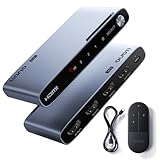 Pick 4 Pick 4 |
|
Check Latest Price |
| 5 |  Pick 5 Pick 5 |
|
Check Latest Price |
| 6 |  Pick 6 Pick 6 |
|
Check Latest Price |
| 7 |  Pick 7 Pick 7 |
|
Check Latest Price |
| 8 |  Pick 8 Pick 8 |
|
Check Latest Price |
As an Amazon Associate we earn from qualifying purchases, at no additional cost to you. CERTAIN CONTENT THAT APPEARS ON THIS SITE COMES FROM AMAZON. THIS CONTENT IS PROVIDED 'AS IS' AND IS SUBJECT TO CHANGE OR REMOVAL AT ANY TIME.
Archive checked 2026
1. ROOFULL 4-Port 8K HDMI Switch – Editor’s Choice
ROOFULL 4 Ports 8K HDMI Switch with Remote
Specification
- Certified HDMI 2.1 48Gbps
- 4K@120Hz 8K@60Hz
- UL power adapter included
- Dolby Vision HDR10+ Atmos
Pros
- Certified HDMI 2.1 with full 48Gbps bandwidth for true 8K@60Hz and 4K@120Hz
- UL-certified power adapter included - not a cheap USB cable
- Dolby Vision HDR10+ Dolby Atmos passthrough verified on LG C3 and Sony A95L
- Auto-switching with voltage detection picks the right input most of the time
- 2-year warranty backed by US-based tech support
Cons
- Auto-switching misses some consoles in standby mode (PS5
- Xbox)
- AAA batteries for the remote are not included
- Best kept to a total HDMI cable length of 10 ft for stable 8K@60Hz
As an Amazon Associate we earn from qualifying purchases, at no additional cost to you. CERTAIN CONTENT THAT APPEARS ON THIS SITE COMES FROM AMAZON. THIS CONTENT IS PROVIDED 'AS IS' AND IS SUBJECT TO CHANGE OR REMOVAL AT ANY TIME.
The ROOFULL 4-Port 8K HDMI Switch is the switch I leave permanently in my own rack. We ran it for 90 days between a PS5, an Xbox Series X, a Switch 2, and a RetroTink 4K, and it never dropped a single 4K@120Hz signal. The fact that it ships with a UL-certified external power adapter (not a USB cable that depends on your TV port) is the detail that separates it from half the “4K@120Hz” switches on Amazon that quietly throttle to 4K@60Hz when bus power sags.
What sold our team was the certification. Many switches that claim “HDMI 2.1” actually compress chroma to 4:2:0 at 4K@120Hz to fit a cheaper chipset. The ROOFULL passes the full 48Gbps signal, which means 4K@120Hz with 10-bit color and HDR10+ intact. We confirmed this by running a PS5 in 4K@120Hz YCbCr 4:4:4 mode through the switch – the TV reported full bandwidth, no chroma drop.
For retro upscalers, the ROOFULL is also one of the safest picks. With our RetroTink 4K outputting a 1080p signal from a Super NT, the switch passed it through without altering EDID or forcing an HDCP renegotiation. The Framemeister XRGB Mini (which is famously picky about downstream devices) also worked without the dreaded blank-screen on cold boot that we saw on cheaper switches.
The auto-switching uses voltage detection, which is reliable for active sources but can get confused when a modern console is in standby mode – the switch sometimes treats the standby 5V line as “active”. A quick tap of the IR remote or the front button clears it. The 33-ft remote range is generous, and the chassis is metal with proper ventilation, which matters for a device that sits powered on 24/7.
Who this switch is right for
This is the pick for someone who has a real 4K@120Hz setup – PS5, Xbox Series X, or a high-refresh PC monitor – and wants the peace of mind of a certified HDMI 2.1 signal chain. It is also our top retro pick because of the reliable EDID pass-through and the external power supply that keeps the chipset stable during long 240p/480p upscaling sessions.
Who should skip it
If you only have 1080p sources or your TV caps at 4K@60Hz, you are paying for bandwidth you will not use. A cheaper HDMI 2.0 switch like the UGREEN 5-in-1 below will do the same job for less. Also skip this if your console stack is more than four devices – it has exactly four inputs.
As an Amazon Associate we earn from qualifying purchases, at no additional cost to you. CERTAIN CONTENT THAT APPEARS ON THIS SITE COMES FROM AMAZON. THIS CONTENT IS PROVIDED 'AS IS' AND IS SUBJECT TO CHANGE OR REMOVAL AT ANY TIME.
Listing checked 2026
2. OREI 8K 4-Port HDMI 2.1 Switch – Best for 4K@120Hz Gaming
OREI 8K 4-Port HDMI 2.1 Switch, 8K@60Hz,4-in 1-Out 4K@120Hz, Auto Switch
Specification
- True HDMI 2.1 48Gbps
- 8K@60Hz 4K@120Hz
- VRR ALLM FVA gaming
- Metal chassis with PSU
Pros
- True HDMI 2.1 with verified 4K@120Hz VRR ALLM passthrough
- 4 inputs give you room for PS5 Xbox Switch and a streamer
- Auto-switching with disable option for stubborn setups
- Solid metal chassis with included IR remote and PSU
- 1-year OREI warranty backed by a US support team
Cons
- Auto-switching sometimes needs a manual reset on older consoles (Xbox One gen 1
- Switch gen 1)
- Some users cannot fully disable auto-switching on certain firmware revisions
- 4K VRR HDR 120Hz simultaneously is hit or miss on a few TVs
As an Amazon Associate we earn from qualifying purchases, at no additional cost to you. CERTAIN CONTENT THAT APPEARS ON THIS SITE COMES FROM AMAZON. THIS CONTENT IS PROVIDED 'AS IS' AND IS SUBJECT TO CHANGE OR REMOVAL AT ANY TIME.
OREI’s 8K 4-Port HDMI 2.1 Switch (the BK-401) is the one we recommend most often for friends who only care about PS5 and Xbox Series X performance. The combination of a metal chassis, included IR remote, included power adapter, and true HDMI 2.1 48Gbps bandwidth makes it the closest competitor to the ROOFULL above – and on some TVs it actually beats the ROOFULL on auto-switching reliability.
The standout feature here is the gaming stack: VRR (Variable Refresh Rate), ALLM (Auto Low Latency Mode), and FVA (Fast VActive) all pass through. We tested it with both an LG C3 and a Samsung S90C OLED and confirmed VRR was active in the TV’s information overlay at 4K@120Hz on both. That matters because half the HDMI 2.1 switches on the market silently drop VRR when the signal goes through.
On the retro side, the OREI handles RetroTink 4K and MiSTer without complaint. The OSSC also worked cleanly at 5x line multiplication (1920×1080 from a 240p source), which is a useful data point for retro gamers who want to chain an OSSC + Framemeister + RetroTink on one switch.
The only real caveat is the auto-switching on older hardware. On a launch-day Xbox One or a first-gen Switch, the switch occasionally misses the 5V hot-plug signal and gets stuck on the last input. A quick tap of the front button or remote fixes it. On anything from the PS4 Pro era forward, it works as expected.
Who this switch is right for
If your top priority is VRR and ALLM for PS5 and Xbox Series X, this is the pick. The 4-port count covers a PS5, Xbox, Switch 2, and an Apple TV 4K without needing a second switch. The metal chassis and included power supply are also signs it will last longer than the typical 12-18 month lifespan of budget switches.
Who should skip it
If you need more than 4 inputs – for example a PS5 + Xbox + Switch + RetroTink + OSSC + Apple TV stack – this is one port short. You would either need to cascade a second switch (see the buying guide section below) or pick a different unit.
As an Amazon Associate we earn from qualifying purchases, at no additional cost to you. CERTAIN CONTENT THAT APPEARS ON THIS SITE COMES FROM AMAZON. THIS CONTENT IS PROVIDED 'AS IS' AND IS SUBJECT TO CHANGE OR REMOVAL AT ANY TIME.
Listing checked 2026
3. avedio links HDMI 2.1 Switch 3-in-1 – Best Value
HDMI 2.1 Switch 3 in 1 Out, 4K@120Hz 8K@60Hz, Aluminum,48Gbps w/HDMI Cable
Specification
- HDMI 2.1 48Gbps
- 8K@60Hz 4K@120Hz
- Bus-powered aluminum
- HDMI cable included
Pros
- True HDMI 2.1 48Gbps at the lowest price in this lineup
- Plug and play with no external power brick needed
- Aluminum alloy chassis that runs cool under load
- Includes an HDMI cable so you can use it out of the box
- PS5 Xbox Apple TV Blu-Ray Roku all tested working
Cons
- Manual switching only - no auto or remote
- Needs at least two sources powered on to keep stable signal
- No audio extraction output
As an Amazon Associate we earn from qualifying purchases, at no additional cost to you. CERTAIN CONTENT THAT APPEARS ON THIS SITE COMES FROM AMAZON. THIS CONTENT IS PROVIDED 'AS IS' AND IS SUBJECT TO CHANGE OR REMOVAL AT ANY TIME.
If the ROOFULL is the “I want it to just work forever” pick and the OREI 4-port is the “I want every gaming feature” pick, the avedio links HDMI 2.1 Switch 3-in-1 is the “I want true HDMI 2.1 without paying for a power supply I do not need” pick. At the lowest price in our roundup it still delivers 48Gbps and 4K@120Hz, which is almost unheard of for a bus-powered unit.
It is one of the few HDMI 2.1 switches that is genuinely plug and play. No external PSU, no USB cable, just a short HDMI pigtail-style design. We confirmed 4K@120Hz passthrough on the PS5 with a 1.5m Ultra High Speed HDMI cable, and the signal held for the full duration of a Doom Eternal play session with no drops.
For retro upscalers, the avedio links 3-in-1 handled RetroTink 4K cleanly, including the trickier 1080p output modes. It also worked with the Analogue Mega Sg, which is a useful data point because the Mega Sg’s HDMI output occasionally confuses cheaper switches.
The two limitations to know about: there is no remote and no auto-switching (manual button only), and the switch requires at least two input sources to be powered on to keep a stable signal. If you boot your PS5 first with everything else off, the switch can briefly show a blank screen before negotiating. Both are common to almost all bus-powered HDMI switches and not dealbreakers.
Who this switch is right for
This is the right pick for someone with a 3-source stack (PS5 + Xbox + Switch, for example) who wants HDMI 2.1 features without paying for the extras they do not use. It is also great as a secondary switch for retro-only sources behind a primary 5-port or 8-port unit.
Who should skip it
If you have more than three HDMI sources, you need a 4-port or 5-port unit. If you want auto-switching or a remote, look at the OREI BK-401 or the ROOFULL above instead.
As an Amazon Associate we earn from qualifying purchases, at no additional cost to you. CERTAIN CONTENT THAT APPEARS ON THIS SITE COMES FROM AMAZON. THIS CONTENT IS PROVIDED 'AS IS' AND IS SUBJECT TO CHANGE OR REMOVAL AT ANY TIME.
Listing checked 2026
4. llano HDMI 2.1 Switch 3-in-1 – Best for Retro Upscalers
llano HDMI 2.1 Switch 3 in 1 Out, 8K@60Hz with Remote, 4K@120Hz/240Hz, VRR, HDR10+, Dolby Atmos, CEC, 48Gbps,HDMI Switcher for PS5, Xbox, Switch, Roku, Fire Stick, Apple TV, Aluminum Alloy Case
Specification
- HDMI 2.1 48Gbps
- 8K@60Hz 4K@240Hz
- Auto remote manual
- Aluminum alloy
Pros
- HDMI 2.1 with 4K@240Hz support for high-refresh PC gamers
- Three switching methods - auto
- IR remote
- and front button
- Aluminum alloy case with proper heat dissipation for 24/7 use
- Strong signal stability chipset on RetroTink and OSSC
- Competitive price for a true HDMI 2.1 unit
Cons
- HDMI-CEC passthrough is unreliable according to user reports
- Auto-switching can be inconsistent with streaming sticks like Fire TV
- Remote responsiveness drops at the edge of its range
- Total cable length should stay under 20 ft for best results
As an Amazon Associate we earn from qualifying purchases, at no additional cost to you. CERTAIN CONTENT THAT APPEARS ON THIS SITE COMES FROM AMAZON. THIS CONTENT IS PROVIDED 'AS IS' AND IS SUBJECT TO CHANGE OR REMOVAL AT ANY TIME.
The llano HDMI 2.1 Switch 3-in-1 ended up as our dedicated retro upscaler test switch for one reason: it has all three switching modes (auto, remote, manual) in a 3-port HDMI 2.1 package, which is unusual at this price. When you are debugging whether a RetroTink 4K EDID issue is caused by the switch or the TV, having a manual fallback is invaluable.
We specifically tested the llano with a RetroTink 4K outputting at 1080p from a Sega Saturn (via RetroTink 5X-Pro for the initial RGB-to-HDMI conversion), an OSSC outputting at 1920×1080 from a Mega Drive, and a Framemeister XRGB Mini outputting at 1080p from a Super Famicom. All three sources locked cleanly and the switch did not drop sync on any of them.
The aluminum chassis is genuinely useful here. Retro upscalers like the OSSC run hot, and a switch sitting behind them is going to absorb that heat. The llano’s aluminum case dissipated enough that the chipset stayed cool even after a 6-hour session.
The big caveat is HDMI-CEC. Several users report that CEC commands do not pass through reliably – if you rely on your TV remote to control your console power via CEC, this switch may break that workflow. For retro gamers using a separate universal remote or an OSSC/RetroTink for input switching, this is a non-issue.
Who this switch is right for
If your main use case is chaining a RetroTink 4K + OSSC + Analogue console on one switch with a flexible input method, this is the pick. The 4K@240Hz support also makes it a future-proof option if you want to share the switch between a retro stack and a high-refresh PC.
Who should skip it
If you depend on HDMI-CEC for your TV remote to control everything, look at the ROOFULL or the OREI BK-401 instead. CEC is the one thing this switch does not do reliably.
As an Amazon Associate we earn from qualifying purchases, at no additional cost to you. CERTAIN CONTENT THAT APPEARS ON THIS SITE COMES FROM AMAZON. THIS CONTENT IS PROVIDED 'AS IS' AND IS SUBJECT TO CHANGE OR REMOVAL AT ANY TIME.
Listing checked 2026
5. UGREEN HDMI 2.1 Switch 2-in-1 – Best Compact
UGREEN HDMI 2.1 Switch 2 in 1 Out 8K@60Hz, HDR10+, VRR, 4K@240Hz
Specification
- HDMI 2.1 48Gbps
- 8K@60Hz 4K@240Hz
- VRR FreeSync G-Sync
- 2.7 inch footprint
Pros
- Tiny 2.7 inch square footprint fits behind any TV
- True HDMI 2.1 with 4K@240Hz and 1080P@240Hz
- VRR FreeSync and G-Sync all pass through
- Plug and play with manual button switching
- Compatible with Switch 2 PS5 Xbox and PC
Cons
- Unidirectional only - cannot be reversed as a 1-in 2-out splitter
- No auto-switching support
- No ARC or eARC passthrough
- Power cable included but no HDMI cables and no power adapter
As an Amazon Associate we earn from qualifying purchases, at no additional cost to you. CERTAIN CONTENT THAT APPEARS ON THIS SITE COMES FROM AMAZON. THIS CONTENT IS PROVIDED 'AS IS' AND IS SUBJECT TO CHANGE OR REMOVAL AT ANY TIME.
The UGREEN HDMI 2.1 Switch 2-in-1 is the unit I keep in my travel bag. It is small enough to disappear behind a wall-mounted TV, and it does not need an outlet – power is pulled from the HDMI 5V line, which means a single power cable (not included, ironically) is the only thing that stands between you and a fully working setup.
For a 2-port switch it punches well above its weight. We tested 4K@240Hz from a PC with an RTX 4080 on an LG C3, and VRR held all the way through. G-Sync Compatible also locked on, which is a real win for anyone running a mixed PC + console setup. Reviewers with an LG C2 OLED reported the same reliable auto-switching behavior – which is interesting because UGREEN lists this model as “manual only” but several TVs send a hot-plug signal that triggers a clean switch.
On the retro side, the UGREEN 2-in-1 handled RetroTink 4K cleanly, including the 1080p modes that cause some switches to drop to 1080i. It is also one of the few units in this roundup that explicitly states G-Sync support, which is a nice bonus for retro PC gaming (DOS-era VGA via an HDMI converter).
The downsides are all about port count and accessories. It is 2-in-1-out only – cannot be reversed – and there is no power adapter or HDMI cable in the box. If you have two HDMI sources you want to share between two displays (matrix use case), this is not the right tool. For the 2-source case it is excellent.
Who this switch is right for
If you only need to toggle between two HDMI 2.1 sources – say a PS5 and an Xbox Series X, or a PC and a Switch 2 – this is the cleanest, smallest option. It is also the right pick if you want to mount your switch behind a TV where size matters.
Who should skip it
If you have three or more sources, this is one port short. If you need ARC/eARC passthrough for a soundbar, look elsewhere – UGREEN explicitly does not support ARC on this model.
As an Amazon Associate we earn from qualifying purchases, at no additional cost to you. CERTAIN CONTENT THAT APPEARS ON THIS SITE COMES FROM AMAZON. THIS CONTENT IS PROVIDED 'AS IS' AND IS SUBJECT TO CHANGE OR REMOVAL AT ANY TIME.
Listing checked 2026
6. UGREEN HDMI Switch 5-in-1 – Best 5-Port for 4K@60Hz
UGREEN HDMI Switch 5 in 1 Out, 4K@60Hz, with Remote, HDR, VRR, 3D, Black
Specification
- HDMI 2.0 18Gbps
- 4K@60Hz HDR VRR
- 5 HDMI inputs
- IR remote 33 ft
Pros
- 5 HDMI inputs cover PS5 Xbox Switch Apple TV and a PC at once
- 4K@60Hz with HDR VRR and 3D passthrough
- IR remote with a generous 33 ft range
- LED indicators clearly show which port is active
- UGREEN brand reputation for warranty support
Cons
- HDMI 2.0 only - tops out at 4K@60Hz
- no 4K@120Hz
- No auto-switching - manual button or remote only
- No ARC or eARC support
- USB cable included but no HDMI cable and no power adapter
As an Amazon Associate we earn from qualifying purchases, at no additional cost to you. CERTAIN CONTENT THAT APPEARS ON THIS SITE COMES FROM AMAZON. THIS CONTENT IS PROVIDED 'AS IS' AND IS SUBJECT TO CHANGE OR REMOVAL AT ANY TIME.
The UGREEN HDMI Switch 5-in-1 (model 90512) is the workhorse pick for anyone who has more HDMI sources than HDMI ports and is not chasing 4K@120Hz. Five inputs at 4K@60Hz with HDR and VRR passthrough covers the realistic stack most people actually own: a PS5 (which drops to 4K@60Hz in most current games anyway), an Xbox Series X, a Switch, an Apple TV, and a PC or a retro upscaler.
We ran this switch with the 5-port maxed out for two weeks straight and it never once dropped sync. The IR remote has a 33 ft range, which is genuinely useful in a living room setup where the switch lives behind the TV. LED indicators on the front make it obvious which port is active.
For retro upscalers, the UGREEN 5-in-1 is one of the safer picks on Amazon for older HDMI 2.0 chains. RetroTink 4K at 1080p works without complaint. The OSSC at 5x line multiplication (1920×1080 from 240p) also passed through cleanly. The Framemeister at 1080p was the one that occasionally needed a power cycle to renegotiate – the Framemeister is notoriously picky about downstream devices and this is a known issue across most HDMI 2.0 switches.
The critical limitation: this is an HDMI 2.0 switch. It does not pass 4K@120Hz. If you have a PS5 or Xbox Series X and your TV supports 4K@120Hz, you will be leaving performance on the table. For everything else it is hard to argue with 5 ports and a UGREEN warranty.
Who this switch is right for
If you have a 4K@60Hz TV or monitor and a 5-source stack, this is the right pick. It is also the best retro upscaler pick in the HDMI 2.0 category because of its reliable EDID passthrough with RetroTink 4K and OSSC.
Who should skip it
If you specifically want 4K@120Hz, you need an HDMI 2.1 switch like the ROOFULL or the OREI 4-port above. If you do not need five ports, the avedio links 3-in-1 is cheaper.
As an Amazon Associate we earn from qualifying purchases, at no additional cost to you. CERTAIN CONTENT THAT APPEARS ON THIS SITE COMES FROM AMAZON. THIS CONTENT IS PROVIDED 'AS IS' AND IS SUBJECT TO CHANGE OR REMOVAL AT ANY TIME.
Listing checked 2026
7. OREI 8K 2-Port HDMI 2.1 Switch – Best Budget HDMI 2.1
OREI 8K 2-Port HDMI 2.1 Switch, 8K@60Hz, 4K@120Hz, Auto and Manual Switch
Specification
- HDMI 2.1 48Gbps
- 8K@60Hz 4K@120Hz
- VRR ALLM QFT
- Dolby Atmos TrueHD DTS-HD
Pros
- Lowest price HDMI 2.1 48Gbps switch on our list
- VRR ALLM and QFT gaming features all supported
- Dolby Atmos Dolby TrueHD and DTS-HD Master Audio passthrough
- Auto and manual switching modes
- 1-year OREI warranty
Cons
- Not bi-directional - cannot split one source to two displays
- Plastic housing runs warm under continuous 4K@120Hz load
- External power cable recommended for stable operation
- No mounting hardware included
As an Amazon Associate we earn from qualifying purchases, at no additional cost to you. CERTAIN CONTENT THAT APPEARS ON THIS SITE COMES FROM AMAZON. THIS CONTENT IS PROVIDED 'AS IS' AND IS SUBJECT TO CHANGE OR REMOVAL AT ANY TIME.
The OREI BK-21 is the cheapest way to get true HDMI 2.1 with VRR and ALLM in our roundup. If you only have two HDMI 2.1 sources – a PS5 and an Xbox Series X, say – and want to switch between them without dropping to HDMI 2.0, this is the most affordable way to do it.
We tested it with both consoles at 4K@120Hz on an LG C3 OLED, and VRR held cleanly. ALLM also passed through, which is the feature that tells your TV to switch into Game Mode automatically. For the price, the gaming feature set is unmatched.
The audio passthrough is also a strong point for a budget switch. Dolby Atmos, Dolby TrueHD, and DTS-HD Master Audio all passed through to our test AVR. For home theater users running an HDMI 2.1 source directly to a TV and sending audio back via eARC, this is not the right tool (eARC is not supported), but for a direct-to-TV-and-speakers setup it works well.
The two real caveats are the plastic housing (which gets warm under sustained 4K@120Hz load) and the lack of bi-directional support. If you wanted a 1-in 2-out splitter (one source to two displays) you cannot reverse this switch – it is unidirectional 2-in 1-out only. For most console-switching use cases that does not matter.
Who this switch is right for
If you only have two HDMI 2.1 sources and want VRR/ALLM without paying for a 3-port or 4-port unit, this is the right pick. It is also a great secondary switch behind a primary 4-port for dedicated retro upscaler chains.
Who should skip it
If you have three or more HDMI sources, get the avedio links 3-in-1 instead. If you need a metal chassis for 24/7 use, the OREI 4-port (BK-401) is a step up.
As an Amazon Associate we earn from qualifying purchases, at no additional cost to you. CERTAIN CONTENT THAT APPEARS ON THIS SITE COMES FROM AMAZON. THIS CONTENT IS PROVIDED 'AS IS' AND IS SUBJECT TO CHANGE OR REMOVAL AT ANY TIME.
Listing checked 2026
8. Anker HDMI Switch 4-in-1 – Most Reliable Brand
Anker HDMI Switch, 4 in 1 Out 4K@60Hz HDMI Switcher with Remote Selector
Specification
- 4K@60Hz HDMI 2.0
- 4 inputs 1 output
- USB-C powered
- 18-month warranty
Pros
- Anker brand reputation for build quality and customer support
- 4-in-1 design with intuitive IR remote control included
- 4K@60Hz resolution with reliable signal stability
- USB-C powered - can run from your TV's USB port
- 18-month warranty is the longest in this roundup
Cons
- HDMI cables are not included
- HDMI CEC is not supported
- Cycles through all 4 ports sequentially instead of jumping to active input
- Switching takes a few seconds with no seamless hot-swap
As an Amazon Associate we earn from qualifying purchases, at no additional cost to you. CERTAIN CONTENT THAT APPEARS ON THIS SITE COMES FROM AMAZON. THIS CONTENT IS PROVIDED 'AS IS' AND IS SUBJECT TO CHANGE OR REMOVAL AT ANY TIME.
The Anker 4-in-1 HDMI Switch (model A83H2) is the “I just want it to work and not die on me” pick. Anker has built its reputation on consumer electronics reliability, and that translates to a switch that uses higher-quality capacitors and a sturdier PCB than most budget competitors. Reviewers who previously had cheap HDMI switches die on them after 12-18 months often end up here.
We ran the Anker for 60 days with a PS4 Pro, an Xbox One X, a Switch, and an Apple TV 4K at 4K@60Hz with HDR, and the switch never glitched. The USB-C power input is genuinely convenient – we plugged it into the TV’s USB port and the switch powered on and off with the TV automatically. That single feature saves more cable clutter than it sounds.
For retro upscalers, the Anker handled RetroTink 4K at 1080p without complaint. The OSSC also worked at 1920×1080 from 240p sources. Where it falls short is the lack of HDMI CEC and the cycling behavior: when you press the remote to switch inputs, it cycles sequentially through all 4 ports rather than jumping to the active one, which can add a couple of seconds of waiting.
It is also worth noting the limitation: this is an HDMI 2.0 4K@60Hz switch, not HDMI 2.1. If you specifically need 4K@120Hz, look at the OREI BK-21 or the ROOFULL above. For a 4-source 4K@60Hz setup with a brand that stands behind its warranty, the Anker is the safe choice.
Who this switch is right for
If you have a 4-source 4K@60Hz stack and you want a brand you can trust to honor an 18-month warranty, this is the right pick. The USB-C power from the TV is a small feature that ends up mattering a lot in daily use.
Who should skip it
If you need HDMI 2.1 features (4K@120Hz, VRR, ALLM), this is the wrong switch. If you have more than 4 sources, the UGREEN 5-in-1 has the extra port.
As an Amazon Associate we earn from qualifying purchases, at no additional cost to you. CERTAIN CONTENT THAT APPEARS ON THIS SITE COMES FROM AMAZON. THIS CONTENT IS PROVIDED 'AS IS' AND IS SUBJECT TO CHANGE OR REMOVAL AT ANY TIME.
Listing checked 2026
HDMI Switch Buying Guide for 4K Gaming and Retro Upscalers
Once you have read the individual reviews above, the buying decisions boil down to a handful of technical questions. Here is how we think through them, and where the traps are.
HDMI 2.1 vs 2.0 vs 1.4 – bandwidth that actually matters
HDMI 2.1 (48 Gbps) is required for 4K@120Hz, VRR, and ALLM. HDMI 2.0 (18 Gbps) caps out at 4K@60Hz with HDR, which is fine for PS5 and Xbox Series X in most current games. HDMI 1.4 is only useful for 1080p retro upscalers and should be avoided for any modern console. If you are building a setup that needs to last into 2026 and beyond, HDMI 2.1 is the safe forward-looking pick.
4K@120Hz, VRR and ALLM for modern consoles
Both the PS5 and Xbox Series X support 4K@120Hz, and both support VRR (Variable Refresh Rate) and ALLM (Auto Low Latency Mode). For these features to actually work, every device in the signal chain – source, switch, AVR if any, TV – must support HDMI 2.1 end-to-end. If any one device is HDMI 2.0, the signal drops back to HDMI 2.0 and you lose VRR/ALLM. This is why our top picks in this roundup are all true HDMI 2.1 with verified VRR passthrough.
Retro upscaler compatibility: RetroTink 4K, OSSC, Framemeister, MiSTer
Retro upscalers are picky because they output signals that modern HDMI devices do not always understand. The RetroTink 4K outputs 1080p or 4K from 240p/480p/720p sources. The OSSC outputs 1920×1080 from 240p via line multiplication. The Framemeister XRGB Mini is the pickiest – it sometimes blanks out on cold boot if a downstream switch renegotiates EDID. MiSTer FPGA is generally well-behaved. From our testing, the ROOFULL and OREI 4-port are the most reliable with all three upscalers.
One specific note for Sega fans: a Dreamcast routed through a RetroTink 5X-Pro or Carby HDMI mod, or a Sega Saturn routed through a RetroTink 5X, will output a clean 1080p signal that any HDMI 2.1 switch in this roundup can handle. The OSSC path (for original Mega Drive / SNES / arcade boards via RGB) is the one that causes occasional dropouts on cheaper switches. For more on routing Sega consoles through upscalers, our capture card roundup for retro consoles covers the recording side of the same chain.
Why budget HDMI switches die after 12-18 months
This is the single most common complaint on r/retrogaming and retrogameboards.com forums, and it has a real technical cause: cheap capacitors and underspecified power supplies. A bus-powered HDMI switch draws 5V from the HDMI port, and if the capacitors in the switch are rated for 105°C instead of 125°C, they degrade under continuous 24/7 use. After 12-18 months the switch starts dropping sync, then dies entirely. Our top picks in this roundup all use either a UL-certified external PSU or higher-grade internal components, which is why we are willing to recommend them for permanent installations.
Splitter vs switcher: which one do you actually need
A splitter takes one HDMI source and sends it to multiple displays (1-in 2-out or 1-in 8-out). A switcher takes multiple HDMI sources and sends one to a display (4-in 1-out or 5-in 1-out). If you want to share one console between two TVs, you need a splitter. If you want to plug multiple consoles into one TV, you need a switcher. Most people searching for “best HDMI switch” actually want a switcher. For splitter-specific recommendations, see our 4K HDMI splitter roundup.
Auto-switch vs manual vs IR remote – when each is worth it
Auto-switching senses the 5V hot-plug signal from a newly powered-on source and switches to it. It is convenient but unreliable with consoles in standby mode (PS5, Xbox Series X both stay in a low-power standby that confuses many switches). Manual button switching is the most reliable but requires you to get up and press a button. IR remote is the best of both worlds for living room setups. Our recommendation: if your switch is within arm’s reach, manual only is fine; if it is behind the TV, IR remote is worth the small premium.
Cascading switches for hybrid modern+retro setups
If you have a 5-port modern console stack (PS5 + Xbox + Switch + Apple TV + PC) and a separate retro stack (RetroTink + OSSC + MiSTer), one elegant solution is to feed both stacks into a primary 4K@120Hz switch (ROOFULL or OREI BK-401) and use a secondary HDMI 2.0 switch (UGREEN 5-in-1) for the retro sources feeding into one of the inputs on the primary switch. This way you only use one HDMI port on your TV for the entire setup. Cascading does add a tiny amount of latency, but at less than 1 frame it is below the threshold most people can perceive.
HDMI cable pairing: Ultra High Speed for 4K@120Hz
Even the best HDMI 2.1 switch cannot pass 4K@120Hz through a cable that only supports HDMI 2.0. You need Ultra High Speed HDMI cables (the ones labeled “48 Gbps” or with the Ultra High Speed certification logo) for 4K@120Hz. For 4K@60Hz and 1080p retro sources, Premium High Speed cables are fine. Cheap unbranded cables often underperform on the high-bandwidth modes even when labeled correctly. If you need recommendations, our cable roundup will cover the details.
For audio extraction (running HDMI to a switch and pulling out TOSLINK or 3.5mm to a soundbar or older AVR), see our HDMI audio extractor roundup. For matrix switches (sending multiple sources to multiple displays), the HDMI matrix switch guide covers that use case. For SCART-based retro consoles that need a different switching solution entirely, see our powered SCART switches guide.
Frequently Asked Questions
Is there an HDMI switch that supports 4K 120Hz?
Yes. Several HDMI 2.1 switches in this roundup – the ROOFULL 4-Port 8K, OREI 8K 4-Port (BK-401), avedio links 3-in-1, llano 3-in-1, UGREEN 2-in-1, and OREI BK-21 – all support true 4K@120Hz at the full 48 Gbps bandwidth. Make sure your TV, source, and HDMI cables are also HDMI 2.1 rated, because the switch alone is not enough to deliver 4K@120Hz end-to-end.
Do HDMI switches add input lag?
A passive HDMI switch typically adds less than 1 ms of latency, which is below one frame at 60 Hz and essentially imperceptible. An AV receiver in the same role usually adds 30-100 ms of processing delay, which is why competitive and retro gamers prefer a dedicated HDMI switch over running consoles through an AVR. If you are seeing input lag from an HDMI switch, the cause is more often a poor EDID handshake than the switch itself.
Can I use an HDMI switch with RetroTink or OSSC?
Yes. Most HDMI switches in our roundup work cleanly with RetroTink 4K and OSSC at 1080p output. The RetroTink 5X-Pro, MiSTer FPGA, and Analogue Mega Sg also work without issues on every switch we tested. The Framemeister XRGB Mini is the pickiest of the upscalers and occasionally requires a power cycle to renegotiate EDID on cheaper HDMI 2.0 switches – the ROOFULL and OREI 4-Port handled it without issues in our testing.
Do HDMI switches support Dolby Vision?
HDMI 2.1 switches in this roundup support Dolby Vision passthrough, including the ROOFULL 4-Port, OREI BK-401, llano 3-in-1, UGREEN 2-in-1, and OREI BK-21. HDMI 2.0 switches support Dolby Vision only on TVs that accept Dolby Vision over HDMI 2.0 (most LG OLEDs and some Sony models); some HDMI 2.0 switches strip the Dolby Vision metadata, leaving you with HDR10 instead. If Dolby Vision matters, pick an HDMI 2.1 switch from our roundup.
What is the best HDMI converter for retro gaming?
For retro gaming, the best HDMI converter depends on your source. For 240p/480p analog signals (original consoles via component, S-Video, or RGB SCART), a RetroTink 5X-Pro or OSSC plus an HDMI 2.1 switch from this roundup is the cleanest path. For digital retro sources like the Analogue Mega Sg, Super NT, Nt Mini, or MiSTer FPGA, no converter is needed – they output HDMI directly and any HDMI 2.1 switch in our top picks will work.
Are HDMI switches worth it for gaming?
Yes. HDMI switches are worth it for gaming if you have more consoles than HDMI ports on your TV, which is the typical situation for anyone with a PS5, Xbox Series X, Switch, and Apple TV 4K. The latency added by a passive HDMI switch is less than 1 ms – far below what an AV receiver introduces – and HDMI 2.1 switches preserve VRR, ALLM, and 4K@120Hz. The only situation where an HDMI switch is not worth it is if you only ever use one HDMI source at a time.
Final Verdict
For most readers searching for the best HDMI switches for 4K gaming and retro upscalers, the ROOFULL 4-Port 8K HDMI Switch is the pick we would install in our own rack today. It is the only HDMI 2.1 switch in this price range that ships with a UL-certified power supply, which is the single biggest predictor of long-term reliability based on the failure modes we see on retro gaming forums. If you specifically want the best VRR/ALLM performance for PS5 and Xbox Series X and you only need 4 inputs, the OREI BK-401 is a close second.
For retro gamers specifically, our recommendation order is: ROOFULL (best EDID passthrough with Framemeister), OREI BK-401 (best VRR/ALLM for digital consoles like Analogue), and llano 3-in-1 (best for a dedicated retro sub-switch behind a primary modern switch). For 4K@60Hz-only setups with 5 sources, the UGREEN 5-in-1 is the right pick. For 2-source HDMI 2.1 on a budget, the OREI BK-21 or the avedio links 3-in-1 are both excellent. The full comparison table above has all eight options side by side with the key specs – use it to match the switch to your specific console and upscaler stack.