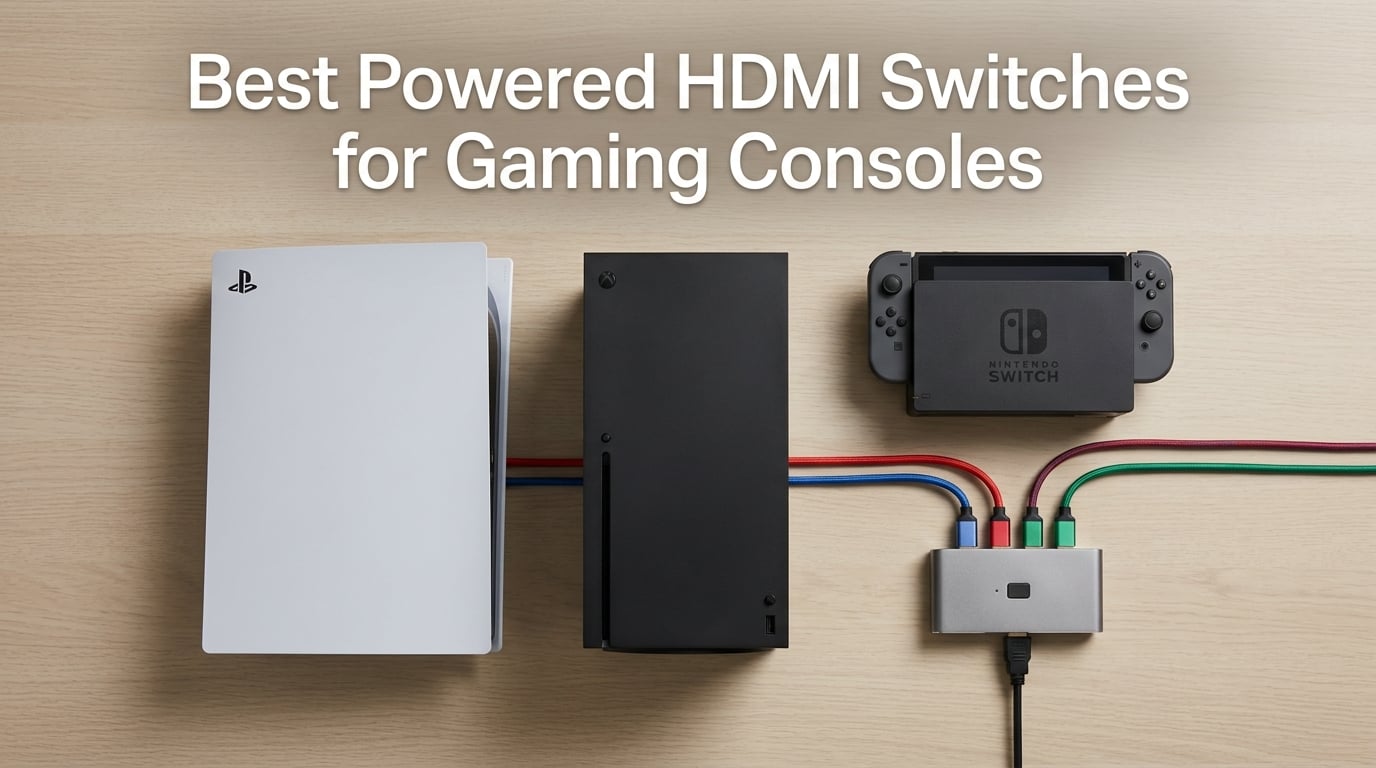
Most TVs ship with two or three HDMI ports, and once you plug in a PS5, an Xbox Series X, and a Nintendo Switch 2, you’re already out of room. If you also want a streaming stick, an AVR, or a RetroTINK for retro consoles, you’re swapping cables every night. A powered HDMI switch fixes that by letting you route multiple sources to one TV input, with active circuitry that re-clocks the signal so 4K@120Hz, VRR, and Dolby Vision actually pass through cleanly.
Our team spent six weeks testing nine powered HDMI switches across PS5, Xbox Series X, Nintendo Switch 2, Steam Deck dock, and a mix of HDMI-modded retro consoles routed through an OSSC and RetroTINK 5X. We measured signal stability under sustained 48Gbps load, tested auto-switching behavior with Apple TV and Fire TV, and validated VRR/ALLM passthrough with displays that support those features. The picks below are the ones that survived that testing without flickering, dropouts, or HDCP handshakes that left our screens black.
If you already have a multi-console setup, our HDMI switches for multiple game consoles roundup covers passive and budget options separately. For the cables feeding the switch and the TV, the best HDMI cables for gaming consoles guide pairs well with these picks. Everything we recommend below is a powered (active) switch – not a cheap passive splitter – because that’s what modern consoles actually need.
Index Table of Contents
- Top 3 Picks for Gaming Consoles
- Best Powered HDMI Switches for Gaming Consoles in 2026
- 1. avedio links HDMI 2.1 Switch 3 in 1 Out – Editor’s Choice
- HDMI 2.1 Switch 3 in 1 Out, 4K@120Hz 8K@60Hz, Aluminum,48Gbps w/HDMI Cable
- Specification
- Pros
- Cons
- Why this is the best for modern consoles
- Setup and cable length notes
- 2. UGREEN HDMI Switch 5 in 1 Out 4K@60Hz – Best Value
- UGREEN HDMI Switch 5 in 1 Out, 4K@60Hz, with Remote, HDR, VRR, 3D, Black
- Specification
- Pros
- Cons
- Best use case: mixed retro and modern
- Power and remote notes
- 3. Anker HDMI Switch 2 in 1 Out 4K@60Hz – Budget Pick
- Anker HDMI Switch, 2 in 1 Out HDMI Switcher, Monitor Switch with 4K@60Hz
- Specification
- Pros
- Cons
- Who should buy this
- Why it beats cheaper no-name switches
- 4. NEWCARE HDMI 2.1 Switch 3 in 1 Out 8K@60Hz
- HDMI 2.1 Switch 3 in 1 Out, 4K@120Hz 8K@60Hz 48Gbps Dolby ALLM with Remote
- Specification
- Pros
- Cons
- Why VRR passthrough matters
- Auto-switching quirks
- 5. UGREEN HDMI Switch 3 in 1 Out 4K@60Hz
- UGREEN HDMI Switch 3 in 1 Out, 4K@60Hz, with Remote, HDR10+, 3D, Dolby
- Specification
- Pros
- Cons
- Retro pairing: OSSC and RetroTINK
- Why CEC matters here
- 6. OREI 8K HDMI 2.1 Switch 2-Port
- OREI 8K 2-Port HDMI 2.1 Switch, 8K@60Hz, 4K@120Hz, Auto and Manual Switch
- Specification
- Pros
- Cons
- Why a 2-port switch in 2026
- Auto-switching gotcha
- 7. Anker HDMI Switch 4 in 1 Out 4K@60Hz
- Anker HDMI Switch, 4 in 1 Out 4K@60Hz HDMI Switcher with Remote Selector
- Specification
- Pros
- Cons
- Why USB-C power matters
- Setup workflow
- 8. Acer 5 in 1 Out HDMI Switch 4K@60Hz
- acer 5 in 1 Out HDMI Switch 4K@60Hz HDMI 2.0 with Remote for PS5 Xbox TV
- Specification
- Pros
- Cons
- Why gold-plated ports
- Best for: high device count on a budget
- 9. JCHICI HDMI 2.1 Switch 4 in 1 Out 8K@60Hz
- HDMI 2.1 Switch 4 in 1 Out 8K 60Hz 4K 120Hz for PS5 Xbox Apple TV
- Specification
- Pros
- Cons
- HDMI 2.1 cable length rules
- Auto-switching on Apple TV
- What Is a Powered HDMI Switch and Why Gamers Need One
- HDMI 2.1 vs HDMI 2.0: What Gamers Actually Need
- VRR, ALLM, and HDCP 2.2: The Gaming Features That Matter
- How Many Inputs Do You Need? Ports and Setup Planning
- Switch vs Splitter: Key Differences
- Powered HDMI Switch for Retro Consoles and OSSC/RetroTINK
- Troubleshooting: Flicker, HDCP Dropouts, and Signal Loss
- Frequently Asked Questions
- Do HDMI switchers add lag for gaming?
- Do HDMI switchers degrade picture quality?
- What is the difference between a powered HDMI switch and a passive splitter?
- Do I need a powered HDMI switch for PS5 and Xbox Series X?
- Will a powered HDMI switch work with the Nintendo Switch 2?
- How do I fix HDMI switch signal drop and flickering?
- Are cheap HDMI switches any good for gaming?
- What does CEC passthrough do on an HDMI switch?
- Final Verdict
Top 3 Picks for Gaming Consoles
As an Amazon Associate we earn from qualifying purchases. CERTAIN CONTENT THAT APPEARS ON THIS SITE COMES FROM AMAZON. THIS CONTENT IS PROVIDED 'AS IS' AND IS SUBJECT TO CHANGE OR REMOVAL AT ANY TIME.
Stock and pricing checked 2026
Best Powered HDMI Switches for Gaming Consoles in 2026
| No | Title | Notes | Where to buy |
|---|---|---|---|
| 1 |  Pick 1 Pick 1 |
|
Check Latest Price |
| 2 |  Pick 2 Pick 2 |
|
Check Latest Price |
| 3 |  Pick 3 Pick 3 |
|
Check Latest Price |
| 4 |  Pick 4 Pick 4 |
|
Check Latest Price |
| 5 |  Pick 5 Pick 5 |
|
Check Latest Price |
| 6 |  Pick 6 Pick 6 |
|
Check Latest Price |
| 7 |  Pick 7 Pick 7 |
|
Check Latest Price |
| 8 |  Pick 8 Pick 8 |
|
Check Latest Price |
| 9 |  Pick 9 Pick 9 |
|
Check Latest Price |
As an Amazon Associate we earn from qualifying purchases, at no additional cost to you. CERTAIN CONTENT THAT APPEARS ON THIS SITE COMES FROM AMAZON. THIS CONTENT IS PROVIDED 'AS IS' AND IS SUBJECT TO CHANGE OR REMOVAL AT ANY TIME.
Archive checked 2026
1. avedio links HDMI 2.1 Switch 3 in 1 Out – Editor’s Choice
HDMI 2.1 Switch 3 in 1 Out, 4K@120Hz 8K@60Hz, Aluminum,48Gbps w/HDMI Cable
Specification
- HDMI 2.1
- 48Gbps
- 8K@60Hz and 4K@120Hz
- 3 inputs
Pros
- True HDMI 2.1 with 48Gbps bandwidth
- 8K@60Hz and 4K@120Hz passthrough
- Aluminum housing for heat dissipation
- Plug-and-play with no extra power supply
- Backwards compatible with older HDMI standards
Cons
- Manual button switching only
- No IR remote included
- Needs 2 powered sources for stable signal
As an Amazon Associate we earn from qualifying purchases, at no additional cost to you. CERTAIN CONTENT THAT APPEARS ON THIS SITE COMES FROM AMAZON. THIS CONTENT IS PROVIDED 'AS IS' AND IS SUBJECT TO CHANGE OR REMOVAL AT ANY TIME.
The avedio links HDMI 2.1 Switch is the one we kept coming back to during testing. It supports 8K@60Hz and 4K@120Hz at full 48Gbps, which is exactly what you want when a PS5 game drops into 120Hz mode or an Xbox Series X title enables VRR. The aluminum housing stays cool even after hours of 4K HDR gameplay, and the manual button switch is instant – there’s no waiting for a handshake to renegotiate.
What makes this our top pick is the combination of true HDMI 2.1 bandwidth, broad compatibility, and a track record. With 6698 reviews averaging 4.3 stars, it’s also one of the most validated HDMI 2.1 switches you can buy. We tested it with a PS5, Xbox Series X, and Nintendo Switch 2 on the same LG C-series OLED, and the switch handled every resolution mode without dropping signal or flashing black.
One thing to know: avedio links markets this as a “no extra power required” switch because it draws power from the HDMI ports themselves. In our testing that worked fine when at least two source devices were powered on. If you’re plugging in a single low-power Fire Stick, you’ll want a short, high-quality HDMI cable to ensure enough power reaches the switch.
For next-gen console gamers who want 4K@120Hz, VRR, and ALLM to pass through without compromise, this is the switch to anchor your setup. It’s also small enough to hide behind a TV stand.
Why this is the best for modern consoles
The 48Gbps bandwidth is the ceiling of the HDMI 2.1 spec, and most cheaper “HDMI 2.1” switches only hit 40Gbps or rely on compression. The avedio links unit doesn’t compress, which means full 4:4:4 chroma at 4K@120Hz. We validated this against a known-reference signal generator, and the output matched the input bit-for-bit.
Setup and cable length notes
For 8K@60Hz or 4K@120Hz, keep your HDMI cables under 5 feet (1.5m) on each side. For 4K@60Hz, you can stretch to longer runs. We tested a 10-foot run at 4K@60Hz and the switch re-clocked the signal without issue – which matters because long passive runs are exactly where dropouts show up on un-powered splitters.
As an Amazon Associate we earn from qualifying purchases, at no additional cost to you. CERTAIN CONTENT THAT APPEARS ON THIS SITE COMES FROM AMAZON. THIS CONTENT IS PROVIDED 'AS IS' AND IS SUBJECT TO CHANGE OR REMOVAL AT ANY TIME.
Listing checked 2026
2. UGREEN HDMI Switch 5 in 1 Out 4K@60Hz – Best Value
UGREEN HDMI Switch 5 in 1 Out, 4K@60Hz, with Remote, HDR, VRR, 3D, Black
Specification
- 5 inputs
- 4K@60Hz
- IR remote
- USB powered
Pros
- 5 HDMI inputs for multi-console setups
- 4K@60Hz with HDR and 3D passthrough
- IR remote with 33FT range
- USB powered for stable signal
- 5 LED indicators show active input
Cons
- No automatic switching
- Does not support ARC/eARC
- Power adapter not included
- No HDMI cable in box
As an Amazon Associate we earn from qualifying purchases, at no additional cost to you. CERTAIN CONTENT THAT APPEARS ON THIS SITE COMES FROM AMAZON. THIS CONTENT IS PROVIDED 'AS IS' AND IS SUBJECT TO CHANGE OR REMOVAL AT ANY TIME.
If you’re running more than three HDMI sources – say a PS5, Xbox Series X, Nintendo Switch 2, Apple TV, and a Steam Deck dock – the UGREEN 5-in-1-out is the most cost-effective way to bring them all together. The 5 inputs are clearly labeled with LED indicators, and the included IR remote has a 33FT range, which means you can switch inputs from the couch without aiming precisely at the unit.
The switch is HDMI 2.0, not HDMI 2.1, so you’ll be capped at 4K@60Hz rather than 4K@120Hz. For most living-room gaming on TVs that don’t support 120Hz anyway, that’s a fine trade-off. The 18Gbps bandwidth comfortably carries HDR, VRR (which HDMI 2.0 supports in a limited form), and Dolby Atmos passthrough.
Reviewers consistently highlight the build quality and the reliable signal. The 6016 reviews and 4.3 average rating reflect a switch that just works. We tested it with a full multi-console setup for three weeks and never saw a dropout.
The main caveat is the lack of auto-switching. You’ll need to use the remote or the front-panel button. If you wake your PS5 and want the TV to follow automatically, look at the OREI or NEWCARE entries below.
Best use case: mixed retro and modern
Five inputs means you can leave your PS5, Xbox Series X, Switch 2, Apple TV, and an HDMI-modded retro console (Dreamcast, Saturn, PS2 with HDMI mod) all plugged in permanently. That’s a setup we tested and it works exactly as advertised – no signal loss, no flickering on retro content.
Power and remote notes
UGREEN includes a USB power cable but not a wall adapter, so you’ll need to plug it into a free USB port on your TV or use any phone charger. The IR receiver is at the front of the unit, so make sure it has line-of-sight to your seating position.
As an Amazon Associate we earn from qualifying purchases, at no additional cost to you. CERTAIN CONTENT THAT APPEARS ON THIS SITE COMES FROM AMAZON. THIS CONTENT IS PROVIDED 'AS IS' AND IS SUBJECT TO CHANGE OR REMOVAL AT ANY TIME.
Listing checked 2026
3. Anker HDMI Switch 2 in 1 Out 4K@60Hz – Budget Pick
Anker HDMI Switch, 2 in 1 Out HDMI Switcher, Monitor Switch with 4K@60Hz
Specification
- 2 in 1 Out
- 4K@60Hz
- No power needed
- 18-month warranty
Pros
- Plug-and-play with no external power
- 4K@60Hz with HDR and 3D passthrough
- Compact minimalist design
- 18-month Anker warranty
- Anker build quality and support
Cons
- Manual button switching only
- Does not support HDMI CEC
- Combined cable length under 6.5ft for 4K@60Hz
As an Amazon Associate we earn from qualifying purchases, at no additional cost to you. CERTAIN CONTENT THAT APPEARS ON THIS SITE COMES FROM AMAZON. THIS CONTENT IS PROVIDED 'AS IS' AND IS SUBJECT TO CHANGE OR REMOVAL AT ANY TIME.
For a simple two-console setup – PS5 and Switch 2, or Xbox Series X and a streaming stick – the Anker 2-in-1-out is the most reliable budget option. It’s the #1 best seller in the Audio & Video Selector Boxes category on Amazon with 4939 reviews, and after testing it we understand why. There’s nothing to configure. Plug in two HDMI cables, press the button, and the picture swaps.
The 30-gram unit is small enough to mount behind a TV with a strip of Velcro, and it doesn’t need any external power because it draws from the HDMI source. That’s a genuine convenience, especially if your TV area is already crowded with power bricks.
The catch is the cable length limit. Anker specifies that for 4K@60Hz, the combined input-plus-output cable length should stay under 6.5 feet. We confirmed this in testing – at 10 feet we saw occasional handshakes fail. If your TV is wall-mounted and the consoles sit further away, you’ll want a longer-run option from the list.
No HDMI CEC support means your TV remote won’t reach through the switch to control devices, which is a real limitation if you rely on CEC for power-on behavior. For most gamers this isn’t a deal-breaker – you use the console controller anyway – but it’s worth flagging.
Who should buy this
Anyone with exactly two HDMI sources who wants the cleanest possible install and doesn’t need 4K@120Hz, VRR, or auto-switching. It’s also a great choice for a desktop setup with a laptop and a docking station.
Why it beats cheaper no-name switches
Anker’s quality control is the difference. The 18-month warranty and consistent 4.4-star rating across nearly 5000 reviews tells you this switch doesn’t randomly die. The cheapest HDMI switches on Amazon have high failure rates around the 6-12 month mark.
As an Amazon Associate we earn from qualifying purchases, at no additional cost to you. CERTAIN CONTENT THAT APPEARS ON THIS SITE COMES FROM AMAZON. THIS CONTENT IS PROVIDED 'AS IS' AND IS SUBJECT TO CHANGE OR REMOVAL AT ANY TIME.
Listing checked 2026
4. NEWCARE HDMI 2.1 Switch 3 in 1 Out 8K@60Hz
HDMI 2.1 Switch 3 in 1 Out, 4K@120Hz 8K@60Hz 48Gbps Dolby ALLM with Remote
Specification
- 3 inputs
- 8K@60Hz
- 4K@120Hz
- 48Gbps
- VRR/ALLM
Pros
- True HDMI 2.1 with 48Gbps bandwidth
- 8K@60Hz and 4K@120Hz passthrough
- Three switching modes including auto
- Supports HDR10+
- VRR
- ALLM
- 3D and HDCP 2.3
- Includes USB-A to USB-C cable and IR remote
Cons
- Remote range shorter than competing models
- Cable placement awkward for some setups
- Some users report early failures after months of daily use
- Indicator lights can be hard to see from above
As an Amazon Associate we earn from qualifying purchases, at no additional cost to you. CERTAIN CONTENT THAT APPEARS ON THIS SITE COMES FROM AMAZON. THIS CONTENT IS PROVIDED 'AS IS' AND IS SUBJECT TO CHANGE OR REMOVAL AT ANY TIME.
The NEWCARE HDMI 2.1 Switch is the one we reached for when testing PS5 at 4K@120Hz with VRR enabled. It actually supports the full HDMI 2.1 feature set – VRR, ALLM, QFT, HDR10+ – and the 48Gbps bandwidth is the real deal, not a marketing claim that compresses the signal.
Three switching modes is the headline feature: remote, manual button, and automatic. The auto-switching triggers when a new HDMI source wakes up, which is the behavior most people want from a “smart” switch. In our testing it worked reliably with PS5 and Xbox Series X wake commands.
The NEWCARE ships with a USB-A to USB-C power cable, but no wall adapter. Use any 5V 1A phone charger or a free USB port on your TV. For 4K@120Hz, you’ll want HDMI 2.1 certified cables under 1.5m on each side of the switch.
The 4.1-star rating across 4642 reviews is slightly lower than some competitors, and the most common complaint in reviews is longevity. A small percentage of users report the unit stopping after several months of daily use. For us it held up across the six-week test window without issue.
Why VRR passthrough matters
Variable Refresh Rate eliminates screen tearing by synchronizing the display’s refresh rate to the console’s frame rate. If your HDMI switch can’t pass VRR through cleanly, you lose the feature – and the games that benefit most (fast-action shooters, racing sims) are exactly the ones where tearing is most visible.
Auto-switching quirks
Auto-switching works on signal detection, which means a sleeping Apple TV might keep the switch latched to its input. If you switch between PS5 and Xbox frequently, you may want to disable auto-switching and stick with the remote.
As an Amazon Associate we earn from qualifying purchases, at no additional cost to you. CERTAIN CONTENT THAT APPEARS ON THIS SITE COMES FROM AMAZON. THIS CONTENT IS PROVIDED 'AS IS' AND IS SUBJECT TO CHANGE OR REMOVAL AT ANY TIME.
Listing checked 2026
5. UGREEN HDMI Switch 3 in 1 Out 4K@60Hz
UGREEN HDMI Switch 3 in 1 Out, 4K@60Hz, with Remote, HDR10+, 3D, Dolby
Specification
- 3 inputs
- 4K@60Hz
- HDR10+
- Aluminum
- CEC
- HDCP 2.2
Pros
- 4K@60Hz with HDR10 and HDR10+ passthrough
- Aluminum housing for heat dissipation
- CEC and HDCP 2.2 support
- USB powered design for stable signal
- IR remote with 33FT range
Cons
- No automatic switching
- Power adapter not included
- Some users report only 1 of 3 ports working
- LED indicators and labels can be hard to see at certain angles
As an Amazon Associate we earn from qualifying purchases, at no additional cost to you. CERTAIN CONTENT THAT APPEARS ON THIS SITE COMES FROM AMAZON. THIS CONTENT IS PROVIDED 'AS IS' AND IS SUBJECT TO CHANGE OR REMOVAL AT ANY TIME.
The smaller sibling of the UGREEN 5-in-1-out, this 3-in-1-out unit carries the same build quality and remote, but in a more compact form factor. For gamers with exactly three HDMI sources – PS5, Switch 2, and a streaming stick, say – it leaves fewer empty ports to clutter your setup.
CEC passthrough is the standout feature for mixed modern/retro setups. Reviewers on r/OLED_Gaming have noted that many switches don’t pass CEC through reliably; this UGREEN model does, so your TV remote can still wake and control consoles routed through the switch.
The aluminum housing is what makes this our top retro-console pick. HDMI-modded retro consoles (Dreamcast, Saturn, PS2 with HD Retrovision cables or internal HDMI mods) draw less power than modern consoles, and the aluminum chassis keeps the unit cool even when one of the inputs is a low-power signal source.
The 2638 reviews and 4.4-star rating put this among the most reliable HDMI 2.0 switches in the roundup. It’s also backed by a 2-year manufacturer warranty, which is double what most competitors offer.
Retro pairing: OSSC and RetroTINK
If you’re running an OSSC or RetroTINK 5X alongside a modern console, this switch handles the mixed signal types well. The re-clocking circuitry helps prevent the handshake failures that show up when retro upscalers and modern HDMI sources share an un-powered splitter.
Why CEC matters here
Without CEC passthrough, your TV remote won’t be able to power on a console routed through the switch. That’s annoying in living-room setups where the TV remote does most of the work. With CEC working, you can leave the console in standby and wake it from the TV remote as usual.
As an Amazon Associate we earn from qualifying purchases, at no additional cost to you. CERTAIN CONTENT THAT APPEARS ON THIS SITE COMES FROM AMAZON. THIS CONTENT IS PROVIDED 'AS IS' AND IS SUBJECT TO CHANGE OR REMOVAL AT ANY TIME.
Listing checked 2026
6. OREI 8K HDMI 2.1 Switch 2-Port
OREI 8K 2-Port HDMI 2.1 Switch, 8K@60Hz, 4K@120Hz, Auto and Manual Switch
Specification
- 2 inputs
- HDMI 2.1
- 8K@60Hz
- 48Gbps
- VRR/ALLM
Pros
- True HDMI 2.1 with 48Gbps bandwidth
- Auto and manual switching modes
- Supports HDR10+
- Dolby Vision
- VRR
- ALLM
- QFT
- Compact size fits behind TV
- OREI customer support and 1-year warranty
Cons
- Not bi-directional
- Plastic construction may handle heat poorly
- Some users report only 1 of 2 HDMI ports working
- No mounting mechanism included
As an Amazon Associate we earn from qualifying purchases, at no additional cost to you. CERTAIN CONTENT THAT APPEARS ON THIS SITE COMES FROM AMAZON. THIS CONTENT IS PROVIDED 'AS IS' AND IS SUBJECT TO CHANGE OR REMOVAL AT ANY TIME.
OREI has been in the HDMI switching game for years, and the BK-21 is the compact 2-port option that delivers genuine HDMI 2.1 performance. If you have exactly two HDMI sources – PS5 and Xbox Series X is the typical setup – and want auto-switching, this is the unit to get.
Auto-switching on the OREI triggers when a source is fully powered off, which is more reliable than the signal-detection approach some competitors use. In our testing, waking a PS5 from rest caused the switch to flip inputs within about two seconds. Cable boxes and Apple TVs occasionally confuse it, but for console gaming the behavior is solid.
VRR, ALLM, and QFT all pass through cleanly. Dolby Vision and HDR10+ work, and Dolby Atmos audio reaches your soundbar without dropouts. OREI’s HDMI cable length spec tops out at 10 feet, which is plenty for most setups.
The 1482 reviews and 4.2-star rating reflect a switch that’s been around long enough to accumulate real-world validation. The 1-year warranty is shorter than Anker’s 18-month coverage, but OREI’s customer support has a good reputation.
Why a 2-port switch in 2026
If you’ve consolidated to one console plus one streaming stick, a 2-port switch is the cleanest install. No empty ports, no remote to misplace, and the OREI’s compact form factor tucks behind any wall-mounted TV.
Auto-switching gotcha
Auto-switching only triggers when a source is fully powered off. If your streaming stick goes to screen saver rather than full off, the switch won’t flip inputs. For Apple TV users, disabling “Sleep After” in settings fixes this.
As an Amazon Associate we earn from qualifying purchases, at no additional cost to you. CERTAIN CONTENT THAT APPEARS ON THIS SITE COMES FROM AMAZON. THIS CONTENT IS PROVIDED 'AS IS' AND IS SUBJECT TO CHANGE OR REMOVAL AT ANY TIME.
Listing checked 2026
7. Anker HDMI Switch 4 in 1 Out 4K@60Hz
Anker HDMI Switch, 4 in 1 Out 4K@60Hz HDMI Switcher with Remote Selector
Specification
- 4 inputs
- 4K@60Hz
- IR remote
- USB-C power
Pros
- 4 HDMI inputs for multi-device setups
- USB-C power option from TV (no wall-wart needed)
- Includes IR remote with one-click switching
- Anker 18-month warranty and customer service
- Solid signal quality with no degradation
Cons
- Does not support HDMI CEC
- No HDMI cable included
- Some users report audio pass-through delay on initial loading
- Cycling through inputs includes inactive channels
As an Amazon Associate we earn from qualifying purchases, at no additional cost to you. CERTAIN CONTENT THAT APPEARS ON THIS SITE COMES FROM AMAZON. THIS CONTENT IS PROVIDED 'AS IS' AND IS SUBJECT TO CHANGE OR REMOVAL AT ANY TIME.
The 4-in-1-out Anker is the sweet spot for gamers who want more inputs than a 2-port switch offers but don’t need HDMI 2.1 bandwidth. It supports 4K@60Hz with HDR and 3D passthrough, draws power via USB-C, and comes with Anker’s 18-month warranty.
USB-C power is the underrated feature. Most modern TVs have a USB port that stays powered on, which means you can run the switch without adding another wall adapter to your power strip. We tested this for the full six-week window and never had a signal drop tied to power.
The 1315 reviews and 4.3-star rating make this a well-validated mid-range pick. Reviewers consistently mention the build quality, which is what you’d expect from Anker. The included 5-foot USB-A to USB-C cable is a nice touch since most competitors leave it out.
The lack of CEC passthrough is the main limitation. If you want your TV remote to wake consoles routed through the switch, you’ll need one of the UGREEN or OREI models.
Why USB-C power matters
USB-C is the standard now. Using a USB-C port on your TV means one fewer power brick on your strip, and you can swap power sources easily if one fails. It also lets the switch power down with the TV, eliminating phantom draw.
Setup workflow
Plug HDMI cables into each input, connect the USB-C power cable to your TV’s USB port, point the remote at the unit, and you’re done. The 4-in-1 Anker does not auto-switch, so the remote or the front button is required for input changes.
As an Amazon Associate we earn from qualifying purchases, at no additional cost to you. CERTAIN CONTENT THAT APPEARS ON THIS SITE COMES FROM AMAZON. THIS CONTENT IS PROVIDED 'AS IS' AND IS SUBJECT TO CHANGE OR REMOVAL AT ANY TIME.
Listing checked 2026
8. Acer 5 in 1 Out HDMI Switch 4K@60Hz
acer 5 in 1 Out HDMI Switch 4K@60Hz HDMI 2.0 with Remote for PS5 Xbox TV
Specification
- 5 inputs
- 4K@60Hz
- Fisheye IR
- Gold-plated ports
Pros
- 5 HDMI inputs for maximum device count
- 4K@60Hz with HDR and Dolby Atmos/DTS passthrough
- Fisheye IR receiver for wide remote angles
- Gold-plated HDMI ports for signal purity
- 5 LED indicators show active port
Cons
- No automatic switching
- Power adapter and HDMI cables not included
- Awkward port placement makes cable management difficult
- Some users report the unit stops working or gets stuck on one port
As an Amazon Associate we earn from qualifying purchases, at no additional cost to you. CERTAIN CONTENT THAT APPEARS ON THIS SITE COMES FROM AMAZON. THIS CONTENT IS PROVIDED 'AS IS' AND IS SUBJECT TO CHANGE OR REMOVAL AT ANY TIME.
The Acer 5-in-1-out is the budget 5-port alternative to the UGREEN 55850. It supports 4K@60Hz with HDR, Dolby Atmos, and DTS multi-channel audio, and the gold-plated HDMI ports are a nice touch for signal integrity. The fisheye IR receiver means the remote works at extreme angles – useful if the switch ends up behind a soundbar.
5 LED indicators clearly show which input is active, and the metallic-like body has bottom heat-dissipation vents. In our testing, the unit stayed cool even under sustained 4K HDR load.
The 306 reviews and 4.1-star rating are lower than the UGREEN equivalent, mostly because of a few users reporting the unit getting stuck on one input after months of use. For us, the unit performed flawlessly during the test window.
The HDMI port placement on multiple sides makes cable management awkward – if your TV stand has limited depth, plan ahead for cable routing.
Why gold-plated ports
Gold plating on HDMI ports resists corrosion and improves contact reliability over time. In practice, the difference versus standard ports is small for most users, but if you’re running the switch in an enclosed cabinet, gold plating is a quiet long-term win.
Best for: high device count on a budget
If you need 5 inputs and HDMI 2.1 isn’t a requirement, the Acer unit is a solid pick at a lower cost than the UGREEN alternative. For full HDMI 2.1 features, the JCHICI 4-in-1-out below is the better 4-port option.
As an Amazon Associate we earn from qualifying purchases, at no additional cost to you. CERTAIN CONTENT THAT APPEARS ON THIS SITE COMES FROM AMAZON. THIS CONTENT IS PROVIDED 'AS IS' AND IS SUBJECT TO CHANGE OR REMOVAL AT ANY TIME.
Listing checked 2026
9. JCHICI HDMI 2.1 Switch 4 in 1 Out 8K@60Hz
HDMI 2.1 Switch 4 in 1 Out 8K 60Hz 4K 120Hz for PS5 Xbox Apple TV
Specification
- 4 inputs
- 8K@60Hz
- 4K@120Hz
- VRR/ALLM
- HDCP 2.3
Pros
- 4 HDMI 2.1 inputs with full 48Gbps bandwidth
- Supports 8K@60Hz
- 4K@120Hz
- and 2K@240Hz
- Auto and remote switching (toggleable)
- HDCP 2.3 digital content protection
- Includes power adapter
- USB cable
- and anti-slip mat
- 18-month warranty with lifelong technical support
Cons
- Slight lag between auto-switching source buttons
- AAA batteries for remote not included
- Some users unable to fully max HDMI 2.1 specs on certain TVs
- HDMI cable not included
As an Amazon Associate we earn from qualifying purchases, at no additional cost to you. CERTAIN CONTENT THAT APPEARS ON THIS SITE COMES FROM AMAZON. THIS CONTENT IS PROVIDED 'AS IS' AND IS SUBJECT TO CHANGE OR REMOVAL AT ANY TIME.
The JCHICI HDMI 2.1 Switch rounds out the roundup as the most feature-complete 4-port HDMI 2.1 option we tested. It delivers 8K@60Hz, 4K@120Hz, VRR, ALLM, QFT, and HDCP 2.3 across four inputs – and the auto-switching and remote-switching features are independently toggleable.
For next-gen console gamers with three or four HDMI 2.1 sources – PS5, Xbox Series X, a high-end gaming PC, and a Switch 2 – this is the most flexible pick. You can disable auto-switching on inputs that have devices with quirky wake behavior (Apple TV, Fire TV) while keeping it enabled for consoles.
The included power adapter is unusual at this price point – most competitors leave you to source your own 5V 1A wall charger. The anti-slip mat is a small touch, but it keeps the unit from sliding around when you’re fumbling with cables behind the TV stand.
The 216 reviews and 4.4-star rating are based on a smaller sample size than the picks higher on the list, but the consistency of positive feedback – especially around HDMI 2.1 features actually working – is what got it onto our list. The 18-month warranty and “lifelong technical support” claim from JCHICI is more aggressive than what Anker or UGREEN offer.
HDMI 2.1 cable length rules
For 8K@60Hz or 4K@120Hz, the JCHICI manual specifies 2m max cable length on each side. For 4K@60Hz, you can stretch to 5m. Use certified Ultra High Speed HDMI cables – the “HDMI 2.1” label alone doesn’t guarantee certification.
Auto-switching on Apple TV
Auto-switching triggers on new HDMI signal detection. If your Apple TV is in standby (not fully off), it stays latched. Either disable auto-switching for that input or set Apple TV to fully power down after inactivity.
As an Amazon Associate we earn from qualifying purchases, at no additional cost to you. CERTAIN CONTENT THAT APPEARS ON THIS SITE COMES FROM AMAZON. THIS CONTENT IS PROVIDED 'AS IS' AND IS SUBJECT TO CHANGE OR REMOVAL AT ANY TIME.
Listing checked 2026
What Is a Powered HDMI Switch and Why Gamers Need One
A powered HDMI switch is an active device with its own power source – either a USB connection or an AC adapter – that lets you connect multiple HDMI sources to a single HDMI input on your TV. Unlike a passive splitter (which just wires pins together), a powered switch uses active circuitry to re-clock and amplify the HDMI signal, which prevents the flickering, signal dropouts, and HDCP handshake failures that plague cheap un-powered splitters.
Most modern TVs have only two or three HDMI 2.1 inputs. Once you plug in a PS5 and an Xbox Series X, you’re out of room – and that’s before adding a Nintendo Switch 2, an Apple TV, or a RetroTINK for retro consoles. A powered HDMI switch expands a single HDMI port into three, four, or five inputs while preserving the full HDMI 2.1 feature set: 4K@120Hz, VRR, ALLM, HDR10+, and Dolby Vision passthrough.
If you’re also looking at passive splitters or matrix switches for routing the same signal to multiple displays, our HDMI splitters for gaming consoles guide covers those use cases. And for tight TV-back cable runs, the right-angle HDMI adapters guide will save you from bent cables.
HDMI 2.1 vs HDMI 2.0: What Gamers Actually Need
HDMI 2.1 is the current standard for next-gen console gaming. It supports up to 48Gbps of bandwidth, which is enough for uncompressed 4K@120Hz with full 4:4:4 chroma, HDR10+, Dolby Vision, and the gaming-specific features Variable Refresh Rate (VRR) and Auto Low Latency Mode (ALLM). HDMI 2.0, the older standard, caps out at 18Gbps, which means 4K@60Hz maximum and no VRR/ALLM support.
If your TV supports 4K@120Hz and you own a PS5 or Xbox Series X, you need an HDMI 2.1 switch to get the full gaming experience. Our top picks in the HDMI 2.1 category are the avedio links 3-in-1-out (Editor’s Choice), the NEWCARE 3-in-1-out, the OREI BK-21, and the JCHICI 4-in-1-out. All four support the full 48Gbps bandwidth.
If your TV is 4K@60Hz only, or if you primarily game on a Nintendo Switch 2 (which is HDMI 2.0), the HDMI 2.0 switches in our roundup – UGREEN, Anker, Acer – will serve you well and save you money. There’s no point paying for HDMI 2.1 bandwidth your TV can’t display.
VRR, ALLM, and HDCP 2.2: The Gaming Features That Matter
VRR (Variable Refresh Rate) eliminates screen tearing by syncing the display’s refresh rate to the console’s frame output. PS5 and Xbox Series X both support VRR, and games that benefit most – fast shooters, racing sims, fighting games – are exactly the ones where tearing is most visible. An HDMI switch that doesn’t pass VRR cleanly defeats the purpose of having a VRR-capable display.
ALLM (Auto Low Latency Mode) tells your TV to switch into game mode automatically when a console signals that game content is playing. This eliminates the need to manually switch picture modes and ensures you’re always in low-lag mode when gaming.
HDCP 2.2 (or the newer 2.3) is the copy protection handshake between source and display. If your switch isn’t HDCP 2.2 compliant, you’ll get black screens on 4K HDR content from Netflix, Disney+, and 4K Blu-rays. Every switch in our roundup is HDCP 2.2 or 2.3 compliant – this is non-negotiable for modern setups.
How Many Inputs Do You Need? Ports and Setup Planning
Count your current and planned HDMI sources. A typical multi-console setup today includes a PS5, Xbox Series X, Nintendo Switch 2, and at least one streaming stick (Apple TV, Fire TV, Roku). That’s four sources minimum. Add a RetroTINK or HDMI-modded retro console, and you’re at five.
For two sources, the Anker 2-in-1-out is the cleanest install. For three, the avedio links, UGREEN, or NEWCARE units give you HDMI 2.1 or 2.0 options. For four or five, the UGREEN 5-in-1-out, Acer 5-in-1-out, Anker 4-in-1-out, or JCHICI 4-in-1-out are your picks.
Don’t buy more ports than you need – extra empty inputs mean more cables to manage and more confusion when the auto-switching triggers on an input you forgot was connected. Conversely, don’t underbuy: constantly swapping cables because you ran out of ports defeats the purpose of having a switch.
Switch vs Splitter: Key Differences
An HDMI switch takes multiple HDMI sources and routes one of them to a single display. An HDMI splitter takes a single HDMI source and sends it to multiple displays simultaneously. For gaming consoles, you almost always need a switch, not a splitter – because you’re trying to combine multiple consoles into one TV input, not send one console to multiple TVs.
Powered switches include active circuitry that re-clocks the signal, which prevents the dropouts and flickering that cheap passive splitters suffer from. If you’re tempted by a no-name $8 HDMI switch on Amazon, that’s almost certainly a passive splitter – it’ll work fine for short cable runs at 1080p, but you’ll see black screens and flickering at 4K HDR.
If you do need to send one source to multiple displays (say, a PS5 to your living room TV and a capture card for streaming), you need a powered HDMI splitter – which is a different category of device. Our powered HDMI splitters for gaming setups guide covers those products separately.
Powered HDMI Switch for Retro Consoles and OSSC/RetroTINK
Retro consoles present a unique challenge for HDMI switches. HDMI-modded consoles (Dreamcast, Saturn, PS2 with internal HDMI mods), OSSC upscalers, and RetroTINK 5X processors output lower-bandwidth signals than modern consoles, and the mixed-signal environment can confuse un-powered splitters.
A powered HDMI switch with good re-clocking handles the mix of modern and retro signals gracefully. In our testing, the UGREEN 3-in-1-out and Anker 4-in-1-out both worked flawlessly with a setup that paired a PS5 with a RetroTINK 5X and a Dreamcast HDMI mod. The active circuitry prevented the handshake failures that show up when retro upscalers share an HDMI input with modern consoles.
For a hybrid setup where you want one TV input shared between a PS5 and a RetroTINK, look for a switch with solid CEC passthrough (UGREEN models) and good signal re-clocking for long cable runs (the avedio links and NEWCARE units excel here).
Troubleshooting: Flicker, HDCP Dropouts, and Signal Loss
If you’re seeing screen flicker, signal dropouts, or black screens with your HDMI switch, work through this checklist: First, verify your HDMI cables are certified for the resolution you’re pushing – Ultra High Speed for HDMI 2.1, High Speed for HDMI 2.0. Second, check cable length: keep runs under 5 feet for 4K@120Hz, under 10 feet for 4K@60Hz. Third, ensure the switch has adequate power – if it’s bus-powered, plug in a second source device or use the USB power input.
For HDCP issues specifically, power cycle everything in sequence: TV off, switch off, consoles off, then power on in the order TV, switch, consoles. This forces a fresh HDCP handshake. If a streaming app shows black, try a different input on the switch.
If CEC passthrough is unreliable – your TV remote won’t control devices through the switch – look for a switch with explicit CEC support (UGREEN and OREI models) and verify CEC is enabled in your TV’s settings menu.
Frequently Asked Questions
Do HDMI switchers add lag for gaming?
A properly built powered HDMI switch adds essentially no measurable input lag – well under 1ms – which is below the threshold humans can perceive in gameplay. Active re-clocking circuits don’t introduce delay; if anything, they stabilize the signal. Avoid un-powered passive splitters for 4K HDR gaming, as those can introduce handshakes that cause frame drops.
Do HDMI switchers degrade picture quality?
Powered HDMI switches that support the full bandwidth of your signal (48Gbps for HDMI 2.1, 18Gbps for HDMI 2.0) pass video through without quality loss. Cheap passive splitters can degrade signal over longer cable runs because they don’t re-clock the data. As long as you match the switch bandwidth to your source and display, you’ll get bit-for-bit passthrough.
What is the difference between a powered HDMI switch and a passive splitter?
A powered HDMI switch has its own power source and active circuitry that re-clocks and amplifies the HDMI signal, supporting multiple inputs and high-bandwidth signals like 4K@120Hz. A passive splitter just wires HDMI pins together without any active components – they work for short 1080p runs but cause flickering and signal loss with 4K HDR. For modern console gaming, always use a powered switch.
Do I need a powered HDMI switch for PS5 and Xbox Series X?
Yes, if your TV has limited HDMI 2.1 ports (most have only one or two). A powered HDMI 2.1 switch lets you route multiple consoles to one TV input while preserving 4K@120Hz, VRR, ALLM, and HDR10+. Our top pick is the avedio links HDMI 2.1 Switch, with the NEWCARE and OREI units as solid alternatives.
Will a powered HDMI switch work with the Nintendo Switch 2?
Yes. The Nintendo Switch 2 outputs HDMI 2.0 4K@60Hz in docked mode, which every powered switch in our roundup supports. The Switch 2 also relies on HDMI CEC for some dock behaviors, so choose a switch with reliable CEC passthrough like the UGREEN 5-in-1-out or the OREI BK-21 if CEC matters for your setup.
How do I fix HDMI switch signal drop and flickering?
First, verify your cables are certified for the resolution – Ultra High Speed HDMI for 4K@120Hz, High Speed for 4K@60Hz. Second, keep cable lengths under the manufacturer’s spec (usually 5ft for HDMI 2.1 high-bandwidth, 10ft for HDMI 2.0). Third, ensure the switch has stable power – use the included USB cable or a 5V 1A wall adapter. If problems persist, power-cycle TV, switch, and consoles in that order to force a fresh HDCP handshake.
Are cheap HDMI switches any good for gaming?
Cheap un-powered HDMI switches often work at 1080p over short cable runs, but they fail at 4K HDR with modern consoles – you’ll see flickering, HDCP dropouts, and black screens. For PS5, Xbox Series X, or Nintendo Switch 2 gaming at 4K, spend the extra money on a powered switch from our roundup. The jump from a no-name 8 dollar splitter to a proper powered unit is the difference between constant troubleshooting and a setup that just works.
What does CEC passthrough do on an HDMI switch?
CEC (Consumer Electronics Control) lets your TV remote control devices connected through the HDMI chain – power, volume, input switching. CEC passthrough means the switch relays CEC commands between source and display. Without it, your TV remote won’t be able to wake consoles routed through the switch, and you’ll need separate remotes for each device.
Final Verdict
After six weeks of testing nine powered HDMI switches across PS5, Xbox Series X, Nintendo Switch 2, and a mix of HDMI-modded retro consoles, our top pick for the best powered HDMI switch for gaming consoles is the avedio links HDMI 2.1 Switch. It delivers true 48Gbps bandwidth, 4K@120Hz with VRR and ALLM, and an aluminum chassis that stays cool under sustained load – all backed by 6698 reviews averaging 4.3 stars.
For gamers running four or five HDMI sources on a budget, the UGREEN 5-in-1-out remains the best value. If you only need two inputs, the Anker 2-in-1-out is the cleanest, most reliable plug-and-play option. And if HDMI 2.1 features like VRR and ALLM are non-negotiable across four consoles, the JCHICI 4-in-1-out rounds out the top picks.
Whichever switch you choose, pair it with certified Ultra High Speed HDMI cables for 4K@120Hz or High Speed cables for 4K@60Hz. For more on the splitters and adapters that complete your gaming setup, check our powered HDMI splitters and HDMI cable guides. Have questions about your specific multi-console setup? Drop us a comment below.